Self-diagnostic
1/2
3. Mode
35920
35920
Self-d iagnostic
Image Path Check
Bringing up the display
Maintenance: 2260 → Extension → Maintenance → Self-diagnostic → Image Path Check
!
!!
! Explanation
Display Display
Item Explanation
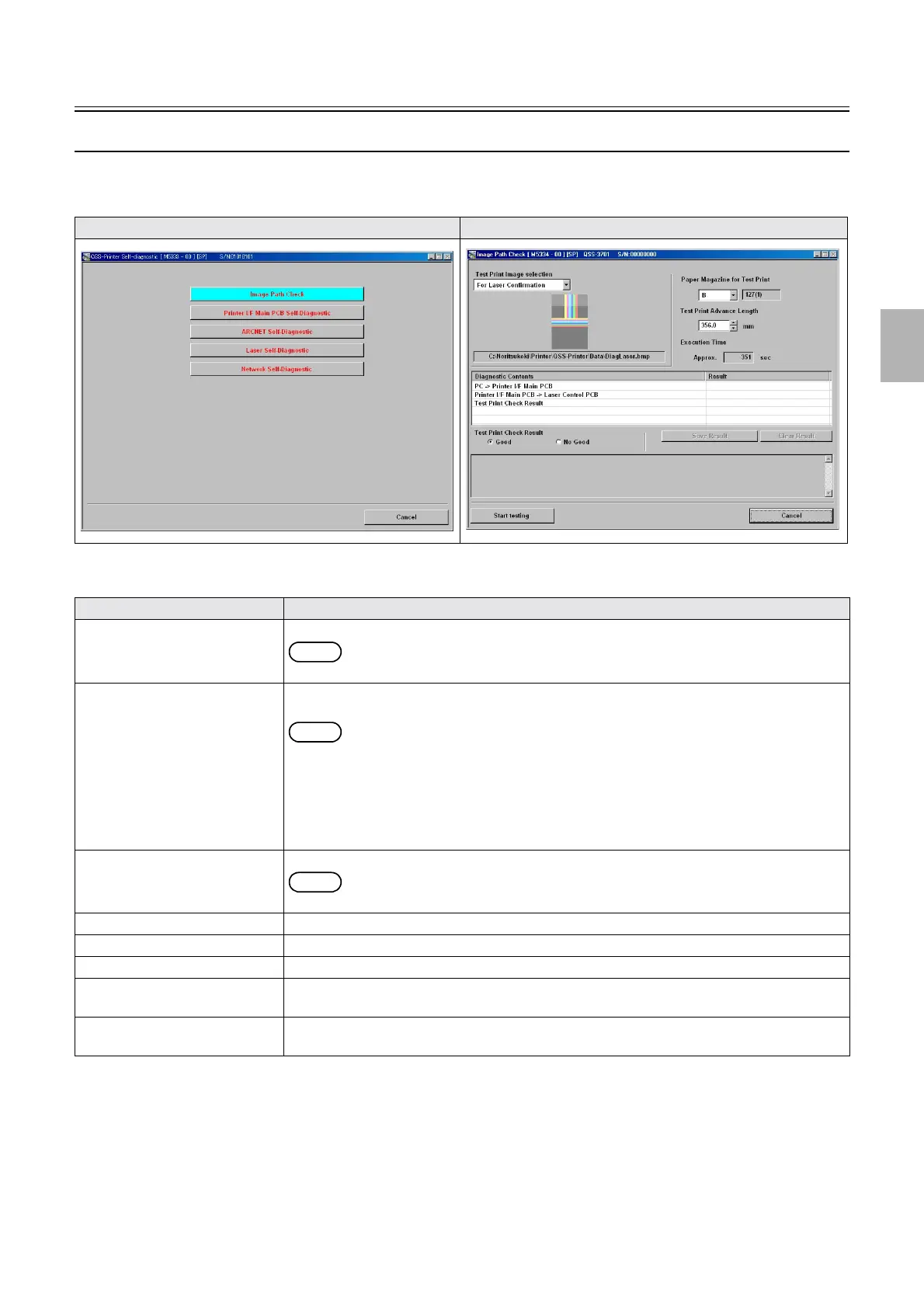
Image Path Check Transfers the data in each data path to judge the failure part by the CRC check or data comparison.
NOTE
• For Film Series Image Path, see Scanner Service Manual.
Test Print Allows you to select Test Print for checking the test print, if an abnormal print is made from the
scanned image though the scanned image saved to the storage media was normal.
NOTE
• Also perform the checks in the following conditions.
• Lines and noises are seen on the print.
• The color on the print is not good. (Black and white are not good.)
• The color on the print gets worse by performing the setup.
• The color on the print does not become better by performing the setup.
Test Print Image selection Select the image to transfer from the images for checking the laser or the files.
NOTE
• Available files are 24-bit BMP and 32-bit BMP files only.
Paper Magazine for Test Print Allows you to set the magazine to make a test print.
Test Print Advance Length Allows you to set the paper advance length to make a test print.
Execution Time Displays the expected time for the diagnostics.
Start Test The dialog for the Image Path Check appears by clicking Start Test. Click YES to start the
diagnostics.
Test Print Check Result Displays the result of the diagnostics by selecting Good or No Good of Test Print Check Result
after checking the test print.
Failed portion display
Distributed by: minilablaser.com



 To Next Page