2/2
3. Mode
33501
33501
Processor Standard Setting
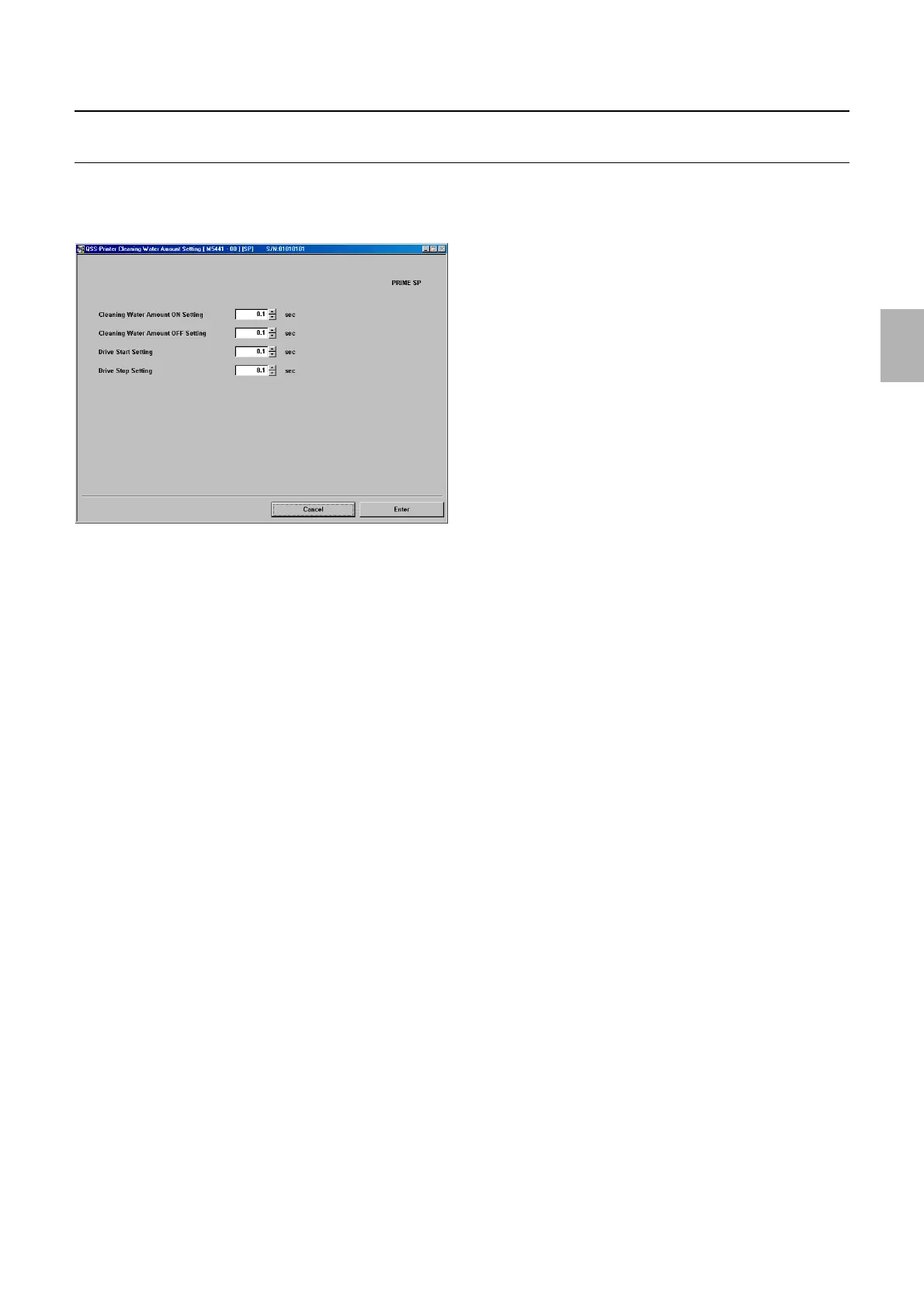
Cleaning Water Amount Setting [N] [SM] [J]
Bringing up the display
Maintenance: 2260 → Extension → Processor Settings → Processor Standard Setting → Cleaning Water Amount Setting
!
!!
! Explanation
!
!!
! Cleaning Water Amount ON Setting (initial value: 14.0) (input range: from 0.1 to 99.9 seconds)
Set the operation time of the cleaning pump.
!
!!
! Cleaning Water Amount OFF Setting (Initial value: 3.0) (input range: 0.1 to 99.9 seconds)
Set the stop time of the cleaning pump.
!
!!
! Drive Start Setting (Initial value: 10.0) (input range: 0.1 to 99.9 seconds)
Set the time when the drive motor starts operation after the cleaning pump starts the output operation.
!
!!
! Drive Stop Setting (Initial value: 3.0) (input range: 0.1 to 99.9 seconds)
Set the time when the drive motor stops operation after the cleaning pump completes the output operation.
M5441-00
Distributed by: minilablaser.com



 To Next Page