Print sorter unit operation
1/2
5. Operation sequence
56300
56300
Print sorte r unit operatio n
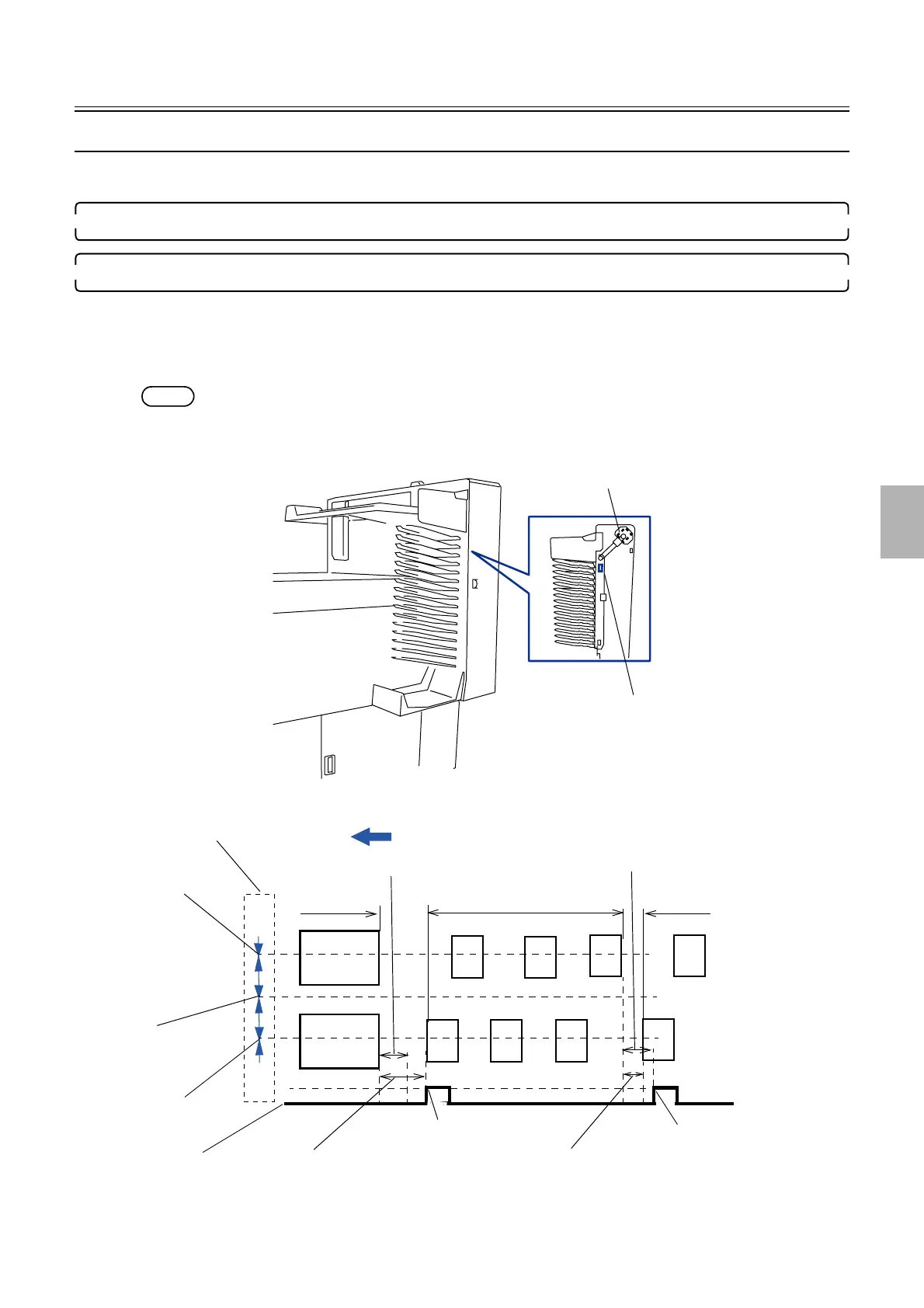
Print sorter unit operation [print sorter unit (6-inch type, 17/14 orders)]
This section explains the operation until the print receiving tray starts to move after paper is output to the print sorter unit.
1. The last piece of paper of an order is output to the print receiving tray of the print sorter unit.
2. The print receiving tray moves.
• Sorter motor: ON
When the following two conditions are fulfilled, the print receiving tray moves.
• Condition 1: The print sensor detects the paper leading edge of the next order.
• Condition 2: A fixed time has passed after the sensor detects the rear edge of the paper of the previous order.
NOTE
• If condition 2 is not applied (inadequate interval between customer orders), the print receiving tray will not start until a
specified length of time elapses.
Sorter motor: DM4
Sorter home sensor: SE26
G082009
Paper advance direction
Order
Order
Order
Longer than the
specified time
Shorter than the specified
time
A specified time
Sorter motor: ON
Sorter motor: ON
Sorter motor: OFF
A specified time
Dryer rack
Print sensor (left)
Print sensor (right)
Print sensor (center)
G082010
Distributed by: minilablaser.com



 To Next Page