Processor Settings
1/5
3. Mode
33004
33004
Auto Cleaning Water Output Amount Setting[F]
!
!!
! Display
Bringing up the display
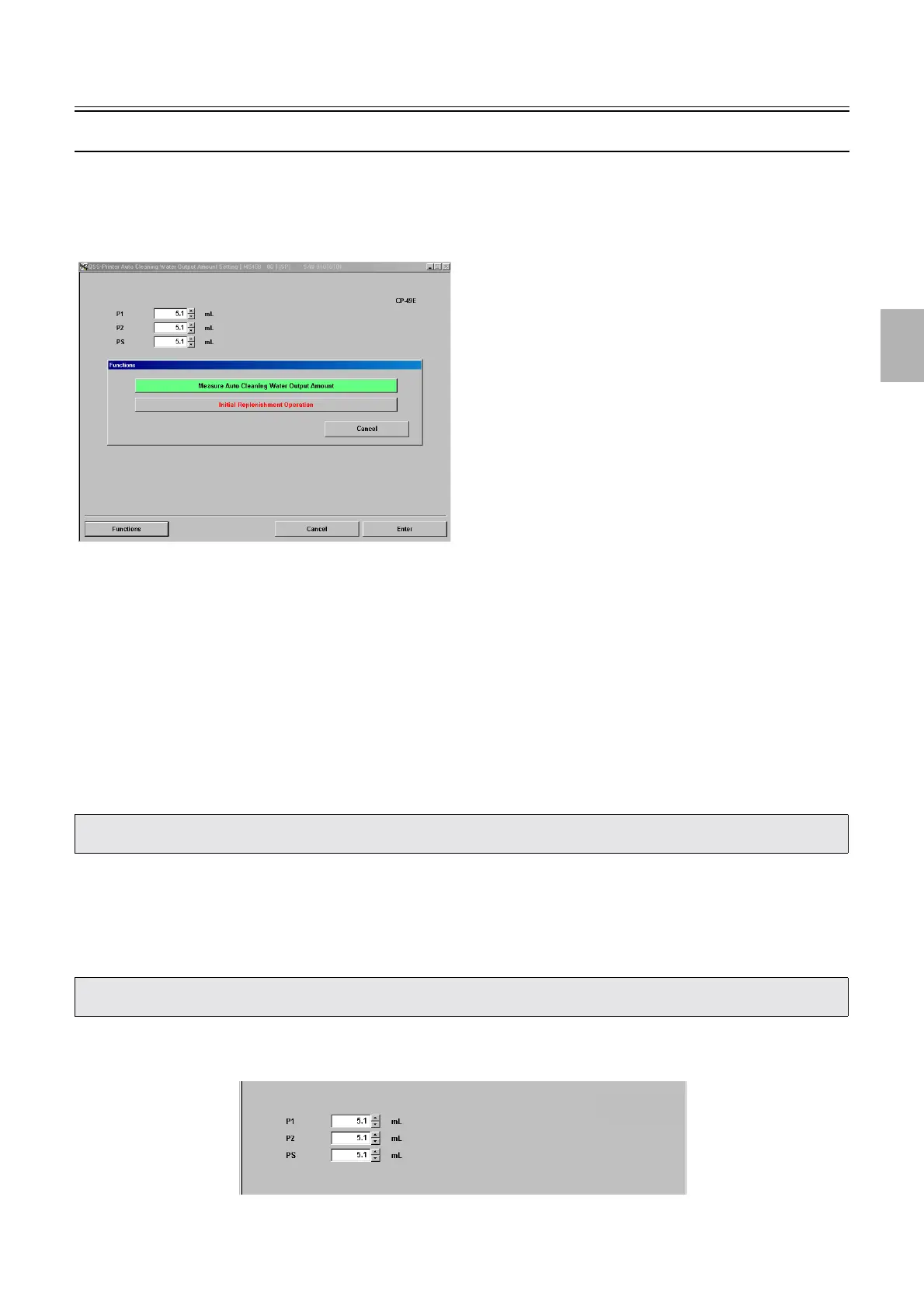
Maintenance: 2260 → Extension → Processor Settings → Auto Cleaning Water Output Amount Setting
!
!!
! Explanation
!
!!
! Auto Cleaning Water Output Amount Setting (Input range: 0.1 to 200.0 ml)
Measure the output amount of Measure Auto Cleaning Water Output Amount, P1 Auto Cleaning Valve + Replenisher Cartridge
Cleaning Pump, P2 Auto Cleaning Valve + Replenisher Cartridge Cleaning Pump and PS Auto Cleaning Valve + Replenisher
Cartridge Cleaning Pump in Functions, and enter the measured values.
!
!!
! Functions
!
!!
! Measure Auto Cleaning Water Output Amount (Initial value:P1: 69.0 ml, P2: 70 ml, PS: 108 ml)
Use this function to measure the output amount of the cleaning water of P1/P2/PS.
!
!!
! Initial Replenishment Operation (SP1)
You can exhaust the air remaining in the hose by operating PSR Replenisher Pump, P1 Auto Cleaning Valve + Replenisher
Cartridge Cleaning Pump, P2 Auto Cleaning Valve + Replenisher Cartridge Cleaning Pump and PS Auto Cleaning Valve +
Replenisher Cartridge Cleaning Pump for a specified time.
To cancel Initial Replenishment Operation, press NO: Cancel.
!
!!
! Adjustment (Measure Auto Cleaning Water Output Amount)
Example: Auto Cleaning Water Output Amount Setting display
• There is no problem even if the output amount difference of the cleaning water is ±20% compared with the initial value of cleaning
water of P1/P2/PS.
• The same process can be performed as Processor Standard Setting→Processor Set Up Mode→Initial Replenisher Operation
(Replenisher Cartridge Cleaning Pump).
M5468-00
S5468-00-UM00
Distributed by: minilablaser.com



 To Next Page