Drive section
1/1
2. Replacement and adjustment of parts
27270
27270
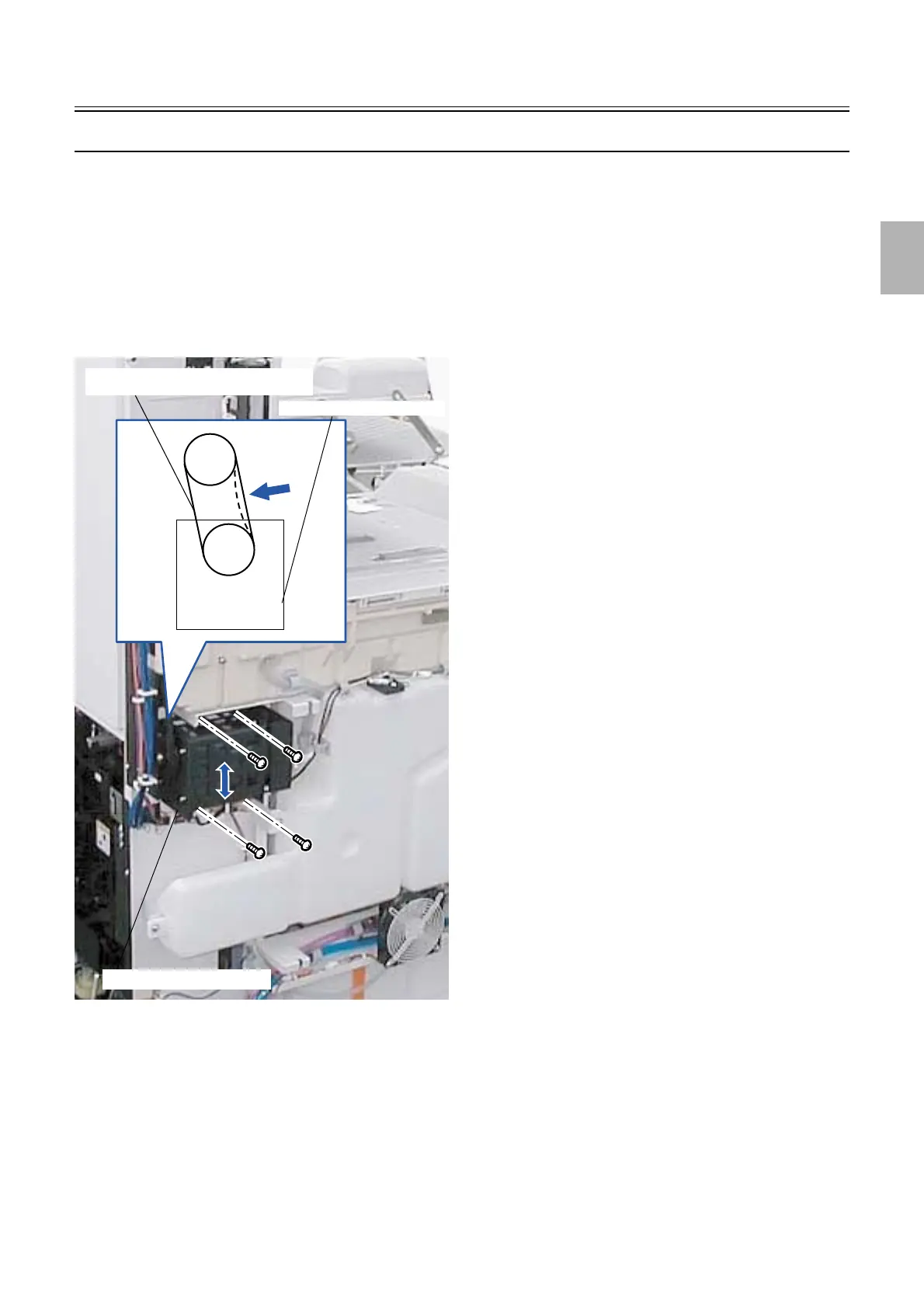
Adjusting the drive motor belt tension
!
!!
! Procedure
1. Remove processor cover 4. (seven screws)
☞20020
2. Remove the processor drive cover. (four screws)
☞20020
3. Adjust the position of the drive motor to fix the drive motor belt so that it bends 1.6 mm when pressing it
by 255 to 402g (2.6 to 4.1 N). (four screws)
4. Reassemble the parts.
!
!!
! Checking after adjustment
1.
Check if the drive motor operates normally.
Drive motor
Drive motor belt
Drive motor
G085344
Distributed by: minilablaser.com



 To Next Page