Zigzag adjustment
1/10
2. Replacement and adjustment of parts
26820
26820
How to adjust the zigzagging in paper supply unit A2
This section explains the zigzagging adjustment procedure for paper magazine A2. For the adjustment procedure for paper magazines A, B
and C, see the following.
!
!!
! Procedure
1. Check the condition of the paper magazine.
☞22000
2. Adjust the zigzagging of the exposure advance unit.
See ☞ Adjusting the paper zigzagging in the exposure advance unit in 36080.
IMPORTANT
• If the exposure advance adjustment is performed for any one of magazine A, A2, B, or C, the correction is
complete.
3. Paper Guide Width Correction
Adjust the paper guide width of paper supply unit A2 so that the width is the same as the loading paper width.
1. Perform Move to 130.0 mm Width via Functions.
Bringing up the display
On the Maintenance Application display, click Maintenance. → Extension → Maintenance → Various Adjustment →
Printer Mechanical Adjustment → Paper Guide Width Correction
2. Open the printer door to pull out the pre-exposure advance unit.
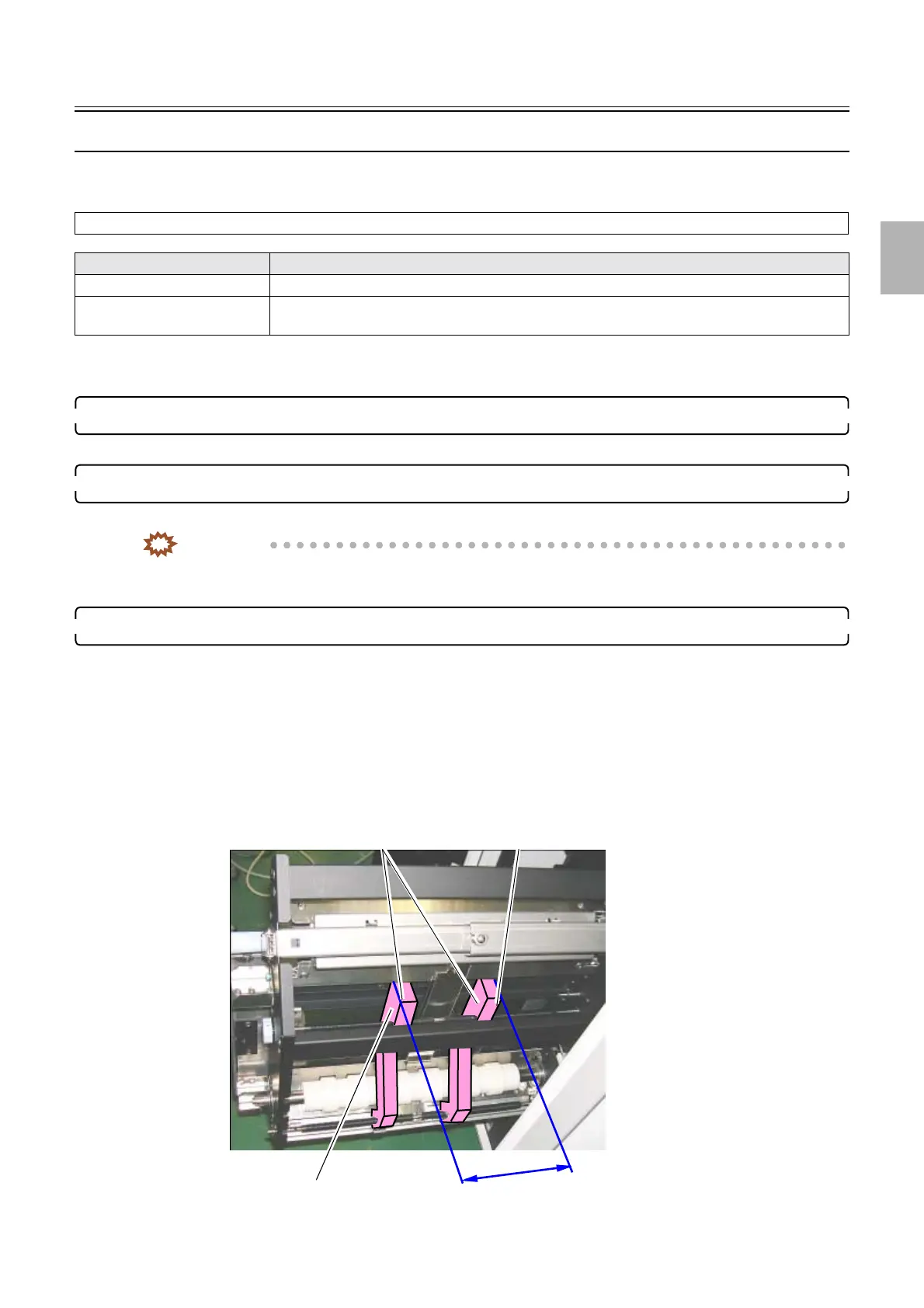
3. Measure the dimension between outsides of the paper guides.
See
☞26810☞Adjusting the zigzagging of the paper advance section.
Items to confirm
All Check if leveling of the system is completed correctly.
Magazine deck Check that the shutter open/close arm works properly. (If the printer door is closed, the shutter
open/close arm moves 10 mm and more at the outlet section of the magazine.)
Measured value
Outside of paper guide
Outside of paper guide
Paper guides
G086490
Distributed by: minilablaser.com



 To Next Page