Paper supply unit
1/2
2. Replacement and adjustment of parts
25660
25660
Removing paper supply unit A
!
!!
! Procedure
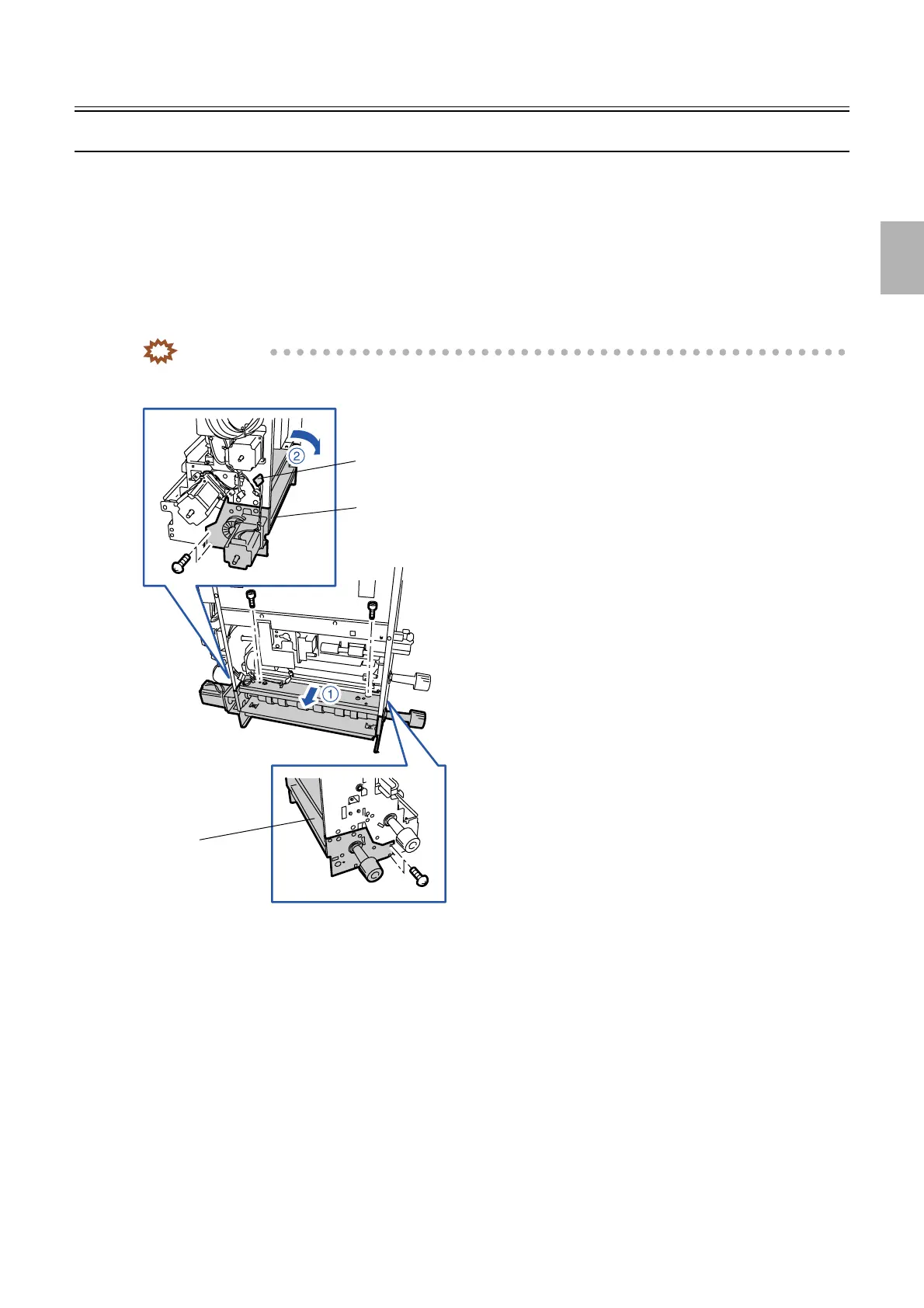
1. Remove the paper supply unit.
☞25610
2. Disconnect the connector(s).
J/P321 (paper supply motor A)
3. Remove paper supply unit A in the direction indicated by arrow 1. (six screws)
IMPORTANT
• Be careful because the paper supply unit falls down in the arrow 2 direction when you remove paper supply unit
A from the paper supply unit.
!
!!
! Adjusting the attaching position
1. Attach paper supply unit A to the paper supply unit temporarily. (six screws)
Paper supply unit A
Paper supply unit A
J/P321
G068533
Distributed by: minilablaser.com



 To Next Page