Maintenance
1/1
3. Mode
31100
31100
Maint enance
Status Display
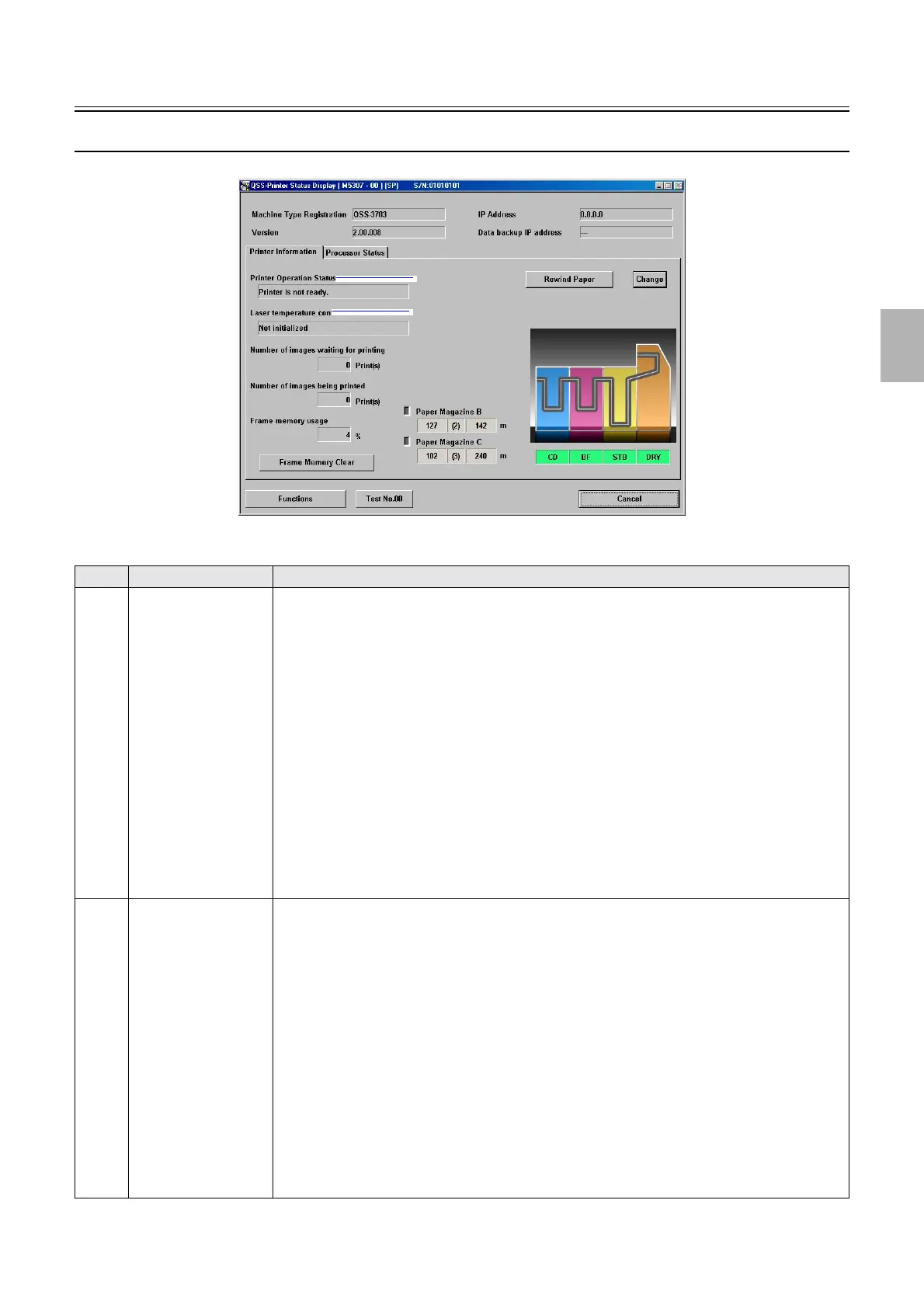
This section explains the Printer Operation Status and Laser temperature control status in Status Display. See the User Manuals for
other modes.
No. Name Status
1 Printer Operation Status The printer status is shown.
• Printer is not ready.
The maintenance display is shown.
• Off-line
The output system and operation PC are not connected, or the power supply of the output system
is off.
• Closedown
After the close down checks, the program timer is being activated.
• Installing the program. . .
The system program is being upgraded.
• Idle
Printing process can be performed.
• Printing. . .
Printing is being processed.
• The system is in the program timer mode.
The program timer is being activated when starting up the system.
2 Laser temperature
control status
• Not initialized
• If the power supply of the printer is turned on or off.
• If the process for starting the laser unit is not completed.
• If the process for the printer I/F main PCB is not completed.
• If the error occurs in the laser unit.
• If the output check is carried out.
• Temperature control started
• If the power supply of the printer is turned on or off.
• The temperatures are not within the processable range of the laser unit (15.0°C to 42.0°C)
• If the temperatures are not within the processable range of B or R laser (46.7°C to 47.3°C)
• If the error occurs in the laser unit.
• If the output check is carried out.
• Temperature control completed
The temperature adjustment is completed, the printing process can be performed.
1
2
M5307-00
Distributed by: minilablaser.com



 To Next Page