2/3
3. Mode
33510
33510
Processor Standard Setting
Refilling Water Amount Setting [SM]
!
!!
! Display
Bringing up the display
Maintenance: 2260 → Extension → Processor Settings → Processor Standard Setting → Refilling Water Amount Setting
!
!!
! Explanation
!
!!
! Process Specification
The process specification which has been registered in the machine specification is shown.
☞35800
!
!!
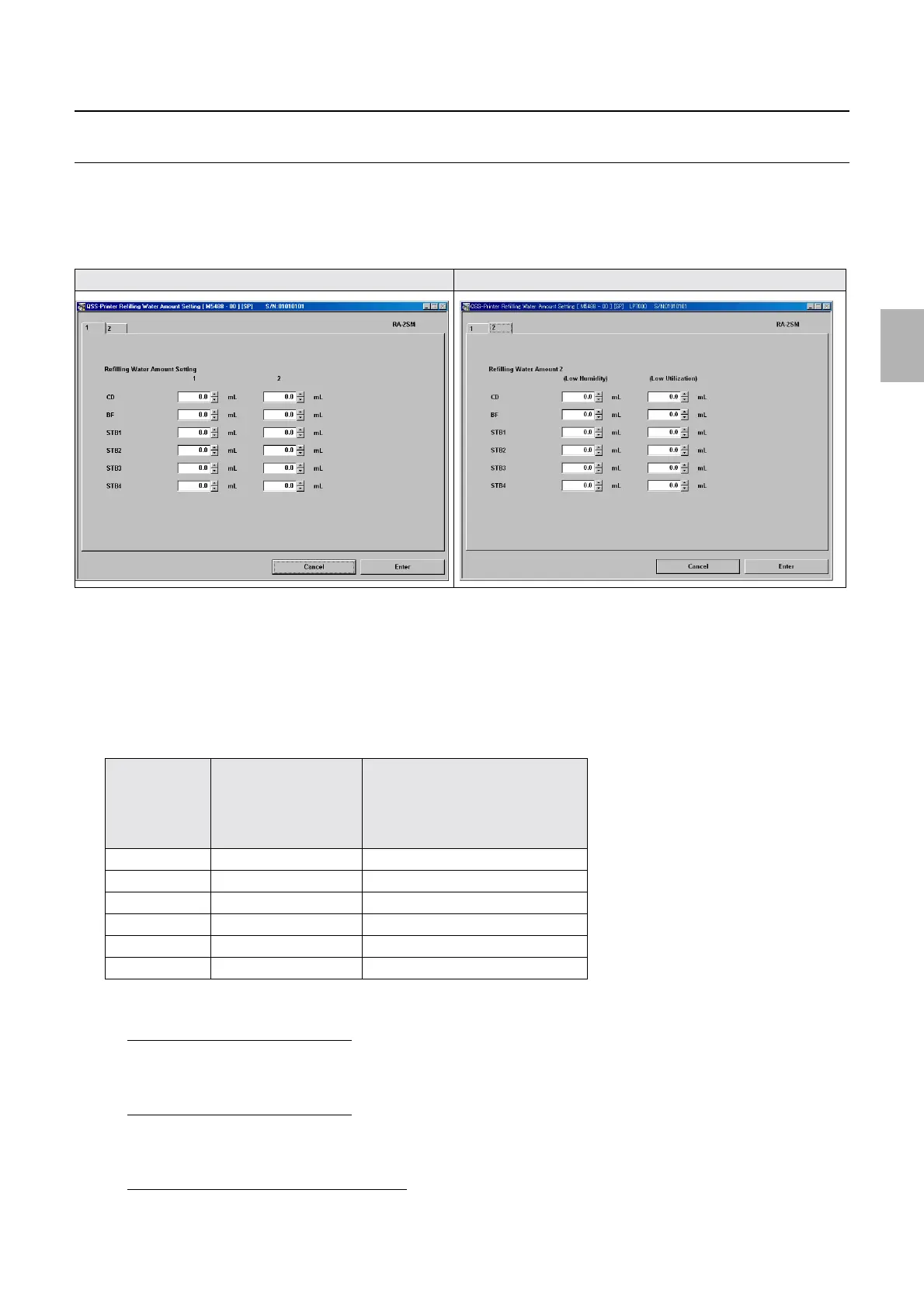
! Refilling Water Amount Setting (Initial value: See the table below.) (Input range: 0.0 to 999.9 ml)
The output amount of automatic refilling for each refilling water pump is set.
$ Refilling Water Amount Setting 1
When refilling water with Refilling Water Level off, set the refilling water amount after Refilling Water Level is set
to on. (For automatic refilling water during start up checks and normal processing.)
$ Refilling Water Amount Setting 2
Set the refilling water amount with Refilling Water Level on. This setting is valid when the Refilling Water Level 2
of Correction Setting has been set to Standard. (For automatic refilling during start up checks.)
$ Refilling Water Amount 2 (Low Humidity)
Each refilling water amount is set in selecting Low Humidity for Refilling Water Level 2 of Correction Setting
for Refilling Water Amount Setting 2 (Standard).
Display 1 Display 2
Refilling Water
Amount Setting 1
Refilling Water Amount Setting 2
Refilling Water Amount 2 (Low
Humidity)
Refilling Water Amount Setting 2
(Low Processing Amount)
CD 151.0 58.5
BF 197.0 35.0
STB1 350.0 71.4
STB2 118.0 71.8
STB3 127.0 79.4
STB4 184.0 50.5
Distributed by: minilablaser.com



 To Next Page