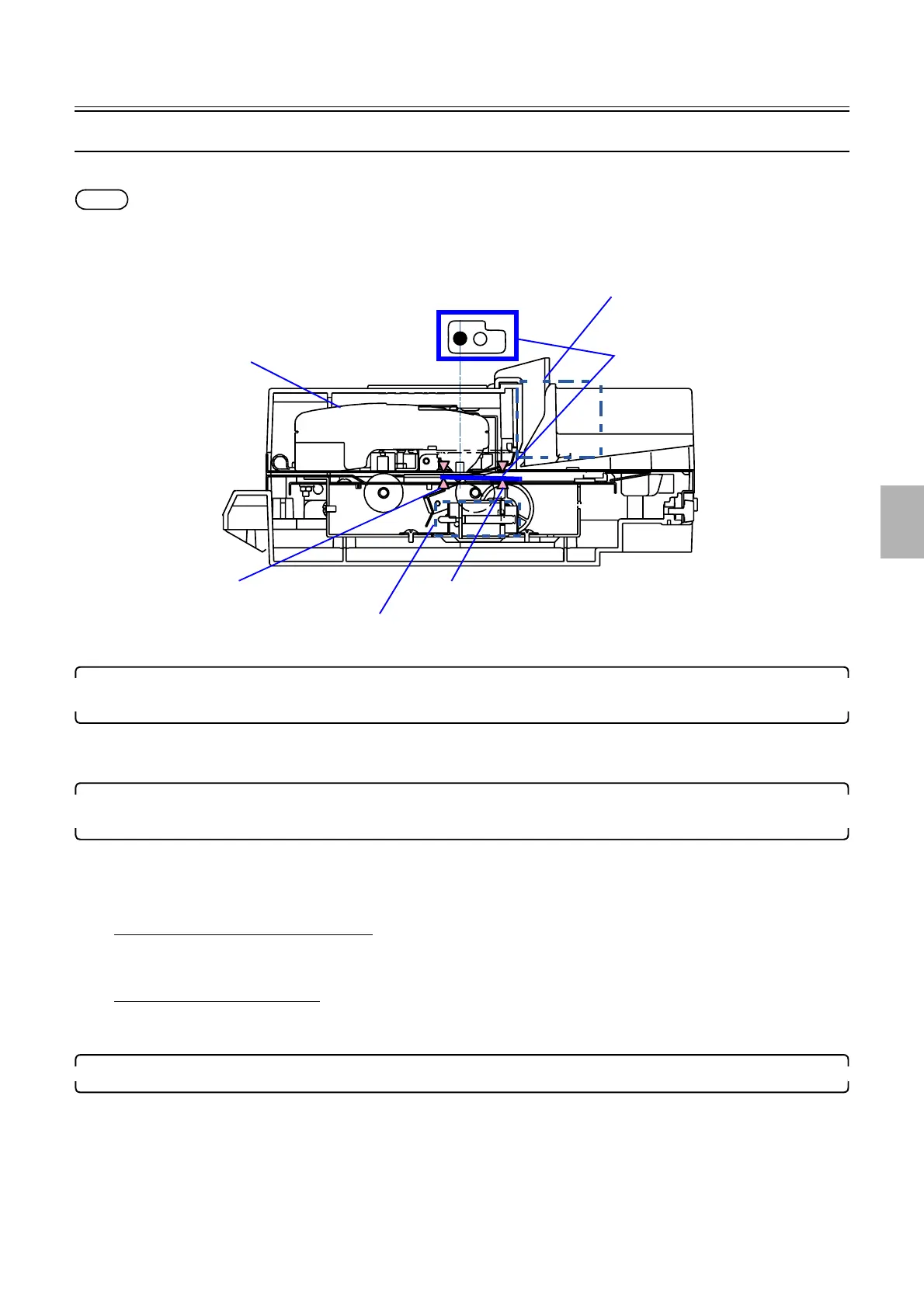
Colorimeter unit operation
1/3
5. Operation sequence
56600
56600
Colorime ter unit opera tion
The calibration operation of the colorimeter
This section explains the paper advance operation of colorimeter.
NOTE
• The calibrate operation of the colorimeter starts a minute before the setup print paper reaches to the colorimeter unit.
• To measure again, the calibration operation starts when YES is selected after the attention message ☞No. 01029The measurement
failed. Measure it again. is shown.
1. Releases the pressure of the measuring position, start to move Black of the calibration plate to the
measuring position.
• Pressure solenoid: ON
• Calibration plate advance motor: ON (forward)
2. After the calibration plate detects the paper sensor 2, it moves for a specified length and stops at the
measuring position of Black.
• Paper sensor 1: LIGHT to DARK
• Paper sensor 2: LIGHT to DARK
• Calibration plate advance motor: ON (forward)/OFF
If paper sensor 2 does not turn DARK
• ☞No. 06554-00001
Calibration Plate advance error.
If paper sensor 1 turns LIGHT
• ☞No. 06554-00002
Calibration Plate advance error.
3. Applies pressure to the Black of the calibration plate, and measure the density.
• Pressure solenoid: OFF/ON
Paper sensor 1
Pressure solenoid
Paper sensor 2
Measuring position
Colorimeter
Calibration plate advance motor
Calibration plate
G085216
Distributed by: minilablaser.com



 To Next Page