Printer Mechanical Adjustment
1/5
3. Mode
36030
36030
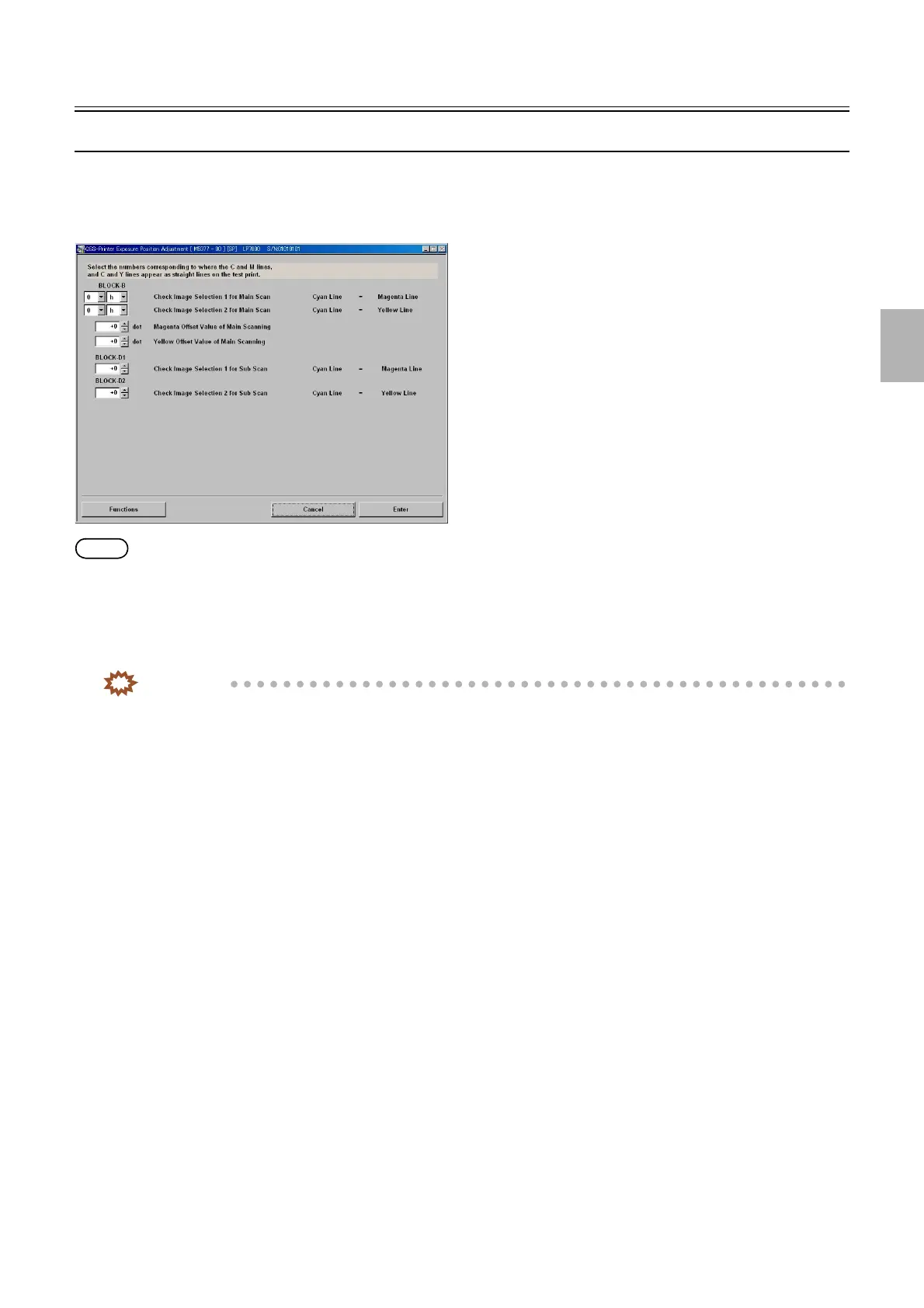
Exposure Position Adjustment
Bringing up the display
Maintenance: 2260 → Extension → Maintenance → Various Adjustment → Printer Mechanical Adjustment → Exposure Position
Adjustment
NOTE
• Enter the service personnel password (2260) to configure these settings.
!
!!
! Explanation
Carry out correction so that the exposure position in the laser unit is positioned at the center of the test print. Correct the positions of
the R, G, B laser main and sub scanning.
IMPORTANT
• Perform Exposure Position Adjustment with any of paper magazine A, A2, B or C.
• When you do not have the paper of 178 mm width or more, make a test print with the maximum paper size which you
used, then measure the dimension of the most outside line of it.
!
!!
! BLOCK-B Check Image Selection 1 for Main Scan Cyan Line = Magenta Line
Enter the number and letter of the image where the cyan line aligns with the magenta line on the test print BLOCK-B.
!
!!
! BLOCK-B Check Image Selection 2 for Main Scan Cyan Line = Yellow Line
Enter the number and letter of the image where the cyan line aligns with the yellow line on the test print BLOCK-B.
!
!!
! BLOCK-B Magenta Offset Value of Main Scanning
Measure the dimension between the cyan and magenta lines on BLOCK-C 0i and enter the measured value if there is no image where
the cyan line aligns with the magenta line on the test print BLOCK-B.
!
!!
! BLOCK-B Yellow Offset Value of Main Scanning
Measure the dimension between the cyan and yellow lines on BLOCK-C 0i and enter the measured value if there is no image where
the cyan line aligns with the yellow line on the test print BLOCK-B.
!
!!
! BLOCK-D1 Check Image Selection 1 for Sub Scan Cyan Line = Magenta Line
Enter the number of the image where the cyan line aligns with the magenta line on the test print BLOCK-D1.
!
!!
! BLOCK-D2 Check Image Selection 2 for Sub Scan Cyan Line = Magenta Line
Enter the number of the image where the cyan line aligns with the magenta line on the test print BLOCK-D2.
M5377-00
Distributed by: minilablaser.com



 To Next Page