Processor Standard Setting
1/1
3. Mode
33530
33530
Kit Correction [J]
Bringing up the display
Maintenance: 2260 → Extension → Processor Settings → Processor Standard Setting → Kit Correction
!
!!
! Explanation
!
!!
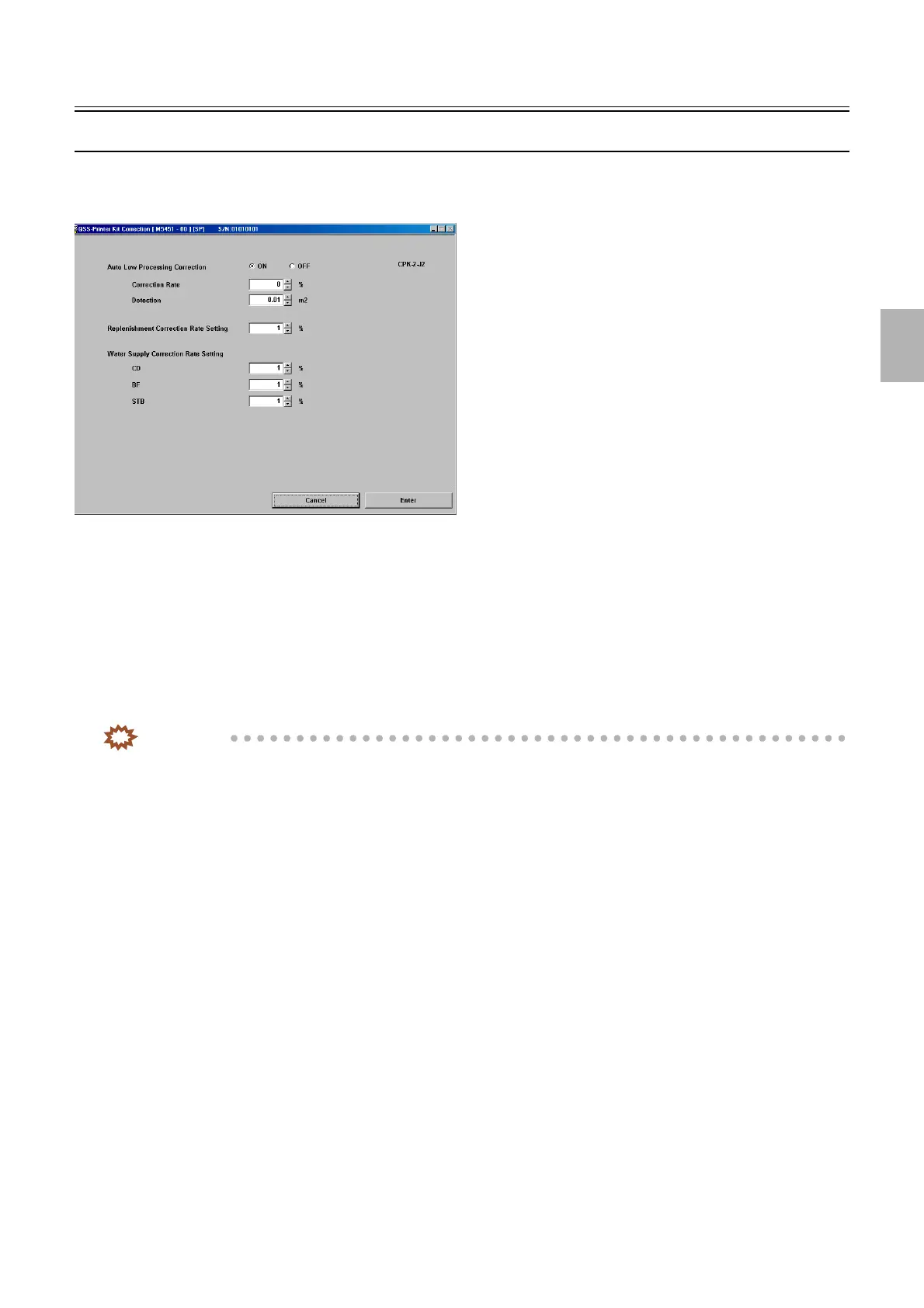
! Auto Low Processing Correction (initial value: ON), Correction Rate (initial value: 30) (input range: 0
to 99 %), Detection (initial value: 2.02) (input range: 0.01 to 9.99 m2)
Correction Rate and Detection is to be effective only when the Auto Low Processing Correction is ON.
This function corrects the tablet drop and water supply cycle automatically while low print processing. If it is ON, and the day
continues for one week when the accumulated processing amount per day (paper processing area) is smaller than that of detected auto
low processing correction, the correction rate is to be effective from the eighth day. However, if processing in more value than the
setting is performed for more than two consecutive days, it is to return to the normal processing from the third day.
IMPORTANT
• Even if the value of Correction Rate or Detection of Auto Low Processing Correction is changed, the changes are not
to be effective until the kit ends.
!
!!
! Replenishment Correction Rate Setting (Initial value: 100) (input range: 1 to 250 %)
This function corrects the tablet drop cycle. The setting of large value makes drop cycle fast and that of small value makes it slow.
!
!!
! Water Supply Correction Rate Setting (Initial value: 100) (input range: 1 to 250 %)
This function corrects the water supply cycle. The setting of large value makes water supply cycle fast and that of small value makes it
slow.
M5451-00
Distributed by: minilablaser.com



 To Next Page