F replenishment unit [F]
1/1
2. Replacement and adjustment of parts
27540
27540
Output check for the cartridge flushing valve and replenishment cartridge
cleaning pump [F]
!
!!
! Procedure
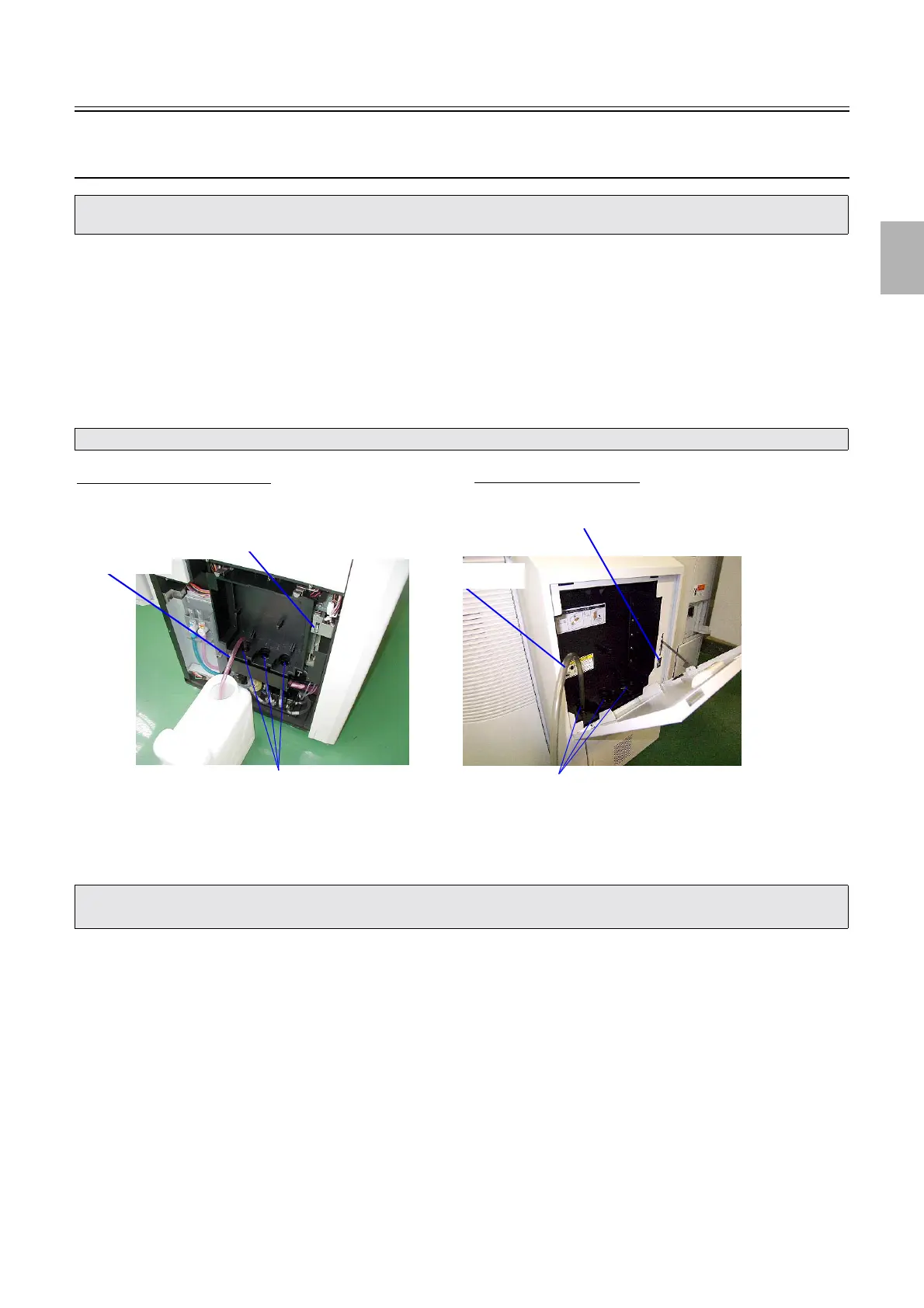
1. Remove the replenisher cartridge.
2. By the output check, move the replenishment cartridge setting part from upper point to lower point.
☞35320
3. Turn on Interlock Switch (Replenisher Section Door).
4. Insert a hose of 13 mm diameter into the cleaning nozzle to be checked and fix it with adhesive tape.
5. By the output check, operate P1R Cartridge Cleaning Valve + Replenisher Cartridge Cleaning
Pump, P2RA Cartridge Cleaning Valve + Replenisher Cartridge Cleaning Pump and P2RB
Cartridge Cleaning Valve + Replenisher Cartridge Cleaning Pump, which are to be checked.
6. Remove the hose. By the output check, move the replenishment cartridge setting part from lower point
to upper point.
• Perform the output check for the cartridge flushing valve and replenishment cartridge cleaning pump following the procedure with
attaching a hose. Or, water may come into a replenishment tank and it may adversely affect the replenishment solution.
• The hose is a service personnel tool. See Service personnel tool list☞80310.
• The replenishment cartridge cleaning pump stops after operating for 10 seconds.
• The output amount of the replenisher cartridge cleaning pump is about 227 ml per 10 seconds.
Cleaning nozzles
Interlock Switch (Replenisher Section Door)
Hose
QSS-3701/3702/3703/LP7500/LP7600
QSS-3704/3705/LP7700/LP7900
Cleaning nozzles
Interlock Switch (Replenisher Section Door)
Hose
G085385
Distributed by: minilablaser.com



 To Next Page