Order sorter section
1/2
2. Replacement and adjustment of parts
27450-5
27450-5
Adjusting the stop position of the paper guide [Print sorter unit (10-inch
type)]
!
!!
! Procedure
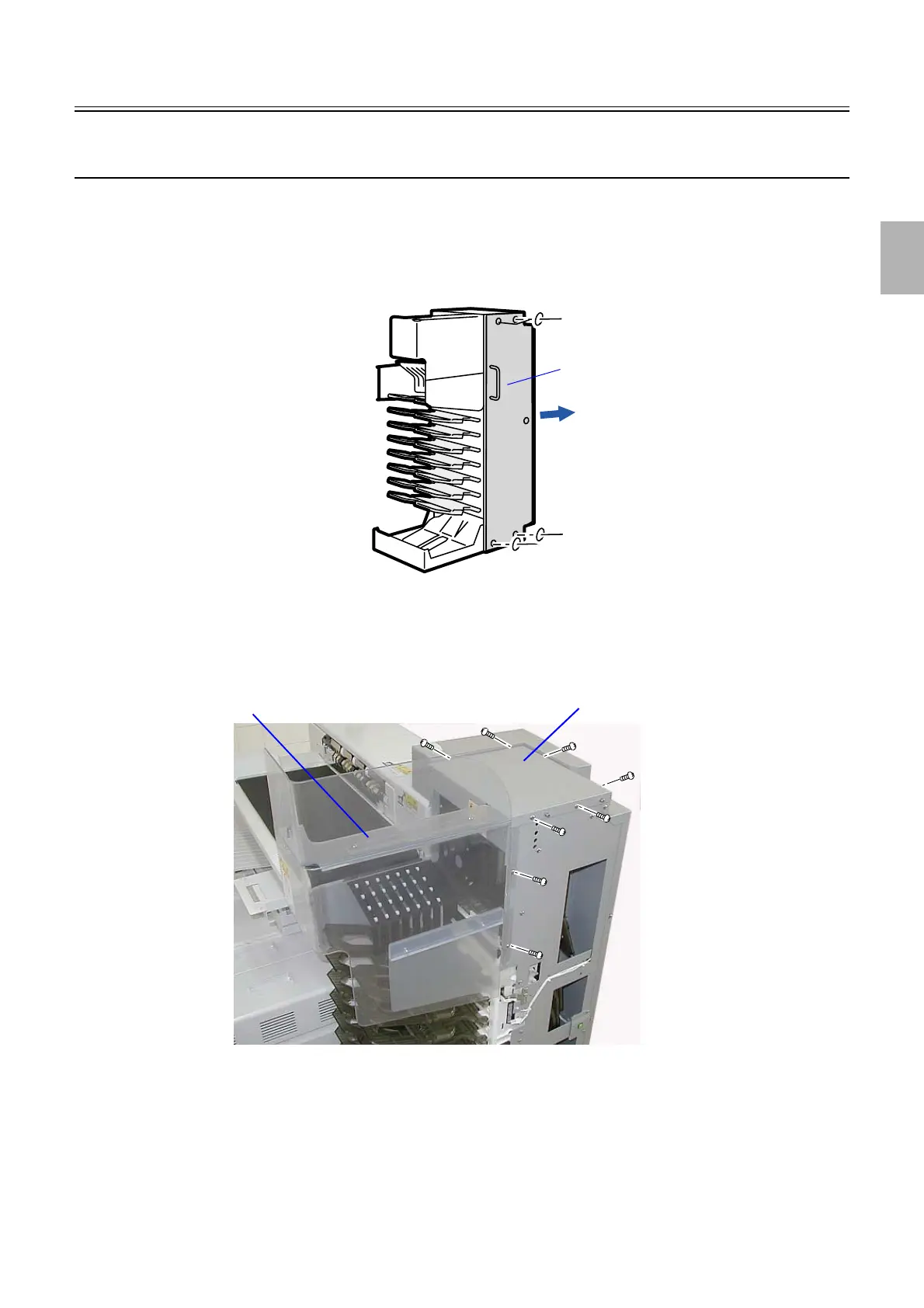
1. Remove the sorter cover.
(Loosen four screws.)
2. Remove the cover.
(two screws)
3. Remove the sorter cover (upper).
(six screws)
4. Operate the paper guide via Output Check ☞ 35320 to adjust the stop position of the paper guide.
(1) When the paper guide closes (lower)
• Adjust the attaching position of the paper guide close sensor so that the paper guide is in parallel with the print
conveyor. (two screws)
Sorter cover
G085461
Sorter cover (upper)
Cover
G085462
Distributed by: minilablaser.com



 To Next Page