Processor loading unit
1/1
2. Replacement and adjustment of parts
26610
26610
Proce ssor loadi ng unit
Removing the processor loading unit
!
!!
! Procedure
1. Open the printer top cover.
2. Remove paper advance unit 2.
☞26550
3. Disconnect the connector(s).
J/P354 (Relay connector)
J/P395 (Relay connector)
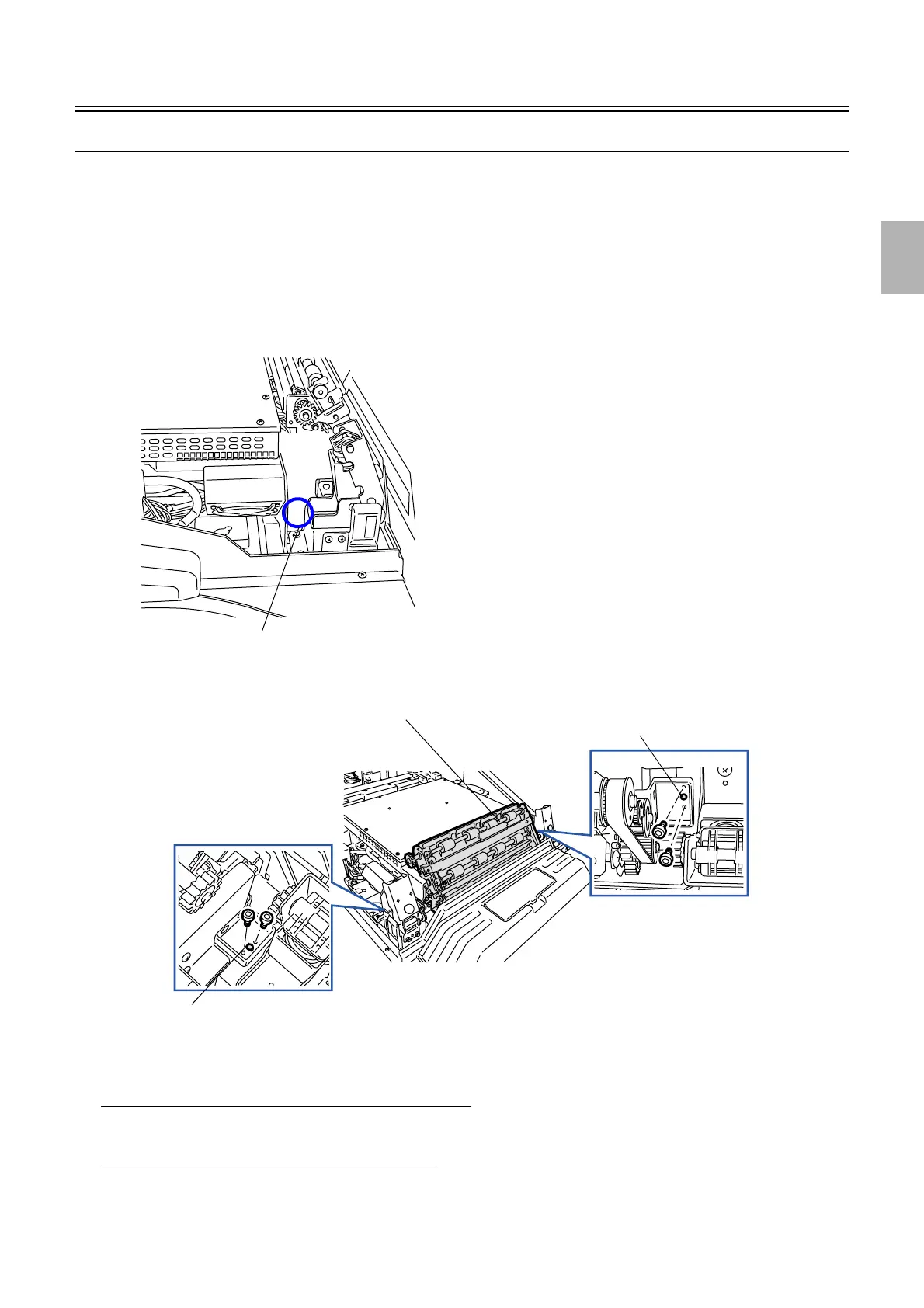
4. Remove the processor loading unit. (four screws)
!
!!
! Adjustment after reattaching
When the original processor loading unit is reattached
• The processor loading unit has positioning pin(s). No position adjustment is needed in attaching the processor loading unit.
When the new processor loading unit is attached
1. Perform Paper Sensor Adjustment.
☞36000
J/P354 and J/P395
G068397
Processor loading unit
Positioning pin
Positioning pin
G085231
Distributed by: minilablaser.com



 To Next Page