Replenishment package unit
1/4
2. Replacement and adjustment of parts
27830
27830
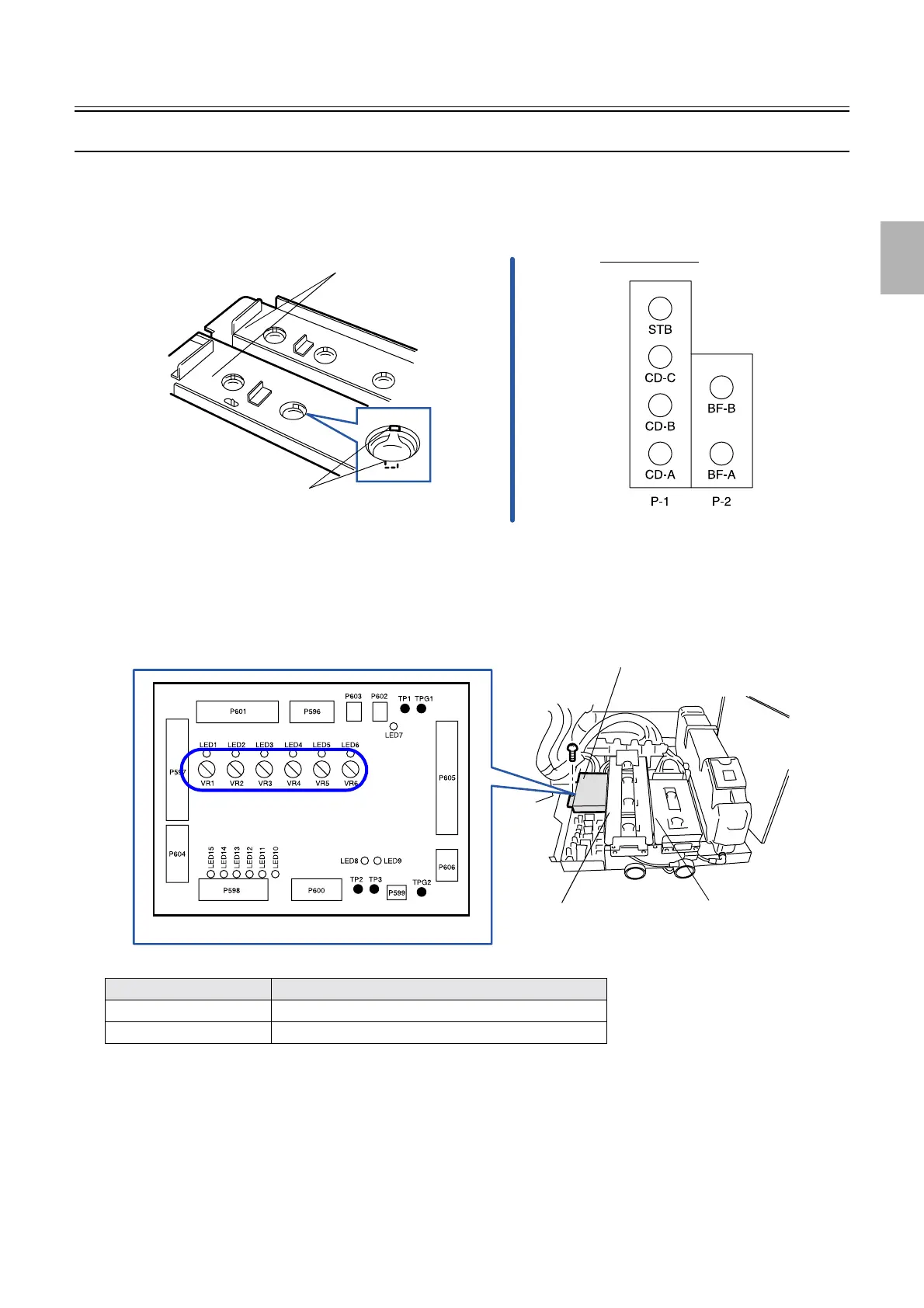
Adjusting the sensitivity of the replenisher solution sensor [SM]
!
!!
! Procedure
1. Clean the LED and detection sections of the replenishment solution sensor.
2. Attach the replenishment package containing the replenishment solution.
3. Set the valve chuck, then turn the handle to ON position.
4. Remove the protection cover of the SM I/O PCB. (one screw)
5. Turn the VR of each sensor on the SM I/0 PCB counterclockwise fully.
VR Replenishment solution sensor
Counterclockwise Decreases the amount of light.
Clockwise Increases the amount of light.
Replenishment solution sensors
Trays
Sensor arrangement
G085952
Cover
Replenishment solution
package P-1
Replenishment solution
package P-2
G085953
Distributed by: minilablaser.com



 To Next Page