Maintenance
1/3
3. Mode
35100
35100
Maint enance
Colorimeter Unit Adjustment
Bringing up the display
Maintenance: 2260 → Extension → Maintenance → Various Adjustment → Colorimeter Unit Adjustment
!
!!
! Explanation
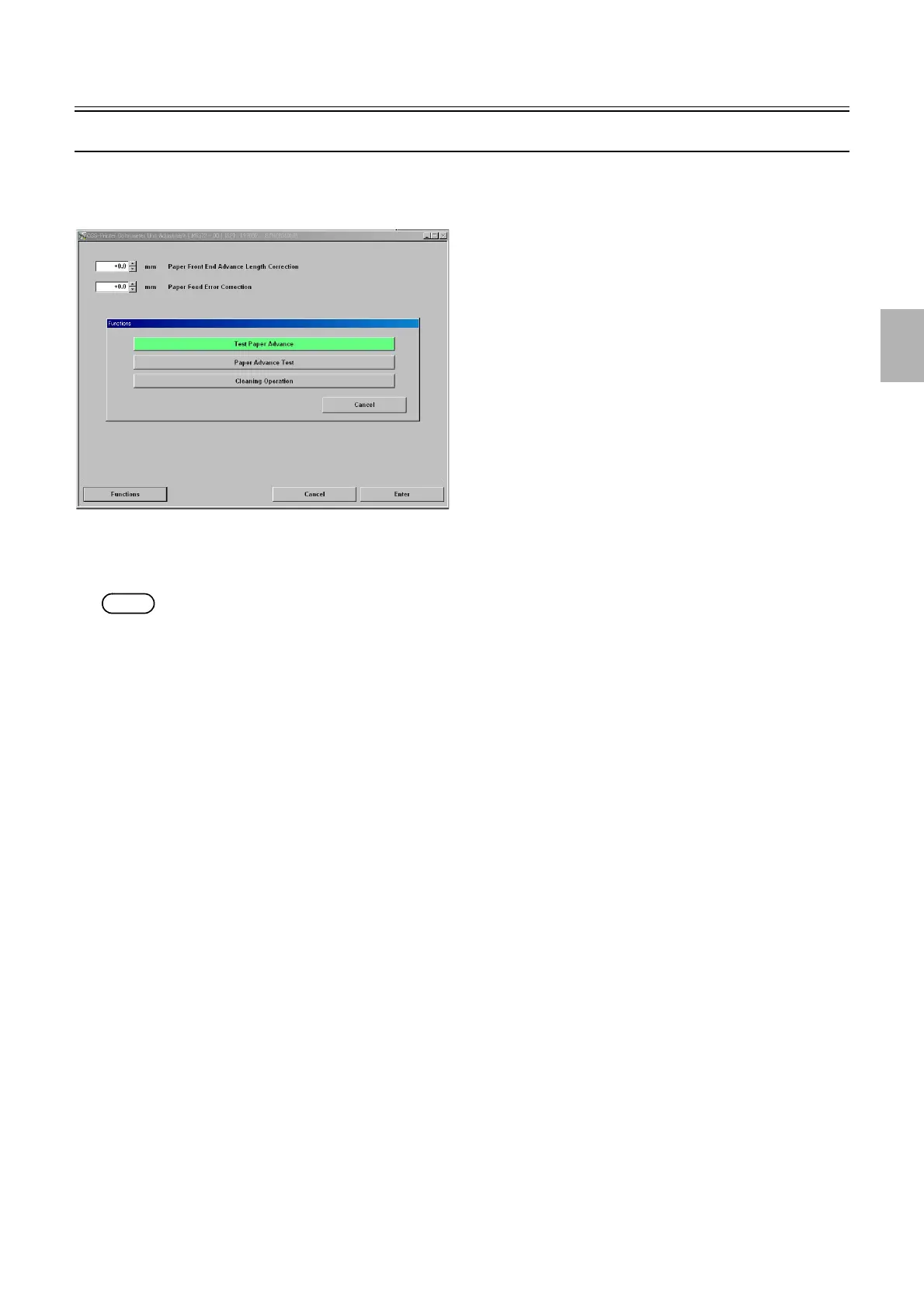
To measure each step such as test print correctly by colorimeter, correct the paper stop position and the error of feeding rollers.
NOTE
• Enter the service personnel password (2260) to configure these settings.
!
!!
! Paper Front End Advance Length Correction (Initial value: 0.0) (Input range: -5.0 to +5.0 mm)
Corrects the feed error of the colorimeter unit roller from the paper front end to the measurement position.
!
!!
! Paper Feed Error Correction (Initial value: 0.0) (Input range: -5.0 to +5.0 mm)
Corrects the feed error of the colorimeter unit roller.
!
!!
! Functions
!
!!
! Test Paper Advance
When a test is executed, paper is advanced for 345 mm to the paper advance unit 1 and 2.
!
!!
! Paper Test Advance
Adjusts the colorimeter unit.
!
!!
! Cleaning operation
Cleans the colorimeter unit advance roller using the cleaning sheet (for the colorimeter).
!
!!
! Adjusting procedure
!
!!
! Paper Front End Advance Length Correction, Advance Length Correction
1. Execute Test Paper Advance via Functions.
M5372-00
Distributed by: minilablaser.com



 To Next Page