3. Mode
35100
2/3
35100
Maintenance
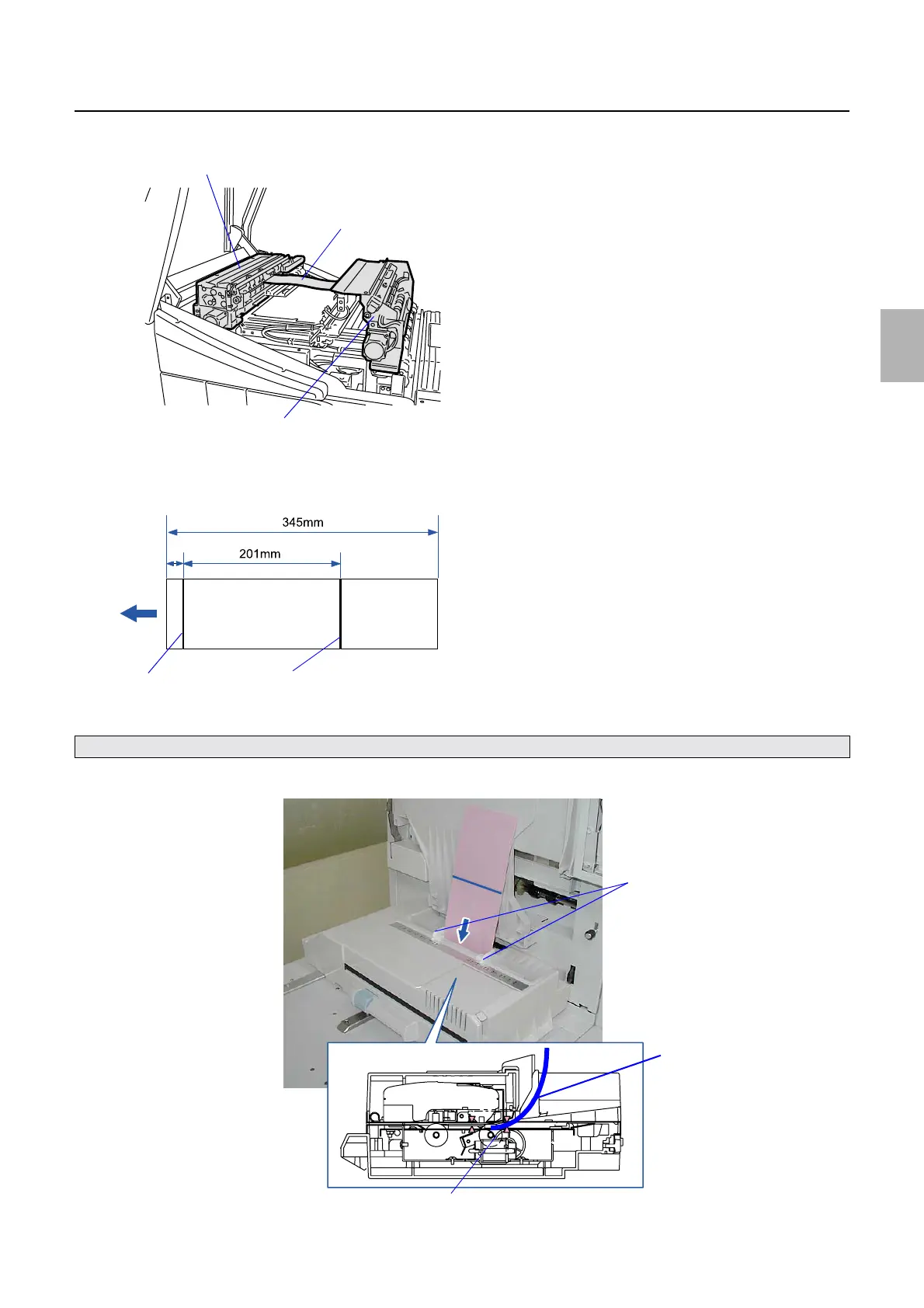
2. Open the printer top cover, and then remove the test paper from the paper advance unit 1 and 2.
3. Draw the first line on the paper at 5 mm away from the test paper edge, then the second line at 201 mm
away from the first position.
4. Insert test paper with the first line into the colorimeter.
Adjust the paper guide to the paper width, and insert the test print straight until it reaches roller 1 of the colorimeter.
Paper advance unit 2
Paper
Paper advance unit 1
G068474
5mm
First line
Second line
G085301
2
Test paper
Roller 1
Paper guide
G085302
Distributed by: minilablaser.com



 To Next Page