Tablet replenishment section
1/1
2. Replacement and adjustment of parts
27680
27680
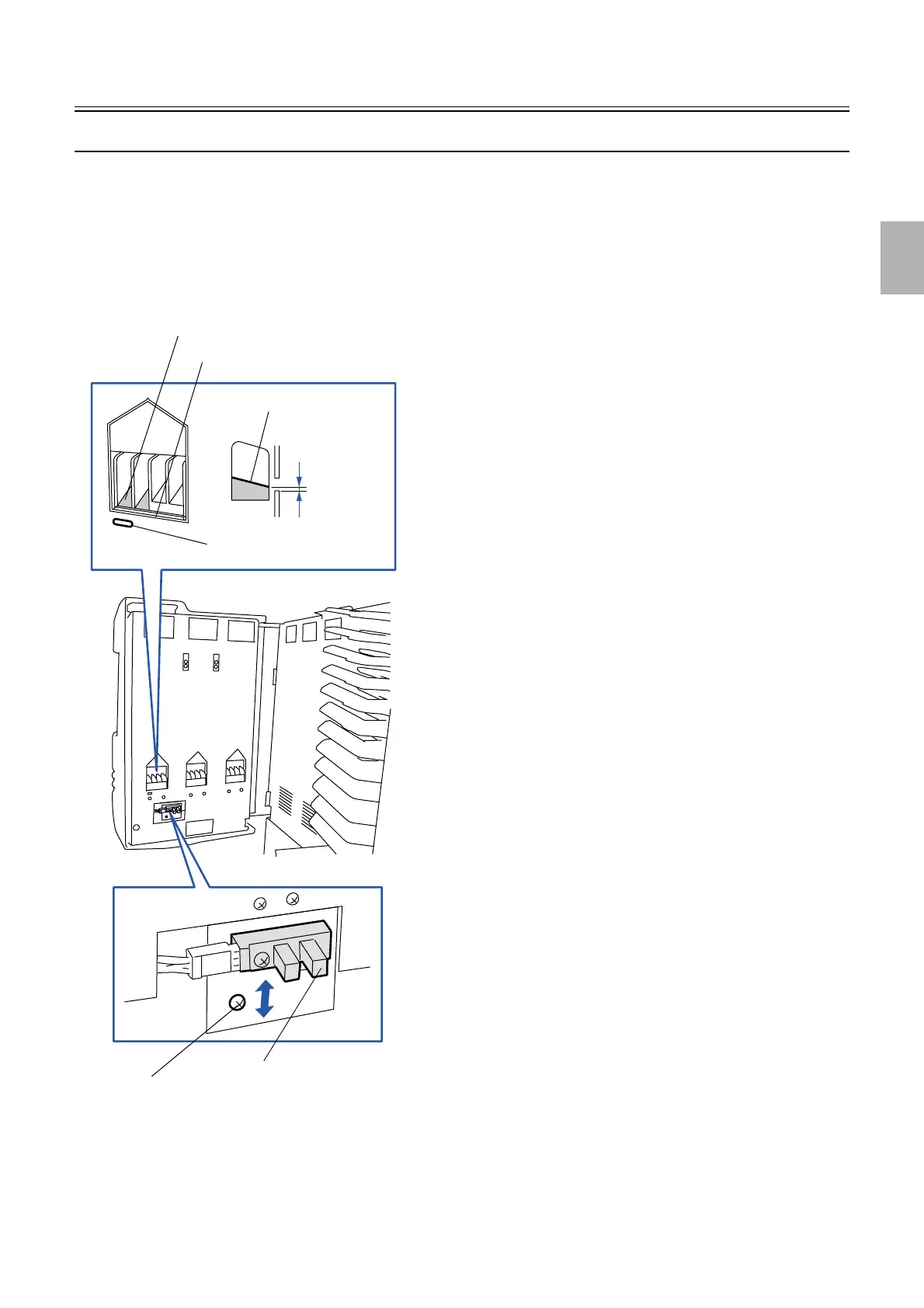
Adjusting the position of the elevator lower sensor [J]
!
!!
! Procedure
1. Stop the elevator at the position where the elevator lower sensor detects dark in the Output Check.
• ☞ 35320
2. Adjust the position of the elevator lower sensor so that the space between the lower bottom of the
bucket platform and the lower side of the hole of the frame is 0 to -2.0 mm. (one screw)
3. Check if the tablet falls from the drum via Output Check.
• ☞ 35320
Elevator lower sensor
Screw
Lower bottom of the bucket platform
Tablet gate
Lower bottom of the bucket
Hole of the tablet replenishment
0 to -2.0 mm
G050744
Distributed by: minilablaser.com



 To Next Page