Order sorter section
1/1
2. Replacement and adjustment of parts
27440
27440
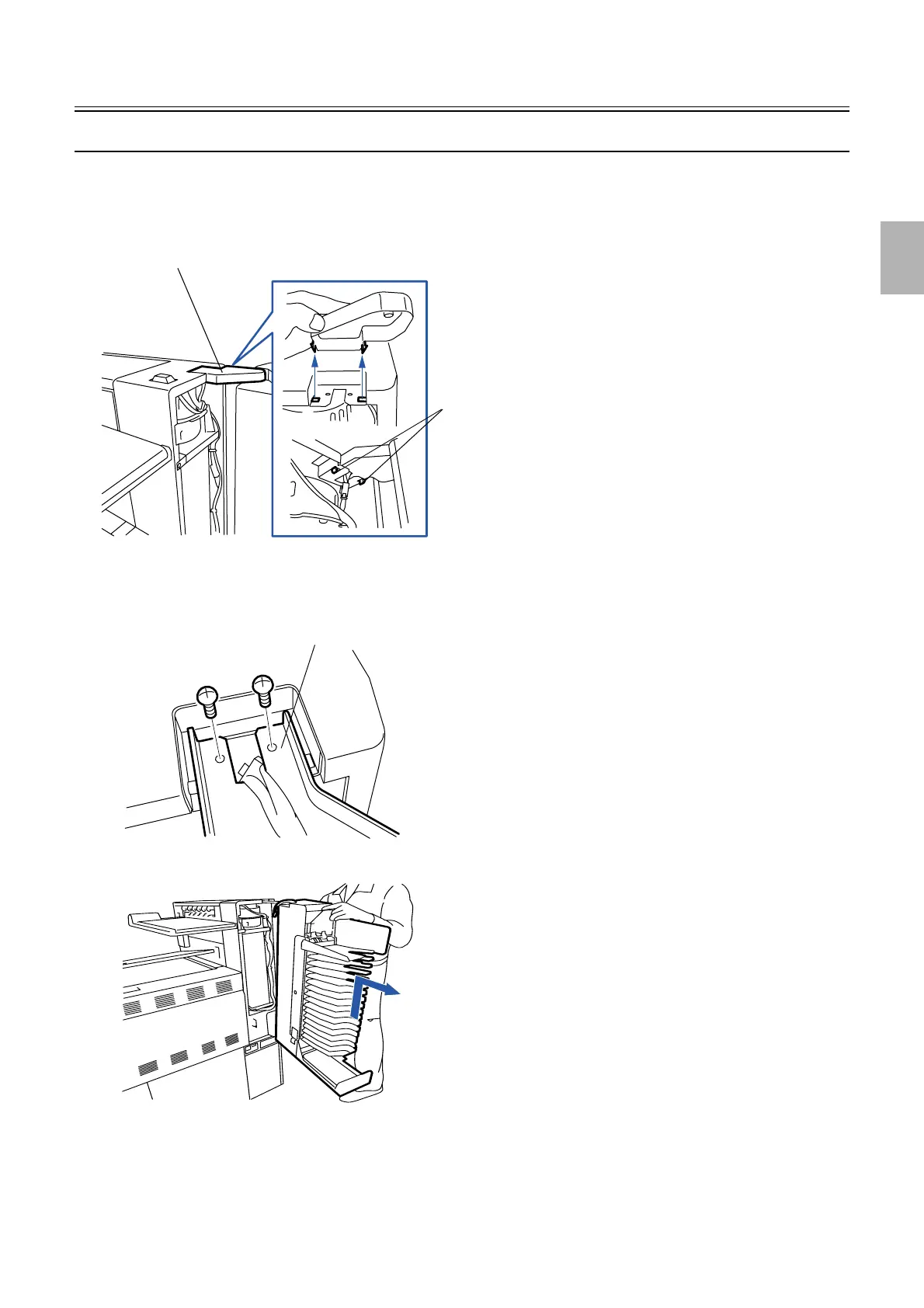
Removing the print sorter unit [print sorter unit (6-inch type, 17/14 orders)]
!
!!
! Procedure
1. Remove the angle bracket cover.
2. Disconnect the connector(s).
J/P713, J/P866: relay connector
3. Remove the angle bracket. (two screws)
4. Remove the print sorter unit in the direction indicated by the arrow.
!
!!
! Precautions when reattaching
None
Pawls
Angle bracket cover
G050756
Angle bracket
G050757
G050758
Distributed by: minilablaser.com



 To Next Page