Tablet replenishment section
1/2
2. Replacement and adjustment of parts
27640
27640
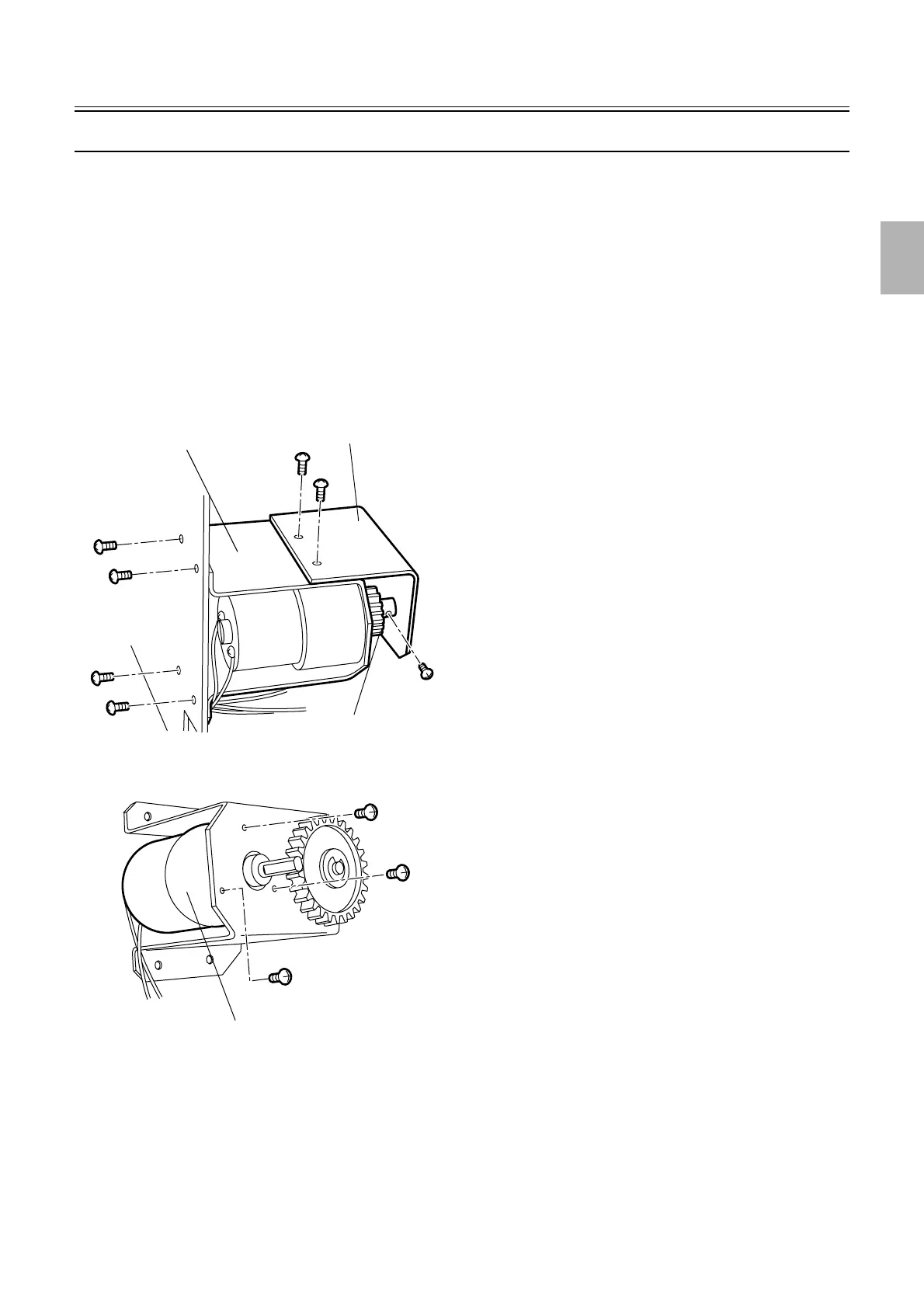
Replacing the elevator motor [J]
!
!!
! Procedure
1. Remove all the tablet cartridges.
2. Remove the tablet replenishment unit section cover.
☞20020
3. Disconnect the connector(s).
J/P540: Tablet replenishment drive PCB
4. Remove the motor mounting plate from the frame. (four screws)
5. Remove the drive gear cover. (two screws)
6. Remove the gear (12T). (one screw)
7. Replace the elevator motor. (three screws)
8. Attach the gear (12T).
Motor mounting plate
Drive gear cover
Gear (12T)
G050734
Elevator motor
G050735
Distributed by: minilablaser.com



 To Next Page