Processor Settings
1/3
3. Mode
33040
33040
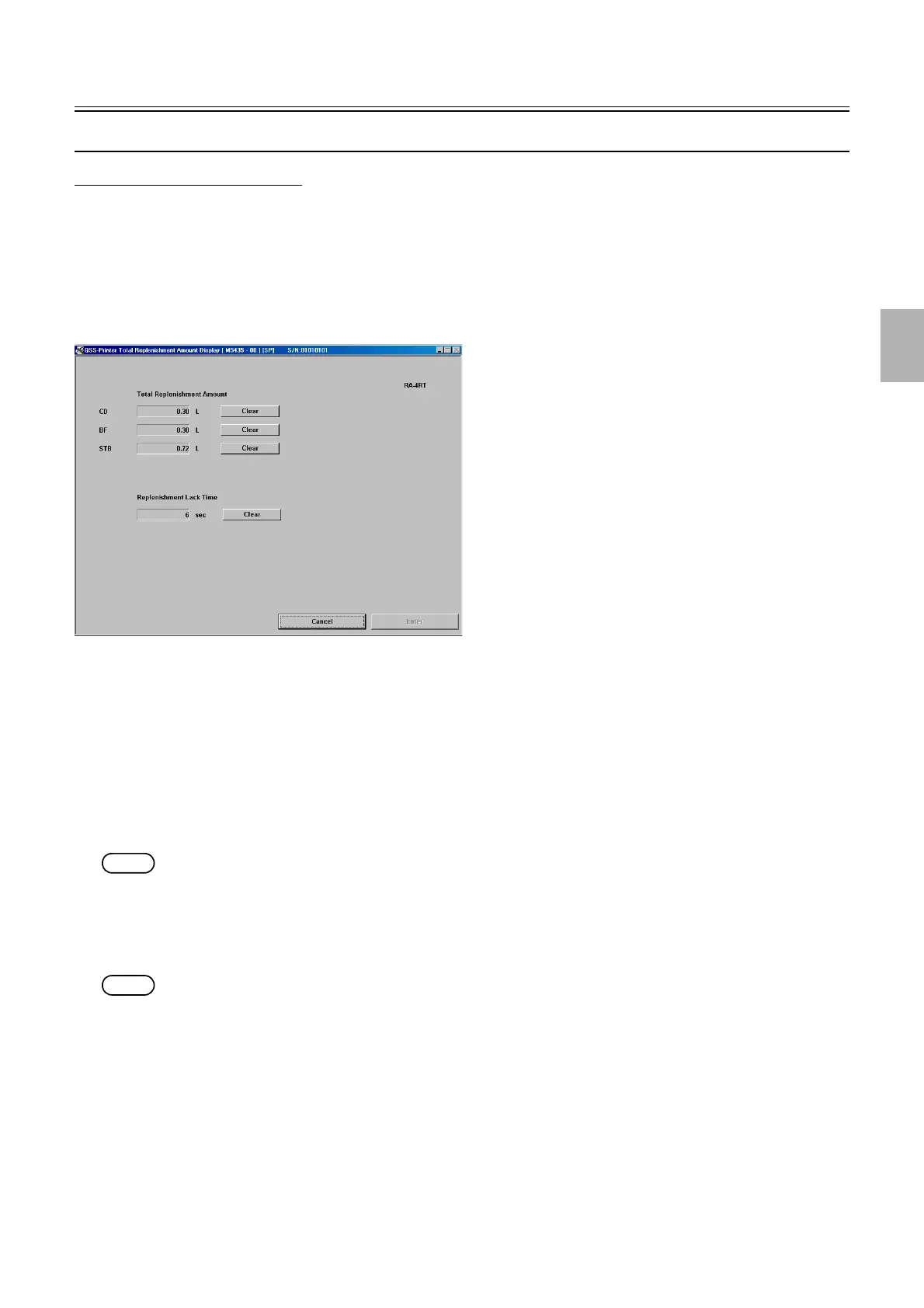
Total Replenishment Amount Display [N]
Description for each specification
In this section, the location of information varies depending on the specification. See below for the description for each specification.
• For SM, see ☞Total Replenishment Amount Display [SM].
!
!!
! Display
Bringing up the display
Maintenance: 2260 → Extension → Processor Settings → Total Replenishment Amount Display
!
!!
! Explanation
!
!!
! Total Replenishment Amount
The total replenishment amount can be checked.
!
!!
! Replenishment Lack Time
The replenishment stops when the waste solution tank is full or when the replenisher solution is empty. Replenishment Lack Time is
accumulated according to the paper amount which are processed after the replenishment is stopped. Carry out the replenishment after
the error is closed.
NOTE
• When the replenisher switch is turned off, the message is shown and the process stops after the replenishment lack time reaches
600 seconds.
!
!!
! Clear
Clears the value which is accumulated.
NOTE
• The service personnel password (2260) is required to display the clear button.
M5435-00
Distributed by: minilablaser.com



 To Next Page