2/3
2. Replacement and adjustment of parts
27420
27420
Order sorter section
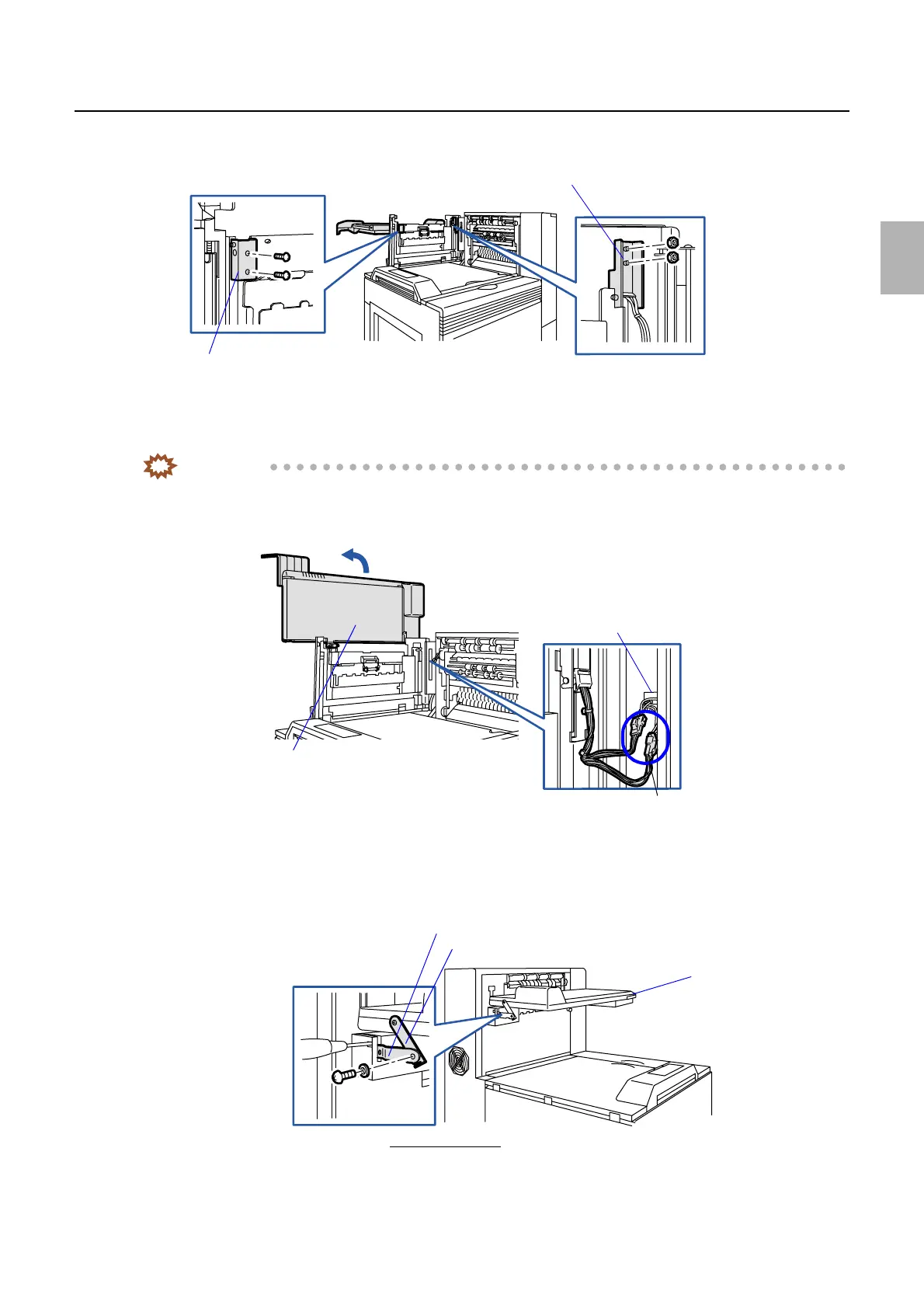
7. Remove holder 1 (two screws) and holder 2 (two nuts).
8. Disconnect the connector(s).
J/P711: Conveyor motor
J/P778: Conveyor unit sensor
IMPORTANT
• Put the connector(s) in the square hole when you attach the print conveyor unit.
9. Lift up the print conveyor unit in the direction indicated by the arrow and remove it.
!
!!
! Precautions when reattaching
1. Be careful not to get your hands pinched with stay 2 or the print conveyor unit.
Holder 1
Holder 2
G085267
J/P711 and J/P778
Print conveyor unit
Square hole
G085268
Conveyor stay 1
Print conveyor unit
Viewed from the back
Conveyor stay 2
G070290
Distributed by: minilablaser.com



 To Next Page