4/5
2. Replacement and adjustment of parts
27460
27460
Colorimeter Section
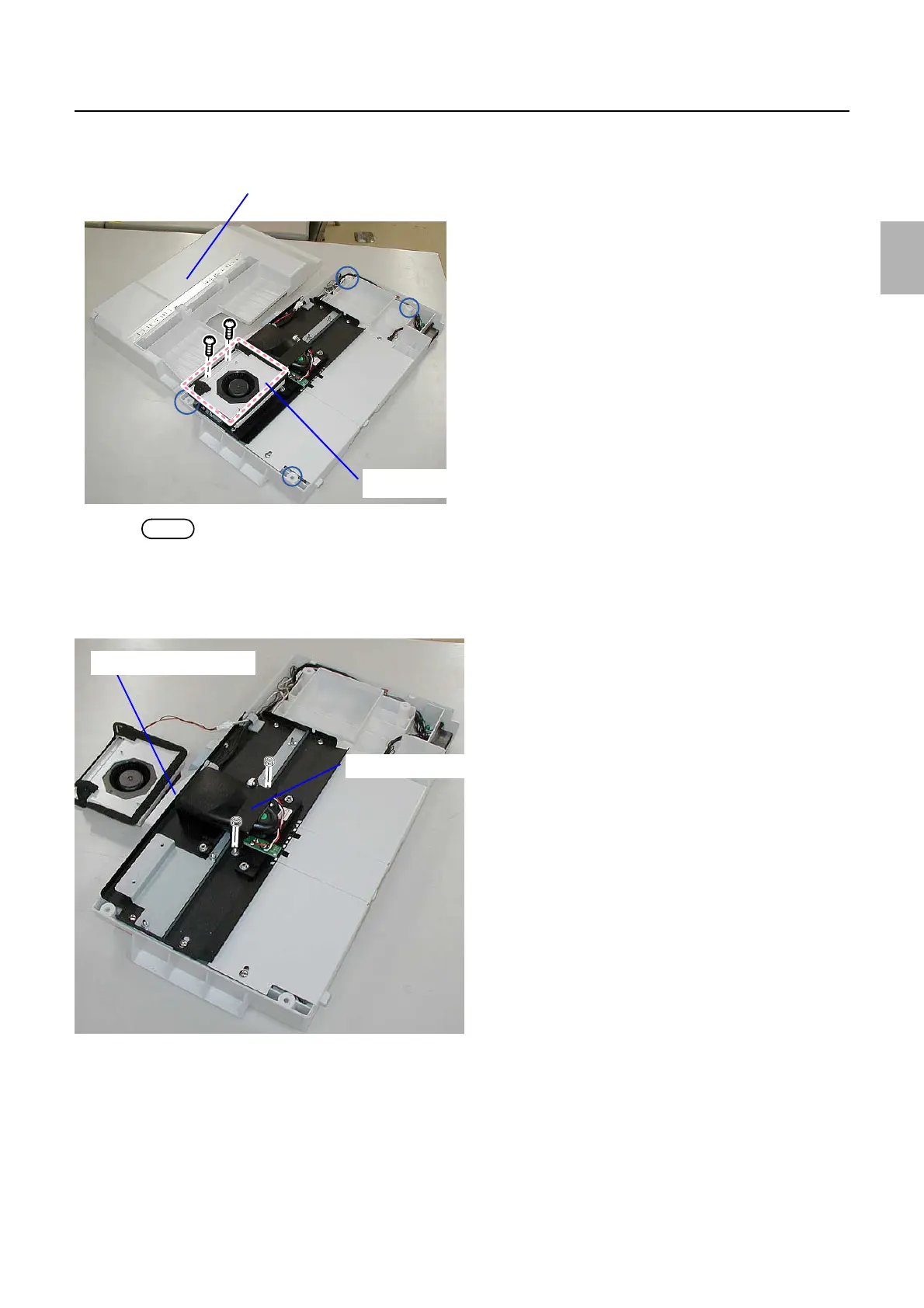
2. Remove the Colorimeter Cooling Fan.
(two screws)
NOTE
• If necessary, disconnect the connectors of the Colorimeter Cooling Fan.
3. Remove the fixing plate from the colorimeter.
(Loosen two mounting nuts.)
4. Remove the connector of the colorimeter and replace the colorimeter.
!
!!
! Adjustment after replacing the colorimeter unit
1. Adjust the height of the colorimeter.
☞27470
2. Follow the procedures in Replacing the calibration plate.
☞Replacing the calibration plate
Colorimeter unit cover
Colorimeter Cooling Fan
G085247
Fixing plate
Connector
G085249
Distributed by: minilablaser.com



 To Next Page