2/2
3. Mode
35500
35500
Maintenance
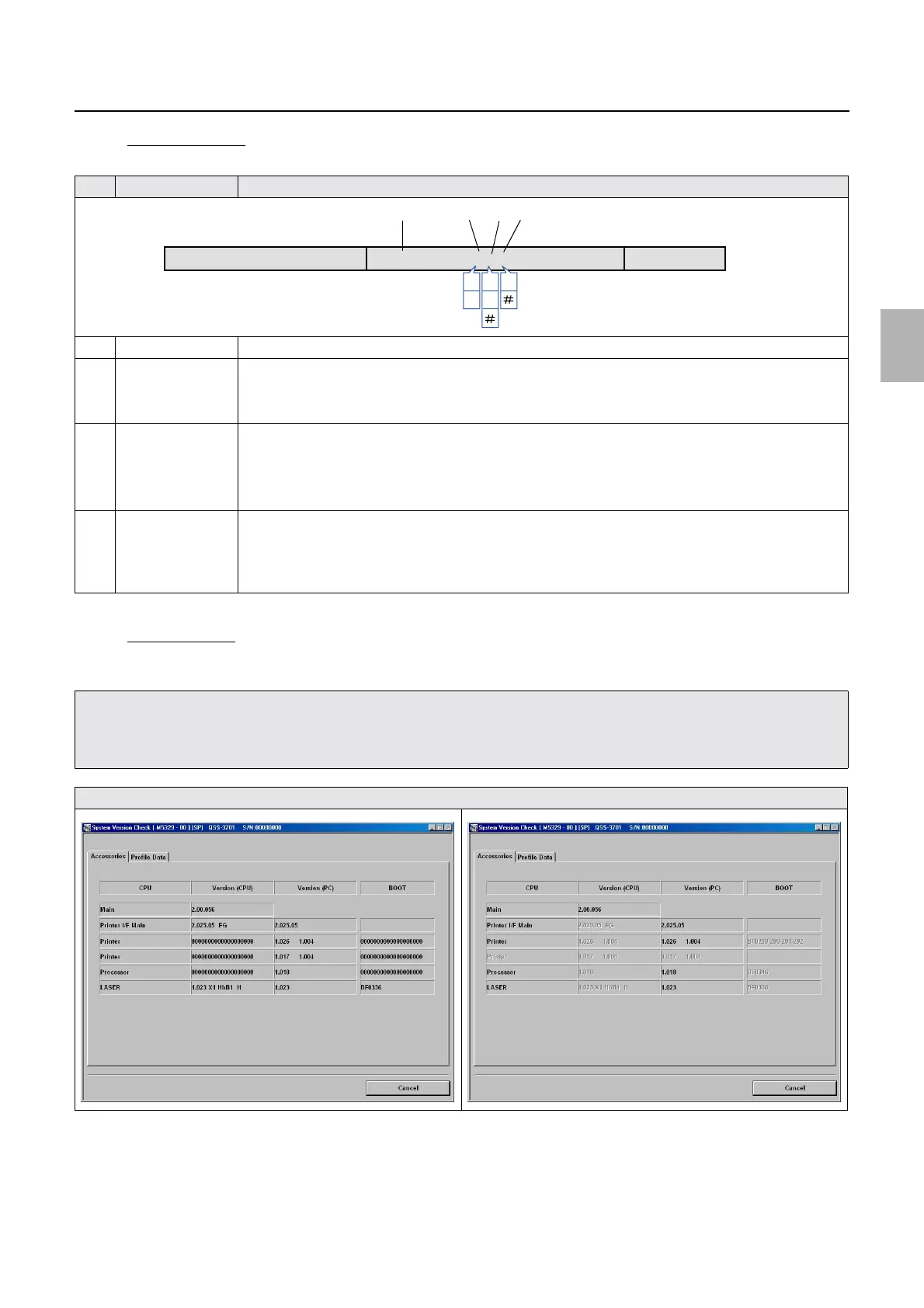
$ Version (LASER)
You can check the type of the laser unit by checking the version name of LASER.
$ Communication
If the communication status of each control PCB is not normal, the versions of Version (CPU) and BOOT are not
displayed normally.
!
!!
! Profile Data (SP1)
The profile data version is displayed.
No. Display Explanation
1 1.089 Shows the software version of the laser control PCB.
2 H Shows the G laser driver type.
• H: G laser driver (J391231)
• I: G laser driver (J391160)
3 h Shows the laser unit type.
• h: laser unit (Type HhB)
• i: Laser unit (Type IiB)
• #: Laser codes on the laser operation record PCB (inside the laser unit) are not entered.
☞35700
4 B Shows that the R-AOM and B-AOM driver functions are installed in the laser unit.
• Example:
B: Laser unit (Type HhB) or Laser unit (Type IiB)
• #: Laser codes on the laser operation record PCB (inside the laser unit) are not entered.
☞35700
• Depending on the ARCNET communication feature, Version (CPU) and BOOT on the System Version Check display may not be
able to decide if the ARCNET communication is working or not.
• In that case, the ARCNET communication status can be checked more correctly by using ARCNET Self-Diagnosis.
For details, see ☞ 35940.
Enter the System Version Check mode again to update the versions of Version (CPU) and BOOT.
LASER 1.009 X1 HhB1 N OK
Bh
i
BH
I
1
2
3
4
Distributed by: minilablaser.com



 To Next Page