3/3
2. Replacement and adjustment of parts
25620
25620
Paper supply unit
IMPORTANT
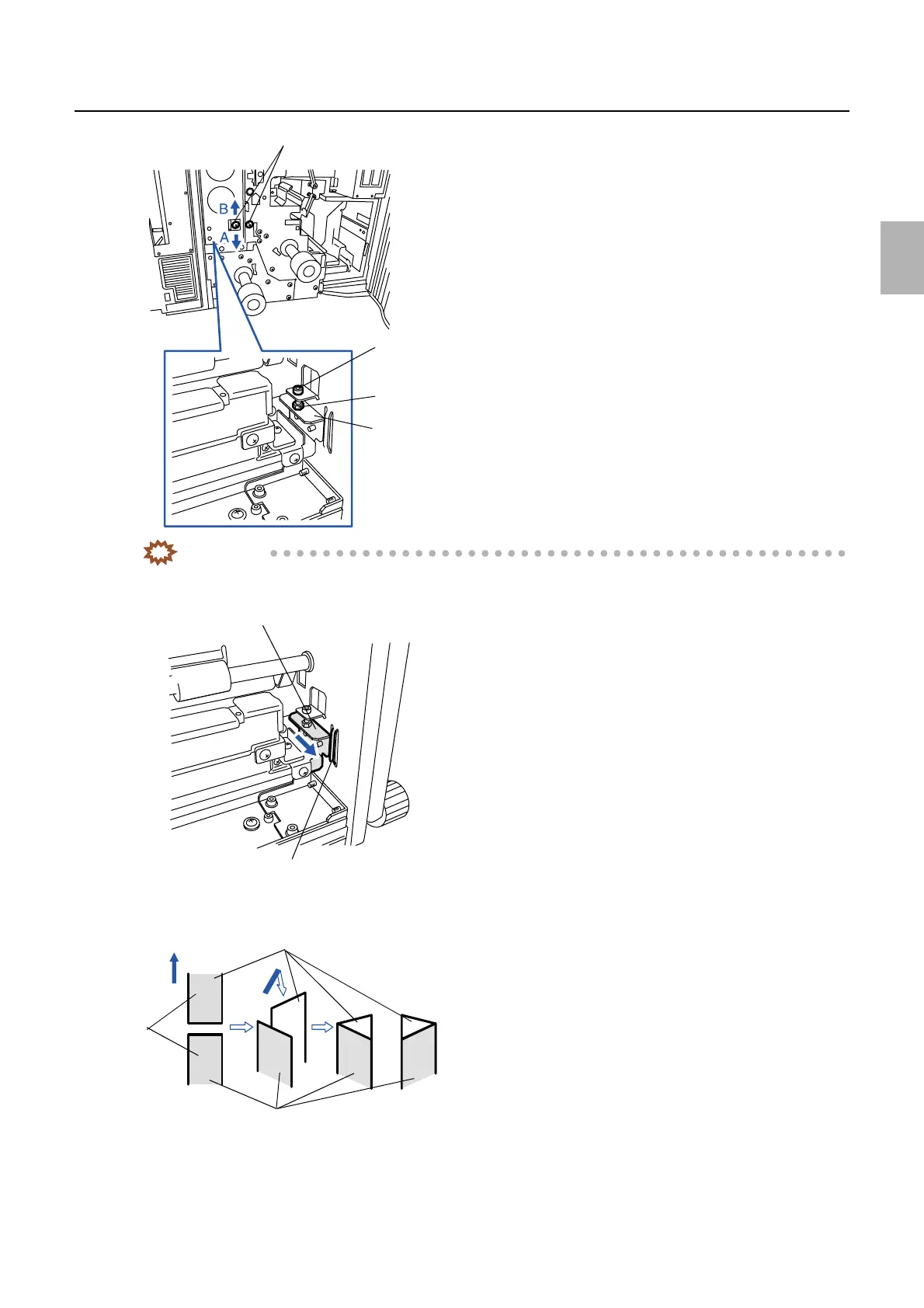
• To adjust the right angle of the cutter unit, move the cutter unit positioning plate pushing onto the reference
surface of the paper supply unit.
" Point
When checking the right angle of the cutter unit, make the print cut parts meet as shown in the figure below.
• If the cutting end is as shown in A, adjust the cutting angle by moving the cutter unit positioning plate in the direction
indicated by the arrow A as shown above.
• If the cutting end is as shown in B, adjust the cutting angle by moving the cutter unit positioning plate in the direction
indicated by the arrow B as shown above.
Adjusting
screw
Nut
Cutter unit positioning plate
Loosen these screws.
G068530
Reference surface
Cutter unit positioning plate
G068531
Paper
emulsion
side
Paper
advance
direction
First one
Second one
A
B
G052651
Distributed by: minilablaser.com



 To Next Page