2/3
2. Replacement and adjustment of parts
25630
25630
Paper supply unit
4. Repeat steps from ☞ 1 through ☞ 3 and adjust the position of the detection plate of the paper supply
pressure change sensor in order to set the cam of the paper supply unit to be in the vertical position to
the pressure release arm.
5. Reassemble the parts.
!
!!
! Checking after adjustment
1.
Check the center part of the paper (around the position of 450 mm) for the banding in case printing
several gray prints with the paper advance length of 914 mm.
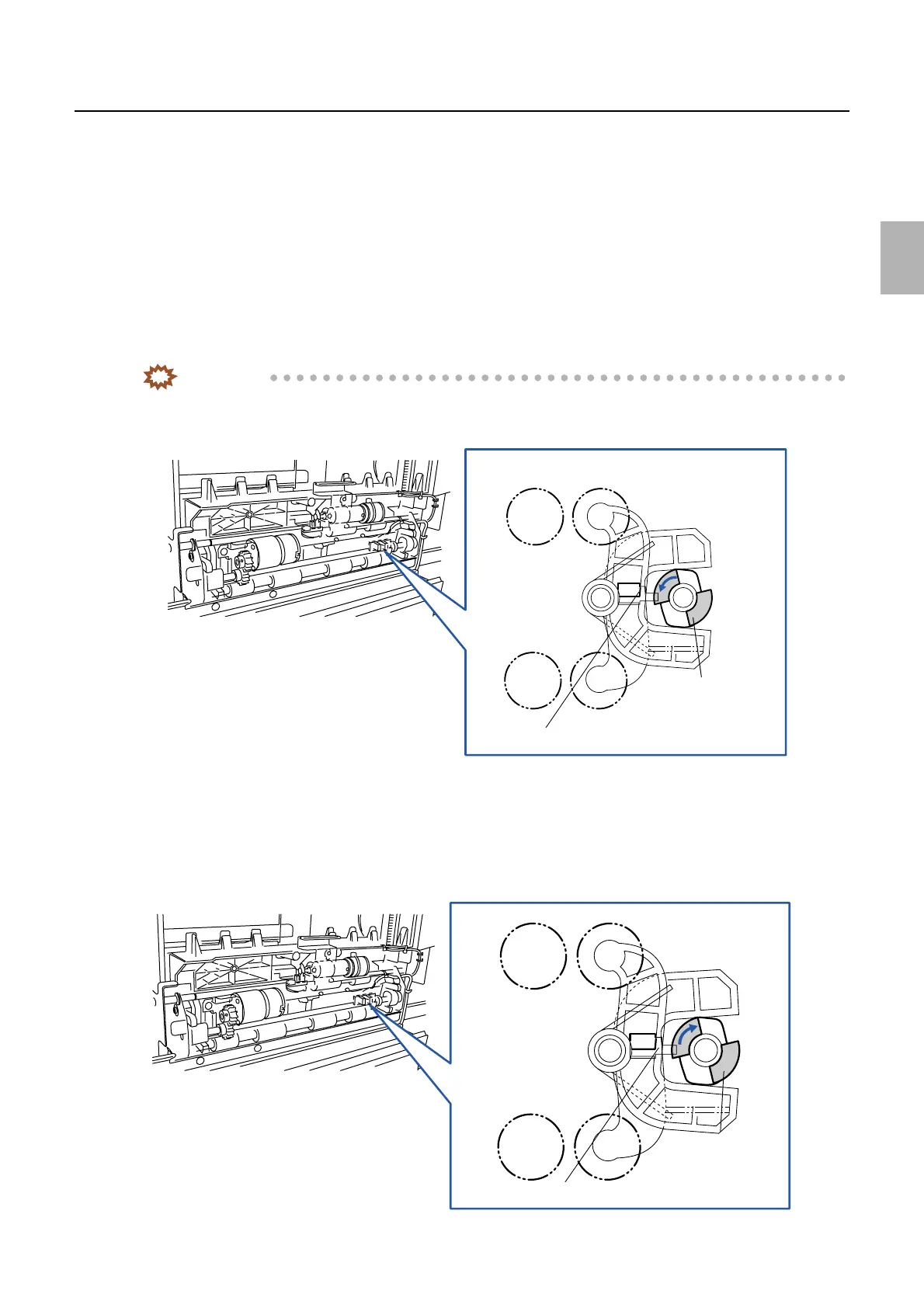
2. If the banding appears at the center part of the paper (around the position of 450 mm), adjust the
position of the detection plate in the direction indicated by the arrow.
IMPORTANT
• The banding disappears if you adjust the position of the detection plate in the arrow direction. However, note
that an advance failure may occur if you process paper with the paper advance length of 82.5 mm.
3. Check the center part of the paper (around the position of 450 mm) for the banding in case printing
several gray prints with the paper advance length of 914 mm.
4. Check if paper is advanced properly in case of printing with paper advance length of 82.5 mm.
5. If paper jam occurs in case of printing with the paper advance length of 82.5 mm, adjust the position of
the detection plate in the direction indicated by the arrow.
Detection
plate
Paper supply pressure change sensor
G078434
Detection
plate
Paper supply pressure change sensor
G078435
Distributed by: minilablaser.com



 To Next Page