2/6
2. Replacement and adjustment of parts
25830
25830
Exposure advance unit
!
!!
! The banding at the area 32 mm from the paper leading end
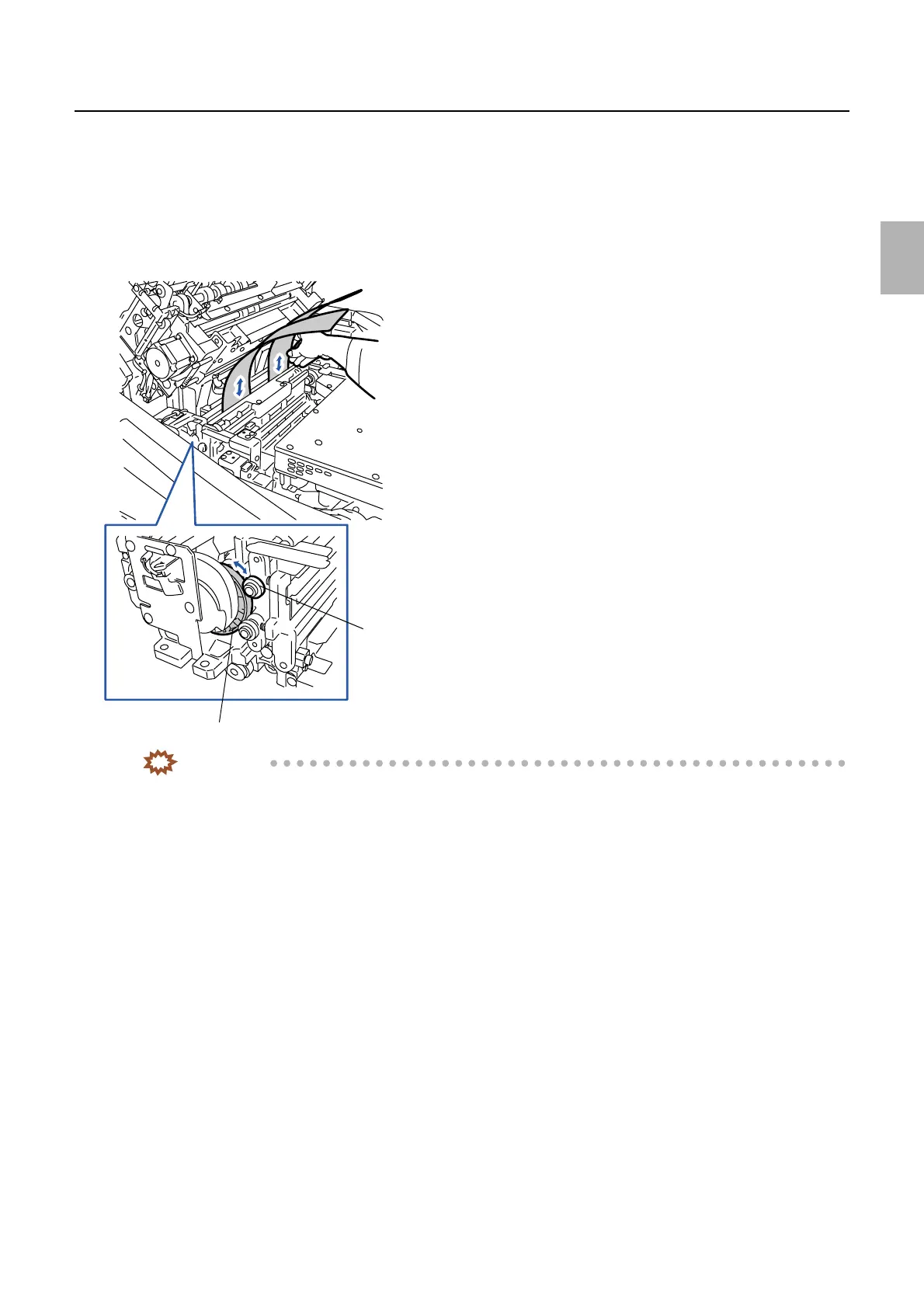
1. Turn the cam in the exposure advance unit to release the pressure of the pressure roller at the exit side
and set the paper.
2. Make fine adjustments of the cam in the exposure advance unit so that the pressure release amount of
the pressure roller at the exit side is the thickness of about one sheet of paper. Use the paper to check
that the pressure of the pressure roller at the exit side is equable at the right and left.
IMPORTANT
• If the pressure needs to be adjusted, perform the following adjustments.
3. Remove the pressure guide from the exposure advance unit.
4. Loosen the fixing screw of the exposure advance unit exit roller. (Loosen one fixing screw.)
5. Loosen the nut on the exposure advance unit exit roller. (Loosen one nut.)
Pressure roller
at the exit side
Cam
G072398
Distributed by: minilablaser.com



 To Next Page