Table 17: Basic Tools for Monitoring Router Components (continued)
Purpose
Router Component Monitor
Tool
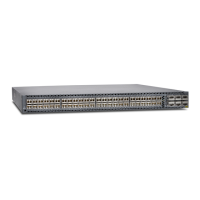
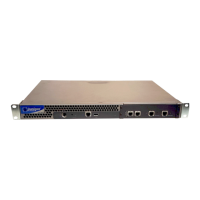
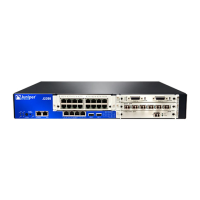
The craft interface provides status and troubleshooting
information at a glance and lets you perform many system
control functions. The craft interface provides the following
information:
•
M5 and M10 routers: Alarm LEDs and lamp test button,
Routing Engine ports, link and activity status lights, and PIC
online/offline buttons
•
M7i router: Networking interface Link/Activity LEDs, PIC
On/Off LEDs, and alarm LEDs are located on the FIC
•
M10i routers: HCM status LEDs, PIC On/Off LEDs, and alarm
LEDs are located on the HCM
•
M20 router: Alarm relay contacts, LEDs, and cutoff button,
Routing Engine interface ports and status indicators, Routing
Engine LEDs and offline buttons, Flexible PIC Concentrator
(FPC) LEDs and offline button
•
M40 router: Alarm relay contacts, LEDs, cutoff button, FPC
LEDs and offline button, LCD display and navigation buttons,
and Routing Engine LEDs and interface ports
•
M40e router: Alarm LEDs and alarm cutoff/lamp test button,
LCD display and navigation buttons, host module LEDs, and
FPC LEDs and offline button
•
M120 router: Alarm LEDs and alarm cutoff/lamp test button,
Routing Engine interface ports and status indicators, external
clock interface ports, host subsystem LEDs, FEB LEDs, FPC
LEDs, power supply LEDs, and alarm relay contacts
•
M160 router: Alarm LEDs and alarm cutoff/lamp test button,
LCD display and navigation buttons, host module LEDs, and
FPC LEDs and offline button
•
M320 router: Routing Engine LEDs, Switch Interface Board
(SIB) LEDs, power supply LEDs, LCD display and navigation
buttons, alarm LEDs, and FPC LEDs
•
T320, T640, T1600, TX Matrix, TX Matrix Plus routers: Alarm
LEDs and lamp test button, LCD display and navigation
buttons, host subsystem LEDs, SIB LED, FPC LEDs, and FPC
online/offline buttons
The M40e, M160, T320, T640, T1600, TX Matrix, and TX Matrix
Plus routers have a CIP that contains the alarm relay contacts,
management ports, and link and activity status lights.
To display craft interface information, use the following
command:
show chassis craft-interface
Router craft interface
Copyright © 2012, Juniper Networks, Inc.54
M Series and T Series Routers Monitoring and Troubleshooting Guide


 To Next Page