6-3
- SV Series User’s Manual -
PARAMTER SETTING AND OPERATION OF THE MECHATROLINK-II TYPE
6-2 SV Series Setting
Connecting to KV-ML16V
When SV series is connected to the KV-ML16V, man-hours for commissioning can be reduced greatly due to the
following flexibility.
• It is unnecessary to consider MECHATROLINK-II communication command during operation.
• When PLC and PC are connected directly through a communication cable, communication with servo amplifier/
monitoring can be realized, and no cable plugging\pulling-out is required.
• Parameters can be managed centrally through the KV-ML16V.
For how to operate KV-ML16V and its functions, see KV-ML16V/MC40V/MC20V/MX1 User's Manual.
MECHATROLINK-II Setting
When a servo motor is operated through MECHATROLINK-II, it is necessary to set up communication of the
MECHATROLINK-II servo amplifier.
Station address setting
The station address of the servo amplifier can be set through a rotary switch and parameters.
The station No. assigned to the servo amplifier is 41H to 5FH. You cannot assign 40H.
z The ones place : rotary switch setting
The ones place of a station address can be set through a rotary switch.It is 1H by default.
z The tens place: Access Window setting
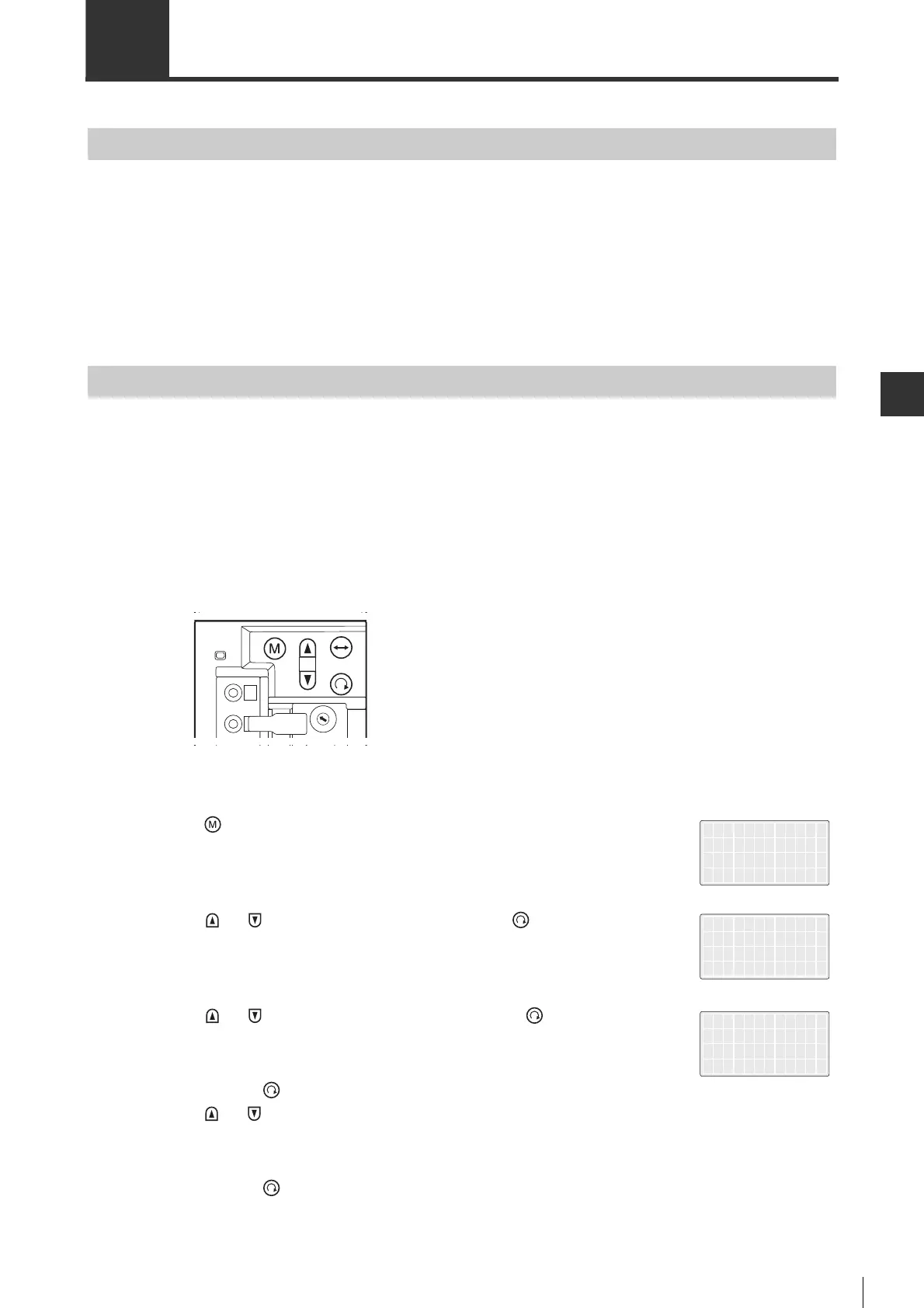
The tens place of a station address can be set via the Access Window. The procedure for setting is described below.
1 Press " " key.
The main menu appears.
2 Press " "/" " key, select "7.ML Com", then press " " key.
The submenu appears.
3 Press " "/" " key, select "3.StAddress", then press " " key.
4 Press and hold " " key (for more than 1s) to let the value blink, then
press " "/" " key to change the value.
5 Press and hold " " key (for more than 1 s) to set a station address.
5.SrvTestRun
6.SetDisplay
7.ML Com
8.Other
1.ComSpeed
2.TransByte
3.StAddress
*StAddress
40H+RtrySW
COM_03



 To Next Page
 Loading...