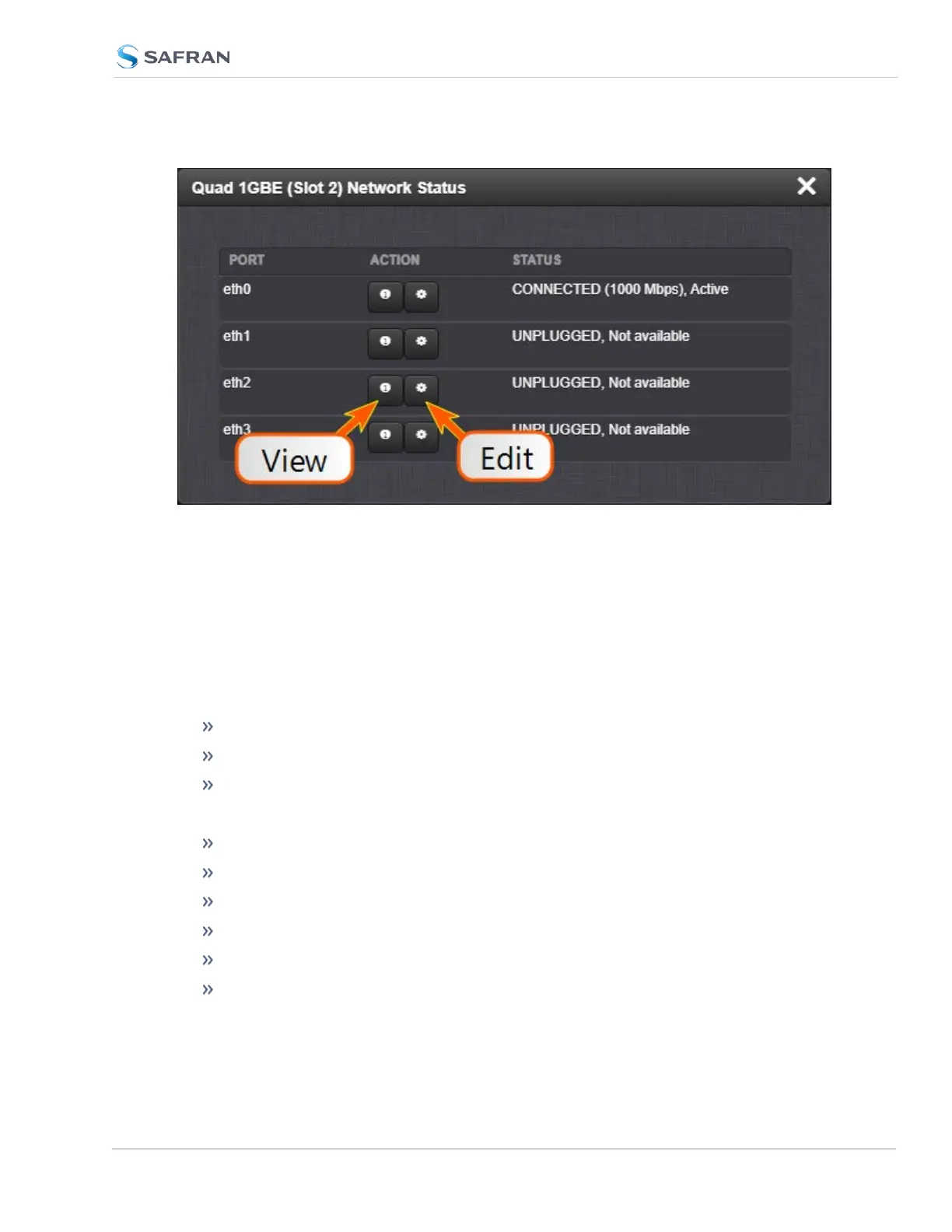
To view the network information for each port, click on the information icon.
To edit the network information, click on the gear icon.
xxxx 1GBE (Slot x) Edit Interface Settings: eth* Window
Add your network information in the following fields to edit or add network
information to an Ethernet port. (Some selections will reveal or hide additional
fields).
General Status tab:
Enable Interface [checkbox]
Auto-connect [checkbox]
MTU (0=auto)
IPv4 Status tab
Enable DHCP [checkbox]
Address
Subnet Mask
Gateway
Ignore Auto DNS? [checkbox]
Ignore Auto Routes? [checkbox]
SecureSync 2400 User Manual 497
APPENDIX



 To Next Page