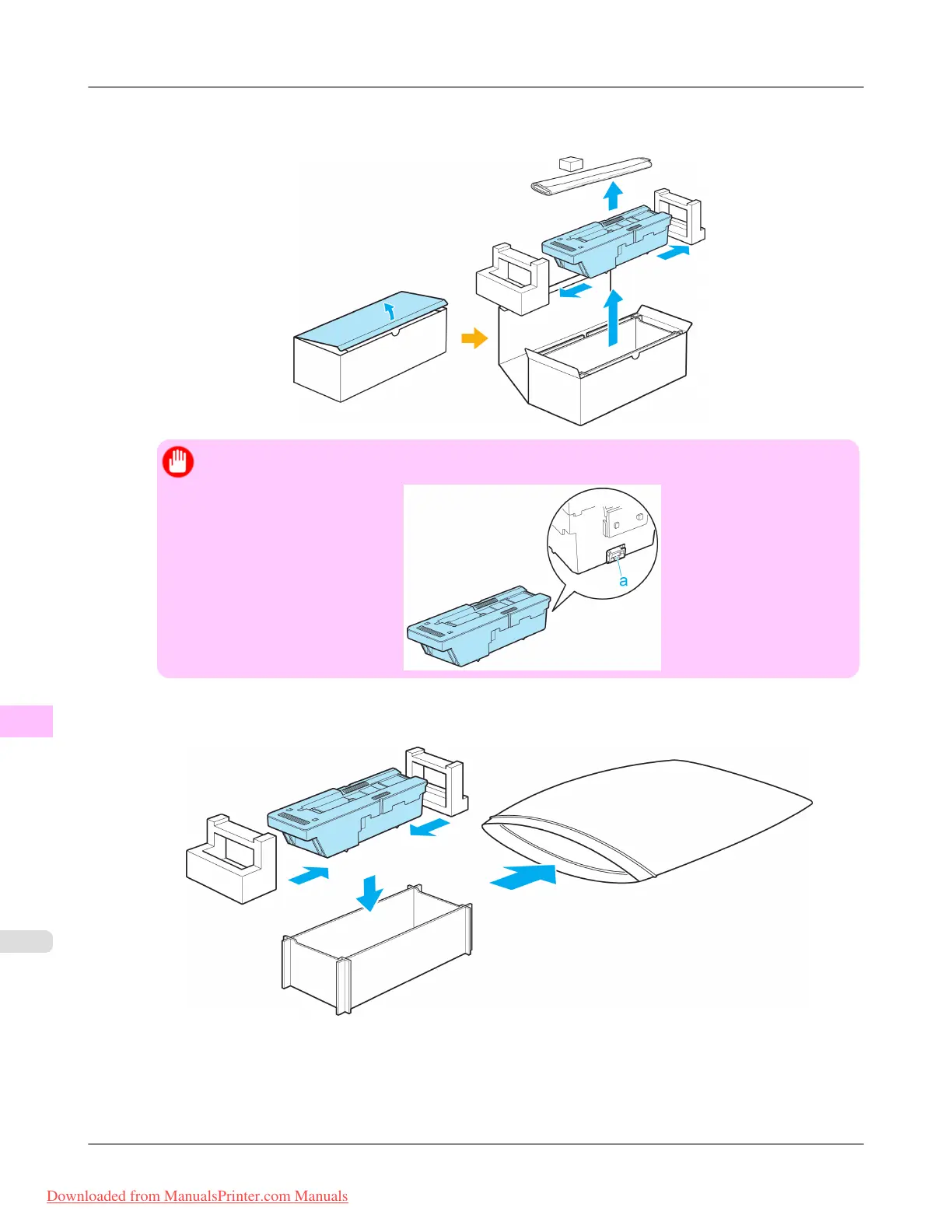
3. Open the box, remove the plastic bag, packaging material, and Shaft Cleaner, and then take out the Maintenance
Cartridge.
Important
• Never touch the metal contacts (a). This may damage the Maintenance Cartridge.
4. Attach the packaging material to the used Maintenance Cartridge and put it in the box. Keep it level as you put it in
the plastic bag. Expel excess air from the plastic bag and seal the zipper.
Maintenance
>
Maintenance Cartridge
>
Replacing the Maintenance Cartridge iPF8300
11
1018
Downloaded from ManualsPrinter.com Manuals














 To Next Page