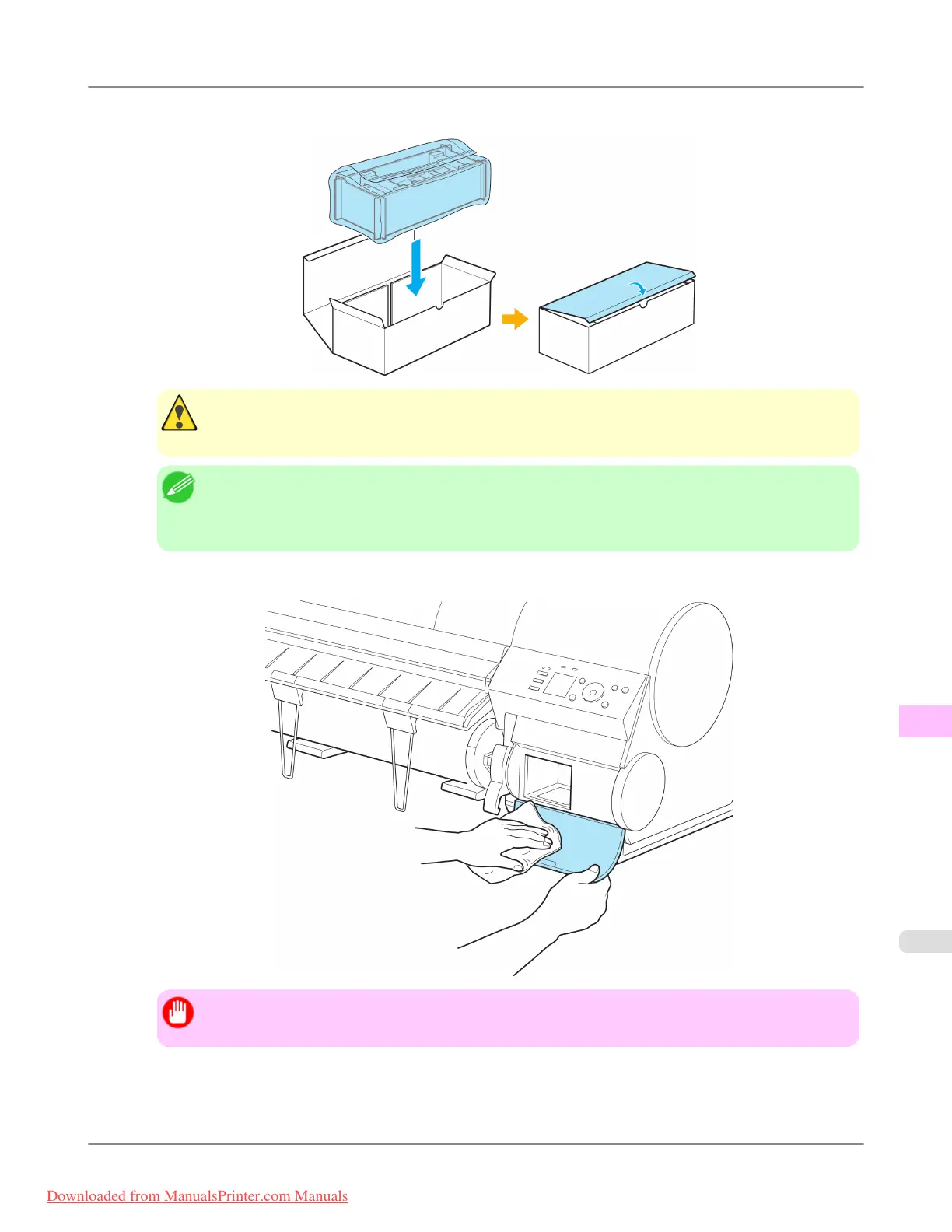
5. Confirm the Maintenance Cartridge is right-side up, put it in the box, and store it so that it stays level.
Caution
• Always put the used Maintenance Cartridge back in the box and store the box on a flat surface. Other-
wise, ink may leak and cause stains.
Note
• In accordance with active and ongoing environmental programs, Canon supports recycling of used
maintenance cartridges. Follow the instructions provided with the new Maintenance Cartridge that
describe how to process the used Maintenance Cartridge.
6. Wipe away any soiling on the Maintenance Cartridge Cover.
Important
• Support the Maintenance Cartridge Cover from underneath as you wipe it.
Maintenance
>
Maintenance Cartridge
>
iPF8300 Replacing the Maintenance Cartridge
11
1019
Downloaded from ManualsPrinter.com Manuals














 To Next Page