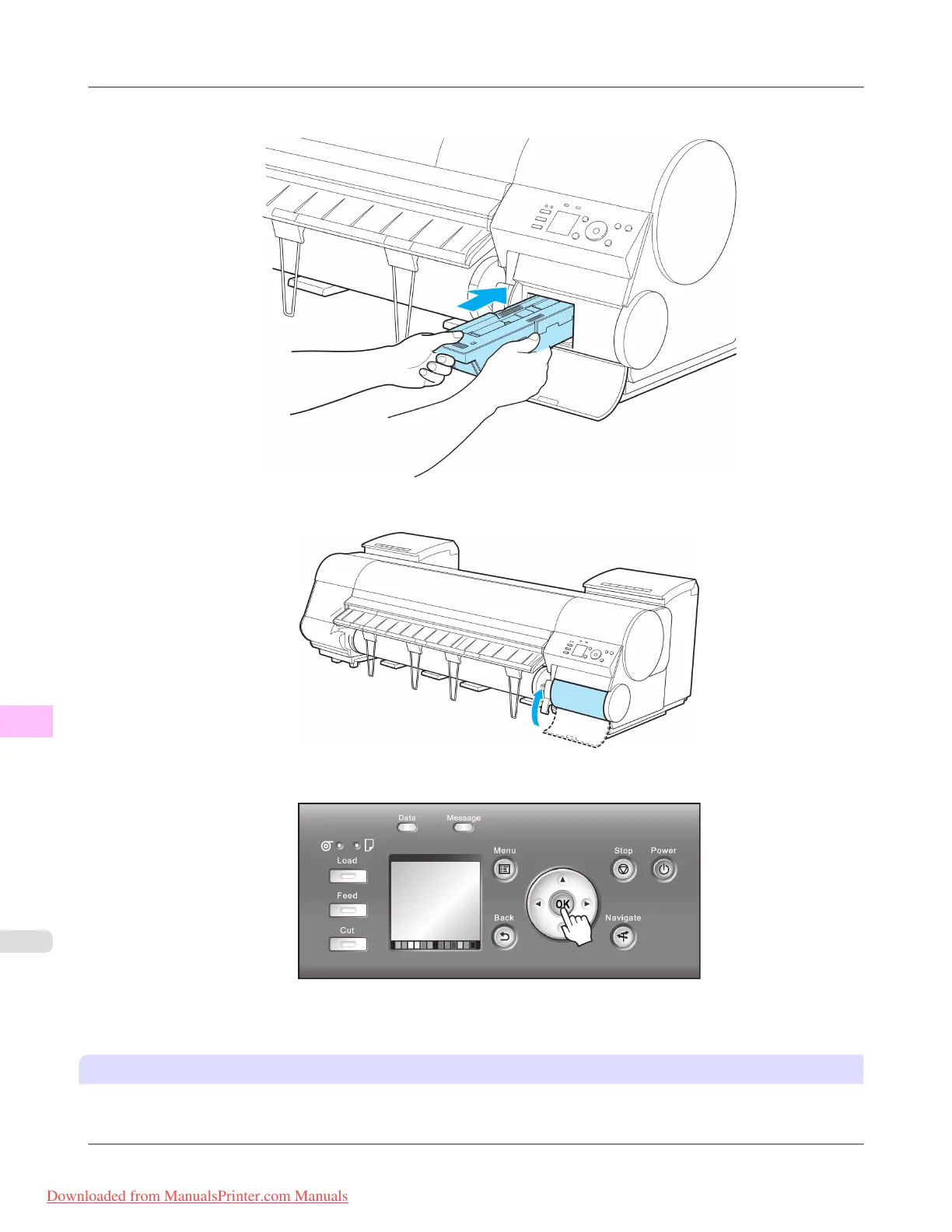
7. Keeping the new Maintenance Cartridge level, insert it all the way in.
8. Close the Maintenance Cartridge Cover.
9. Press the OK button.
The printer now initializes the Maintenance Cartridge.
Next, replace the Shaft Cleaner.
Replacing the Shaft Cleaner
Replace the Shaft Cleaner when you replace the Maintenance Cartridge. New Shaft Cleaner is included with replacement
Maintenance Cartridge.
Maintenance
>
Maintenance Cartridge
>
Replacing the Maintenance Cartridge iPF8300
11
1020
Downloaded from ManualsPrinter.com Manuals














 To Next Page