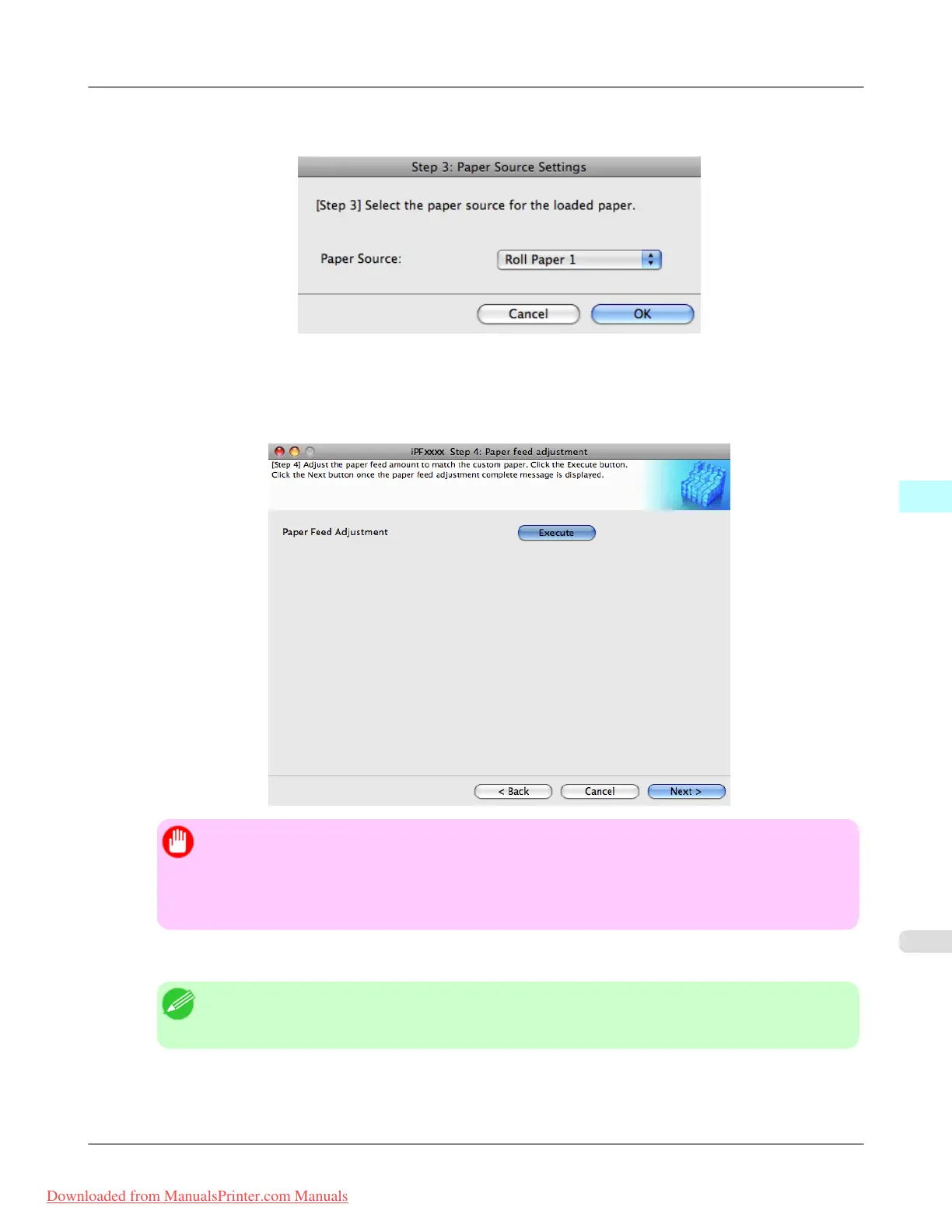
7. The Step 3: Paper Source Settings dialog box is displayed. Select the paper source where the custom paper is loa-
ded and then click the OK button.
8. The Step 4: Paper feed adjustment dialog box is displayed. Click the Execute button to execute paper feed adjust-
ment.
The adjustment pattern is printed, and the paper feed is automatically adjusted based on the printing result.
Once the paper feed adjustment is complete, click the Next button.
Important
• Check that there is no paper left on the ejection guide.
• If Paper Feed Adjustment is not executed, horizontal stripes with different color tones may appear
in the printed material. Paper feed adjustment does not need to be executed more than once. Execute
paper feed adjustment only once each time you add a custom paper.
9. The Roll Paper Settings dialog box is displayed.
Note
• If a paper source other than Roll Paper is selected in the Step 3: Paper Source Settings dialog box,
this screen is not displayed.
Mac OS X Software
>
Media Configuration Tool
>
iPF8300 Add Custom Paper
5
699
Downloaded from ManualsPrinter.com Manuals














 To Next Page