4. The media type names of the Canon genuine paper and feed confirmed paper within the selected category are shown
in Media Type Name. Select the media type to use as the basis of the custom paper, and click the Next button.
Note
• If you do not know which media type to use as the basis of the custom paper, click the Assist button
to open the Media Type Selection Assistance dialog box, and then set either the Weight (gram-
mage) or the Thickness. The Media Configuration Tool automatically selects the appropriate paper
from the selected paper category. Alternatively, select the media type called General from among the
displayed Media Type Name.
• Depending on the selected category, there might not be a media type called General.
• Depending on the selected category, the Assist button may be disabled.
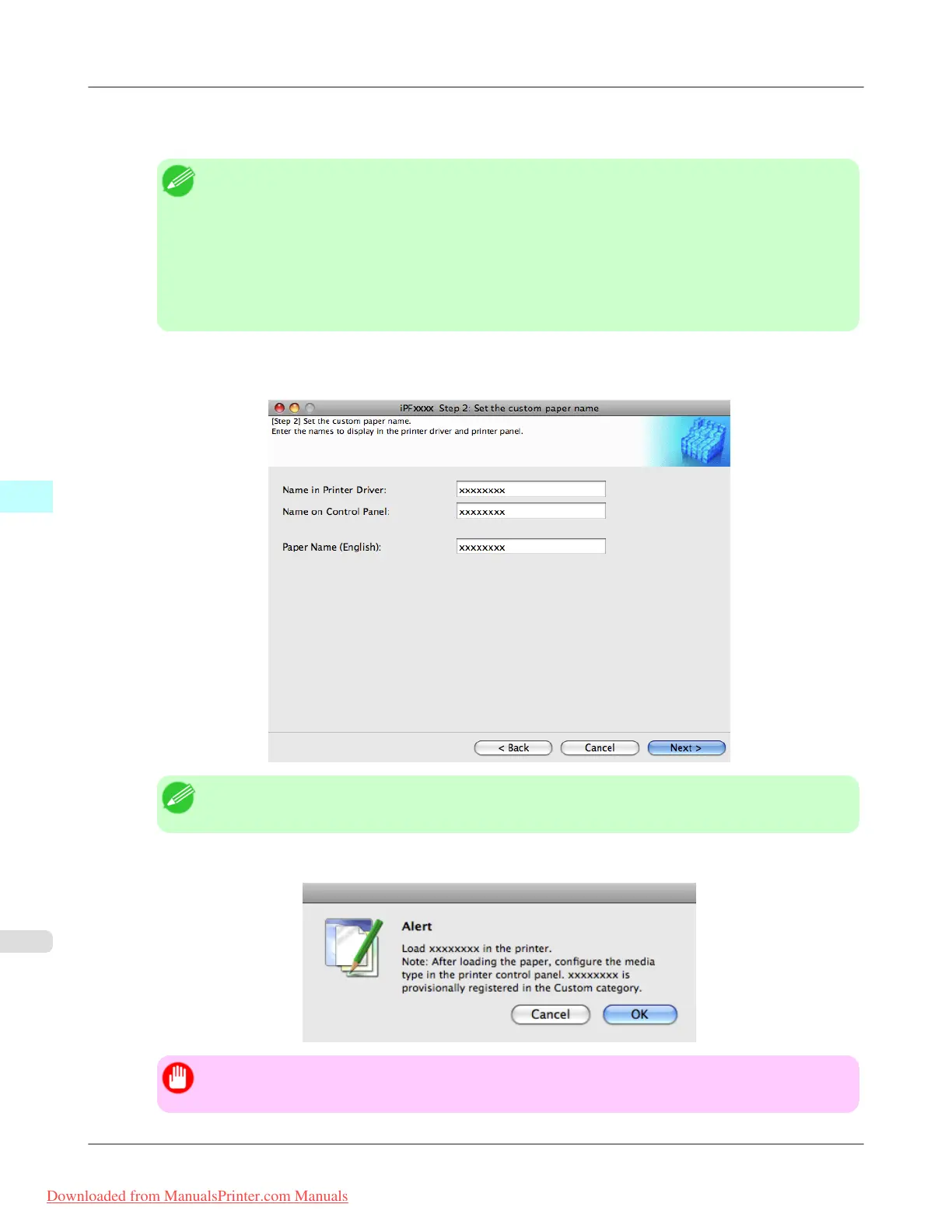
5. The Step 2: Set the custom paper name dialog box is displayed.
Enter an arbitrary name to display in the printer control panel and printer driver, and then click the Next button.
Note
• Paper Name (English) is used in keeping track of the amount of roll paper left, in status print, etc.
6. Load the custom paper in the printer and then click the OK button.
Important
• Do not load paper that is curled or that has already been printed on.
Mac OS X Software
>
Media Configuration Tool
>
Add Custom Paper iPF8300
5
698
Downloaded from ManualsPrinter.com Manuals














 To Next Page