Using imagePROGRAF Status Monitor (Windows)
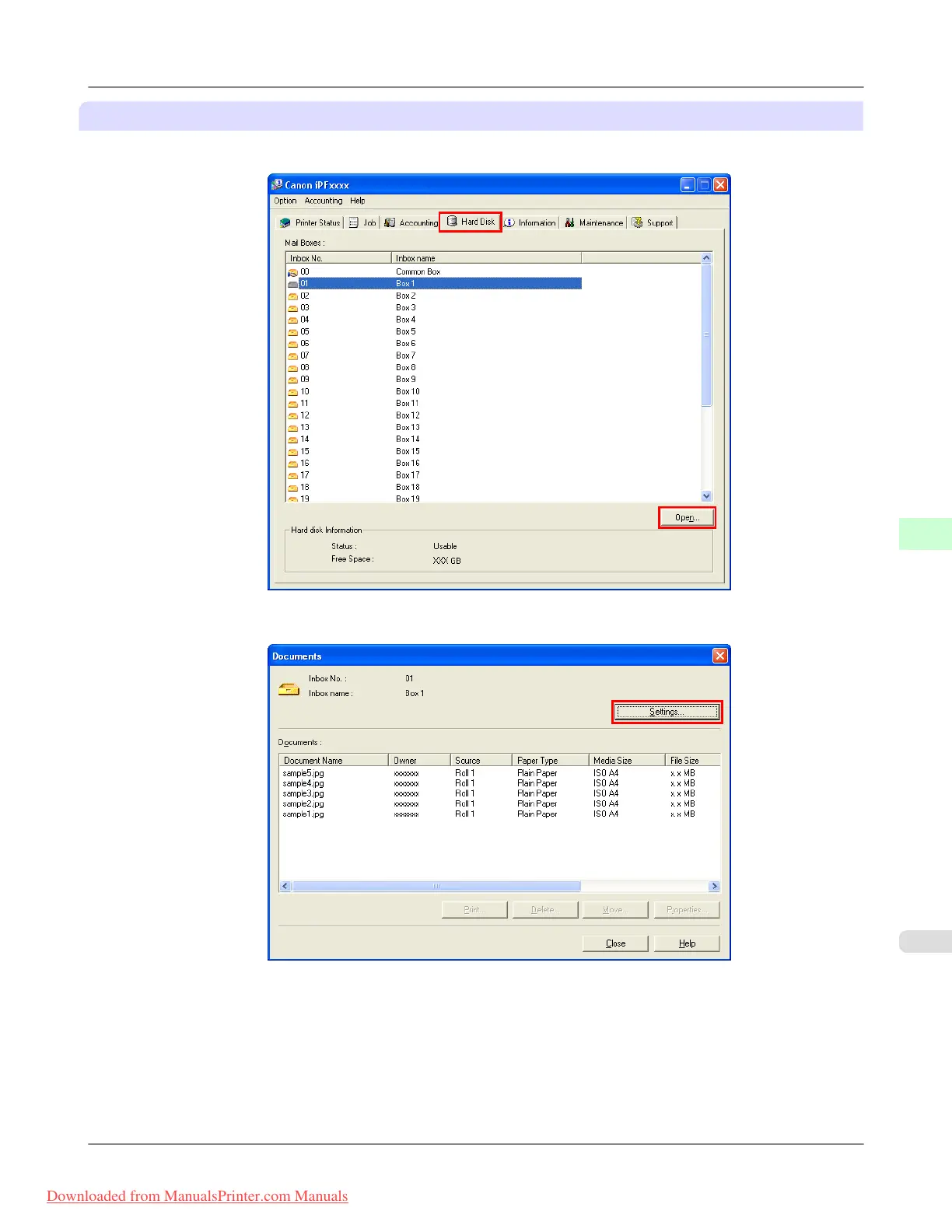
1. On the Hard Disk sheet, select the personal box and click Open.
2. In the Documents dialog box, click Settings.
3. In the Settings dialog box, specify the password and click OK.
• Set password
Select the check box.
• Password
Enter the password. (This field is limited to four digits in the range 0001–9999.)
• Re-enter to confirm
Re-enter the password to confirm it.
Print Jobs
>
Advanced Print Job Operations
>
iPF8300 Setting Passwords for Personal Boxes
6
745
Downloaded from ManualsPrinter.com Manuals














 To Next Page