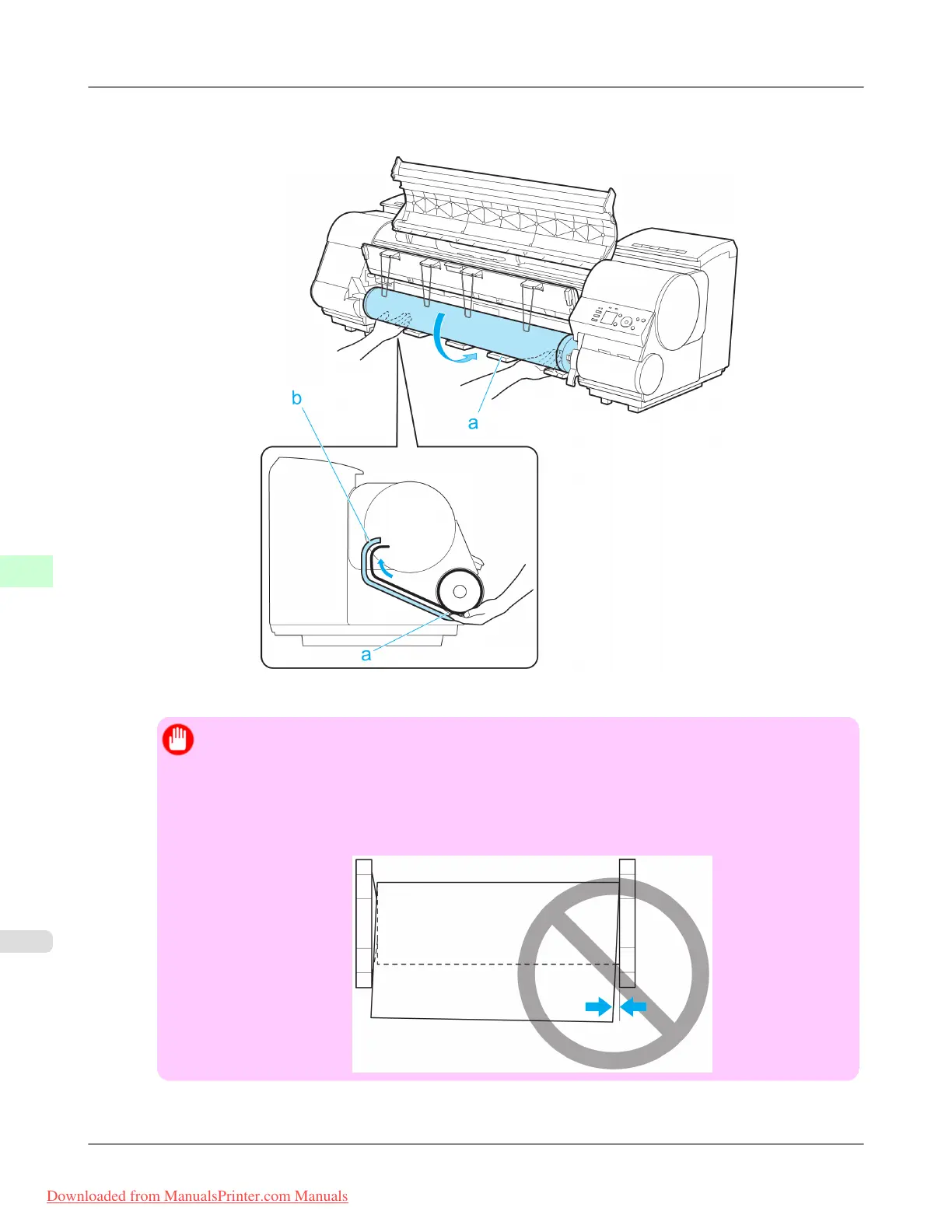
5. Pull out the roll evenly on both ends and insert it in the Paper Feed Slot (a). Advance the roll until it touches the
Paper Retainer (b).
Once the roll reaches the Paper Retainer, it is automatically advanced over the Platen.
Important
• Be careful not to soil the printing surface of roll paper as you insert it in the slot. This may affect the
printing quality.
• If the paper is wrinkled or warped, straighten it out before loading it.
• For paper that tends to curl, lift the Release Lever and manually pull the roll paper over the Platen.
• Load the roll so that there is no gap between the right edge of the paper and the Roll Holder.
Handling Paper
>
Handling rolls
>
Loading Rolls in the Printer iPF8300
7
780
Downloaded from ManualsPrinter.com Manuals














 To Next Page