Weight Flange
Roll Type
Weight
Flange to Use
Glossy Photo Paper, Semi-Glossy Photo Paper, Heavyweight Glossy Photo Paper, Heavyweight Sem-
iGlossy Photo Paper, Fine Art Photo Paper, Fine Art Heavyweight Photo Paper, Fine Art Textured
Paper, Canvas Matte, Fine Art Block Print, Fine Art Watercolor, Proofing Paper, Coated Paper,
Heavyweight Coated Paper, Extra Heavyweight Coated Paper, Colored Coated Paper, Synthetic Pa-
per, Adhesive Synthetic Paper, Backprint Film, Backlit Film, Flame-Resistant Cloth, Fabric Banner,
Thin Fabric Banner
Weight Flange
1 (*1)
Premium Matte Paper Weight Flange
2
*1: If you cannot retract stiff paper well using Weight Flange 1 or if the diameter of the retracted paper is wider than
the Rewind Spool, use Weight Flange 2. When using Weight Flange 2, adjust the paper feed amount by execut-
ing Auto(GenuinePpr) or Auto(OtherPaper). (See "Automatic Banding Adjustment (Adj. Quality).")
→P.846
Note
• Do not use combinations other than those identified here.
• Insert the Weight Flange and Weight Joint firmly on the Weight Roll.
• Use identical Weight Flange on the left and right ends. Insert matching Weight Flanges (1 or 2) on
both ends of the Weight Roll.
• Keep unused weight rolls, weight joints, and weight flanges handy by putting them in the box and
putting the box under the Stand.
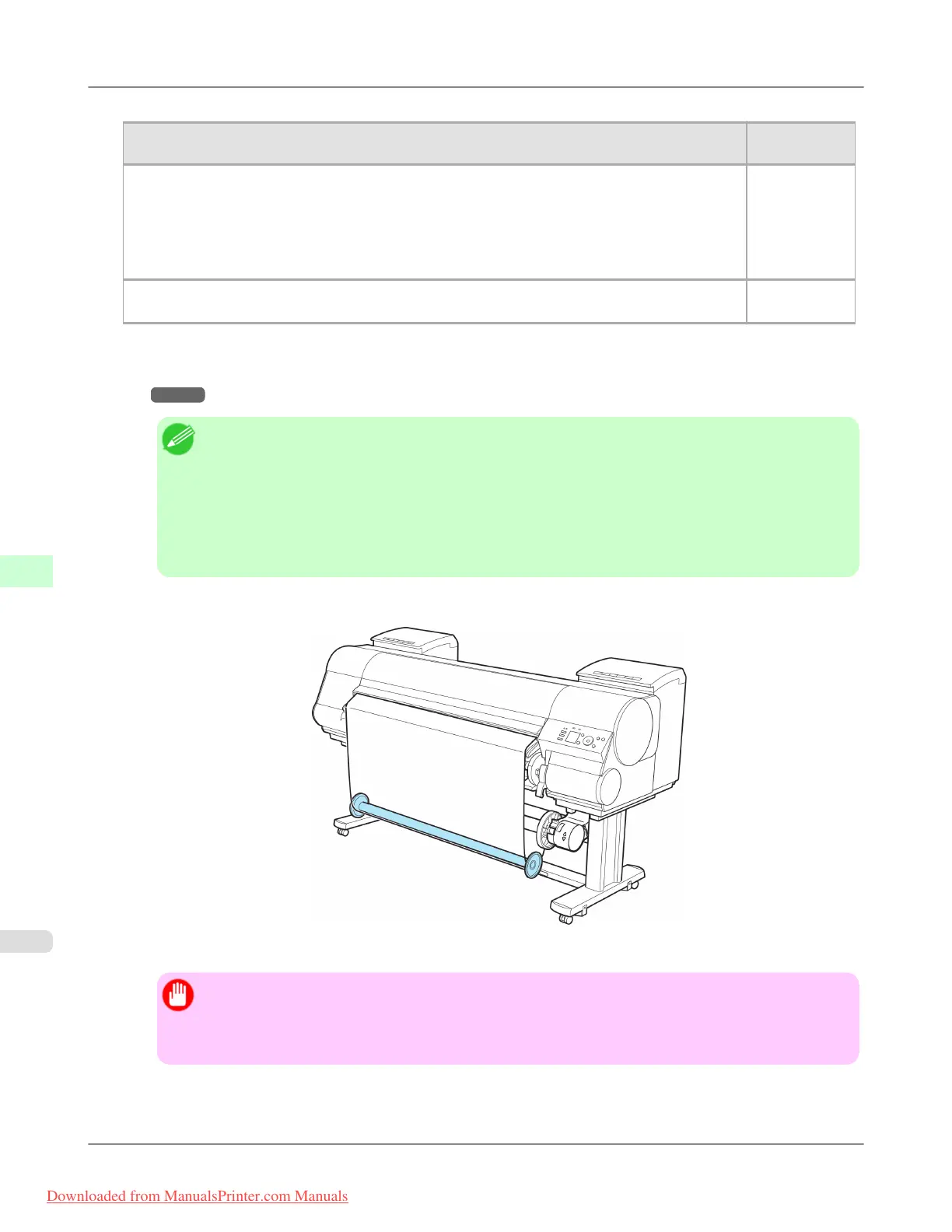
17. Set the Weight Roll gently on top of the slack in the roll paper.
The media take-up unit is now ready for use. Printed rolls can now be rewound automatically.
Important
• Always set the Weight Roll on the paper. Failure to do this may cause rewinding problems.
• When setting the Weight Roll on the paper, avoid touching the paper core and causing the wound roll
to become misaligned on the left and right end.
Handling Paper
>
Media take-up unit
>
Loading the Rewind Spool on the Media Take-up Unit iPF8300
7
830
Downloaded from ManualsPrinter.com Manuals














 To Next Page