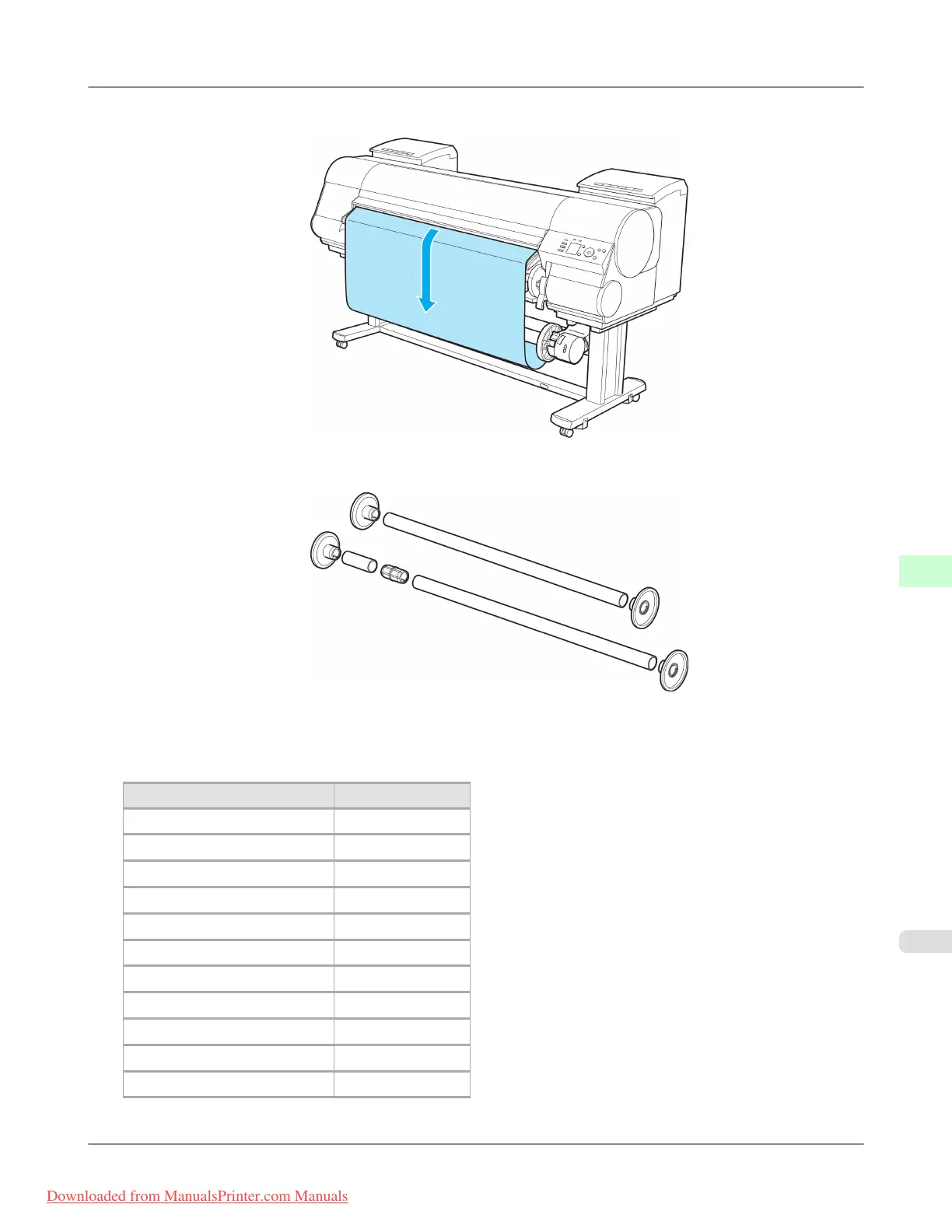
15. You can unwind rolls by holding down ▼ on the control panel.
16. Use a combination of Weight Roll, Weight Joint, and Weight Flange that matches the roll type and width.
The following list identifies Weight Roll and Weight Flange you can use. A Color Label is applied to each Weight
Roll.
Weight Roll
Roll Width Weight Roll to Use
B2 Width: 515.0 mm (20.3 in) D
B1 Width: 728.0 mm (28.7 in) A+E
B0 Width: 1,030.0 mm (40.6 in) A+G
A1 Width: 594.0 mm (23.4 in) E
A0 Width: 841.0 mm (33.1 in) B+E
431.8 mm (17 in) C
609.6 mm (24 in) E
762.0 mm (30 in) B+D
914.4 mm (36 in) G
1,066.8 mm (42 in) C+E
1,117.6 mm (44 in) D+E
Handling Paper
>
Media take-up unit
>
iPF8300 Loading the Rewind Spool on the Media Take-up Unit
7
829
Downloaded from ManualsPrinter.com Manuals














 To Next Page