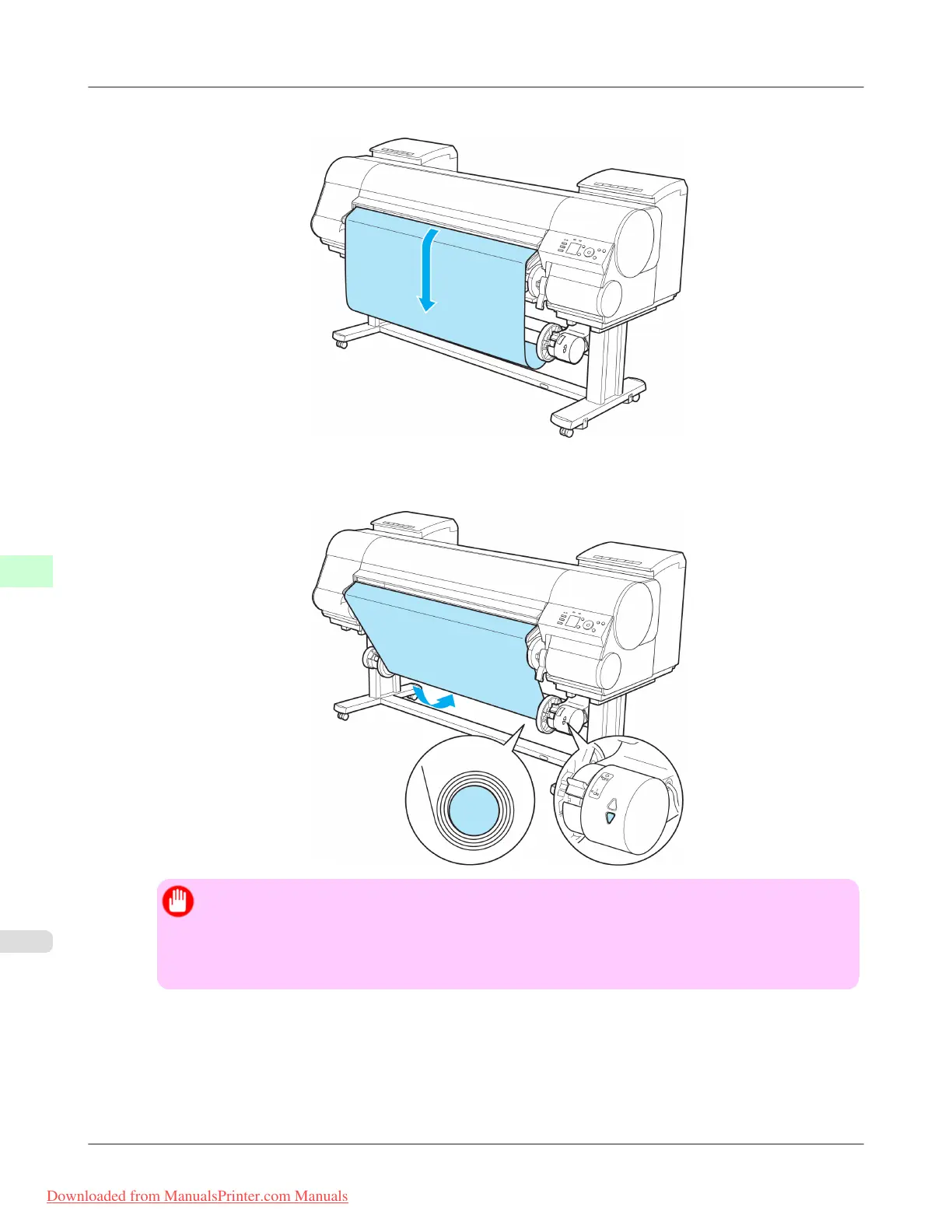
13. Press the ▼ button to make the roll a little slack.
14. On the Right Media Take-up Unit, pull the Rewind Mode Switch forward to turn it on. Press the ▼ button to rewind
the roll so that it is nearly taut.
Important
• Rewind the paper so that the paper core makes at least two revolutions. If the paper is not rewound
two full revolutions, repeat steps 13 and 14.
• Do not manually force the Rewind Spool or paper core to rotate them. This may damage them. To
rewind or unwind rolls, press ▲ or ▼ on the Media Take-up Unit.
Handling Paper
>
Media take-up unit
>
Loading the Rewind Spool on the Media Take-up Unit iPF8300
7
828
Downloaded from ManualsPrinter.com Manuals














 To Next Page