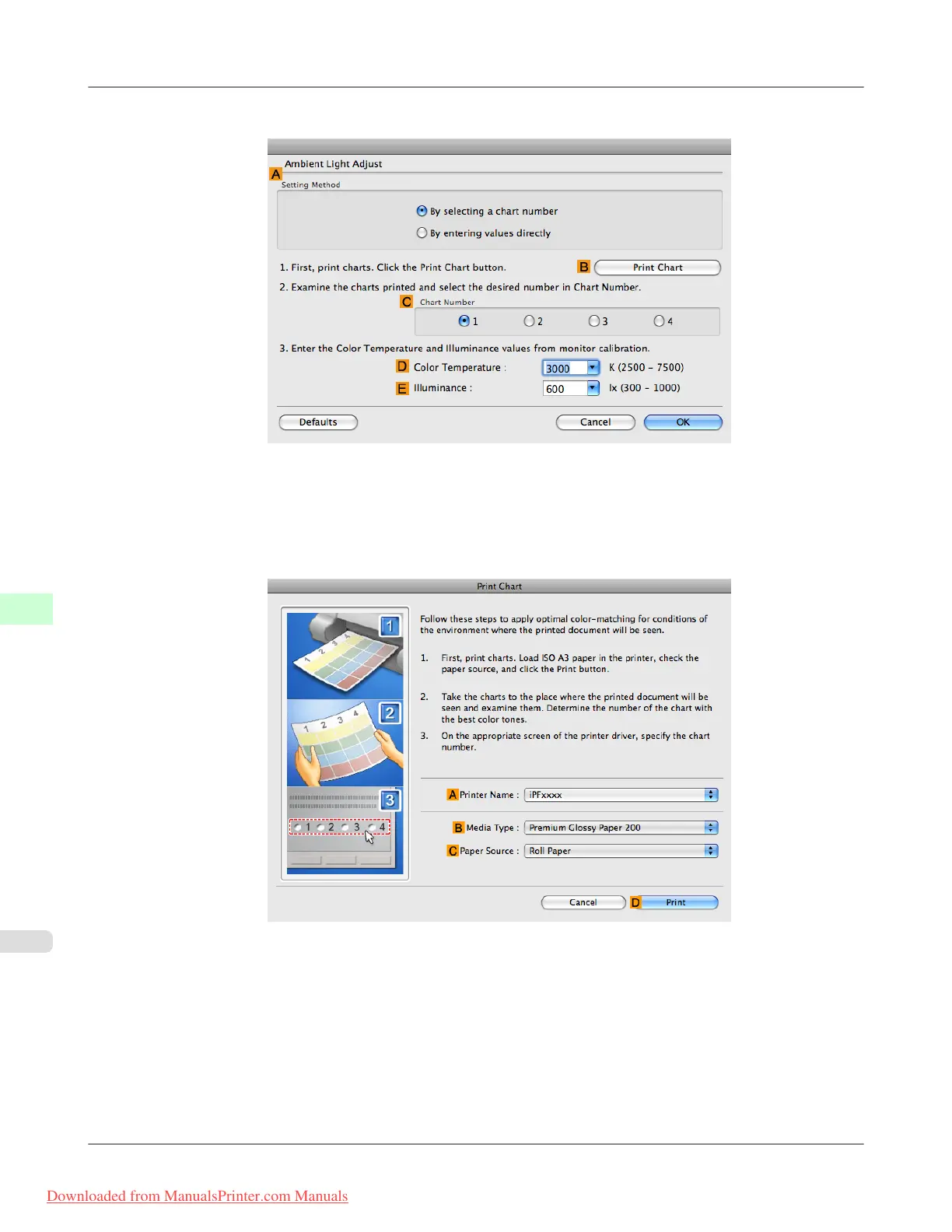
12. Click F Ambient Light Adjust to display the Ambient Light Adjust dialog box.
13. Confirm that By selecting a chart number is selected in A Setting Method.
If it is not selected already, select it.
14. Click B Print Chart.
Light Source Check Tool now starts up.
Adjustments for Better Print Quality
>
Color adjustment
>
Selecting Color Tones on Charts Before Printing (Mac OS X) iPF8300
8
864
Downloaded from ManualsPrinter.com Manuals














 To Next Page