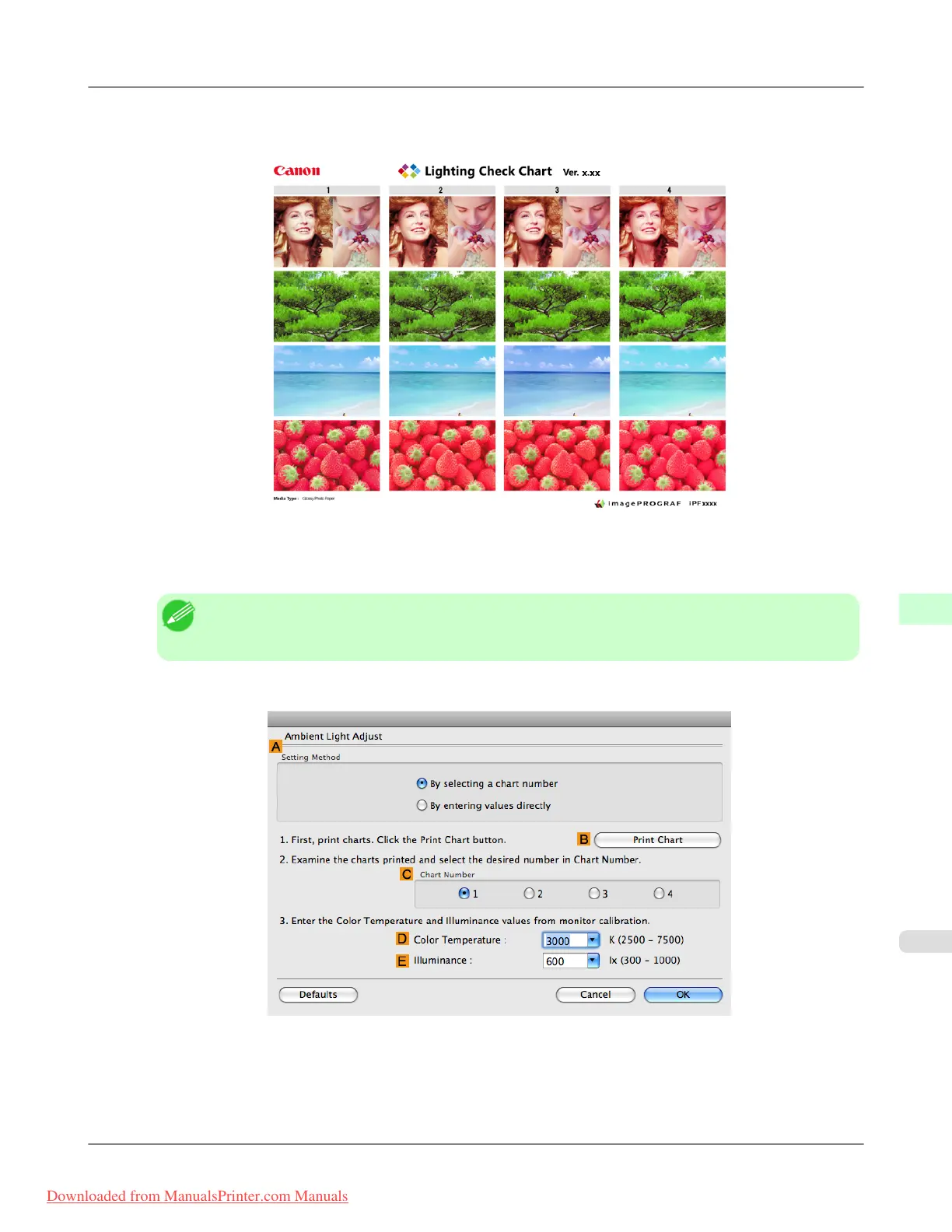
15. Check the settings and click D Print.
The Chart is printed.
16. In the viewing environment, determine the number of the set of images on the Chart in which all four vertical im-
ages have the best overall color tone.
Note
• Choose the number of the set of images in which the people, the blue of the sky, and the red of the
strawberries look the most natural overall.
17. In the Ambient Light Adjust dialog box, select the number of your preferred chart in C Chart Number.
18. If Matching Method is set to Monitor Matching on the Matching panel, enter the DColor Temperature and
E Illuminance as measured during monitor calibration.
Adjustments for Better Print Quality
>
Color adjustment
>
iPF8300 Selecting Color Tones on Charts Before Printing (Mac OS X)
8
865
Downloaded from ManualsPrinter.com Manuals














 To Next Page