303Service Manual – CS7010™ 52 - Hopper System
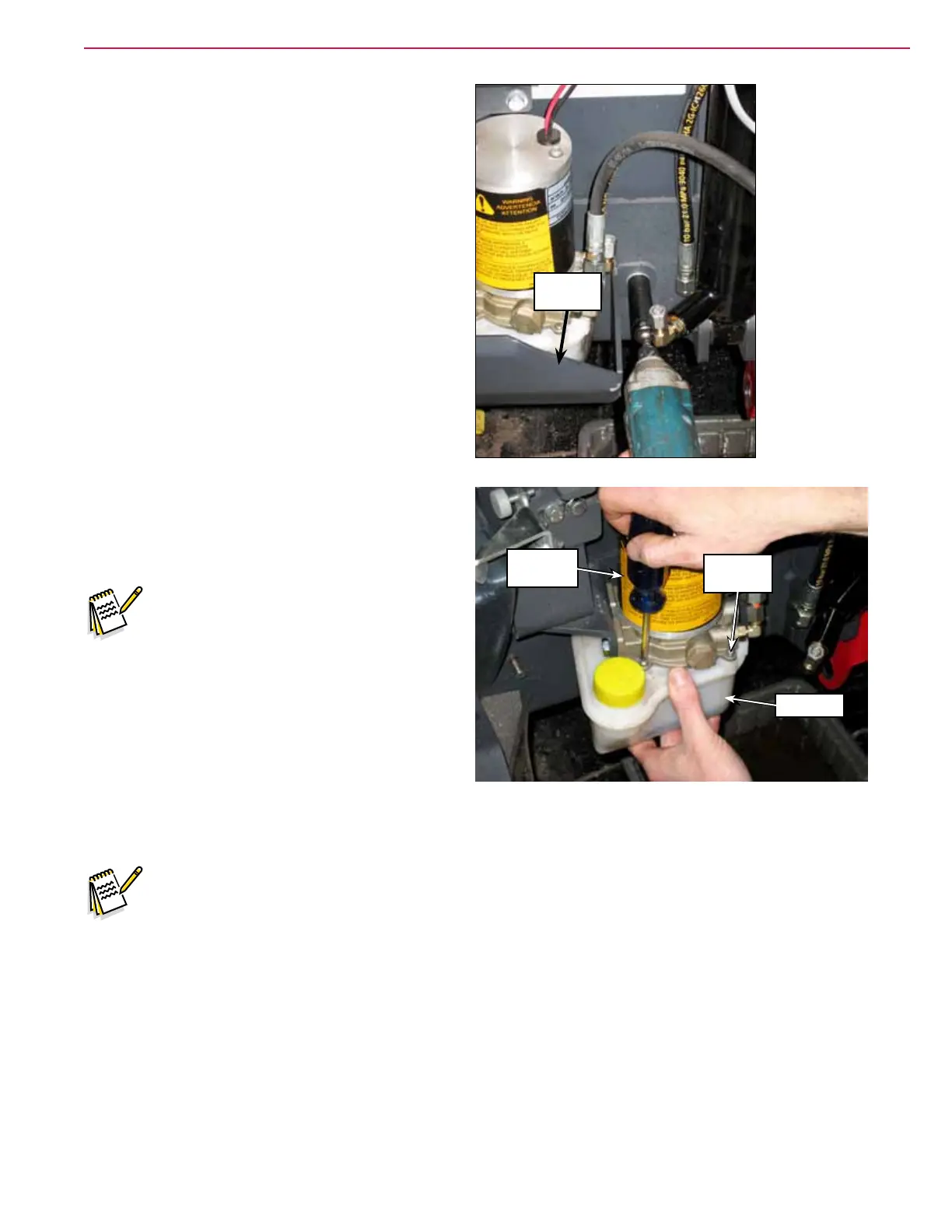
10. Remove the Reservoir Guard.
11. Loosen the four Phillips Screws holding the
Reservoir to the Pump Assembly and remove the
Reservoir.
Note: Leaving the Phillips Screws in the
Pump Assembly will make it easier
to reinstall the Reservoir.
12. Empty the oil out of the Reservoir. Wipe any dirt
or debris out of the Reservoir as necessary using
a clean, lint-free rag.
13. Check the O-ring between the Reservoir and
Pump Assembly to make sure it is not damaged.
Replace the O-ring if necessary.
14. Make sure the O-ring between the reservoir and pump assembly is installed correctly, then reinstall the
reservoir onto the pump assembly.
Note: The reservoir has threaded brass inserts that can be damaged if the Phillips screws are
overtightened.
15. Carefully tighten the four Phillips screws. Do not overtighten.
16. Rell the reservoir with 10w-30 oil to the MAX ll line. Do not overll.
Reservoir
Guard
Pump
Assembly
Phillips
Screw (4)
Reservoir



 To Next Page