2/3
2. Replacement and adjustment of parts
27330
27330
Drive section
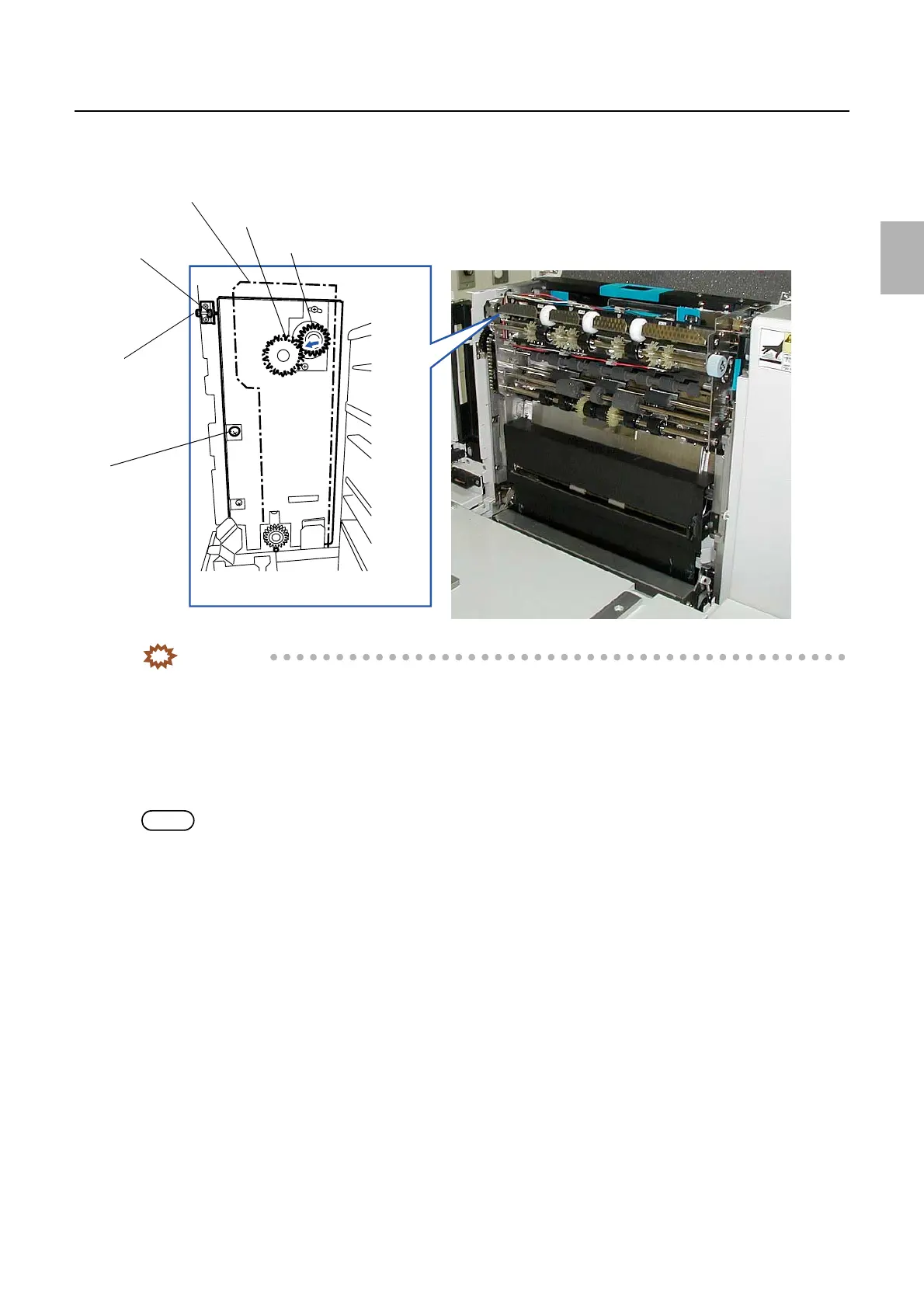
3. Move the drive unit (upper) to the direction indicated by the arrow, and tighten the screw of A section
temporally with the drive gear of the dryer rack (upper) is pressing the gear of the drive unit (upper).
IMPORTANT
• Rotate the knob of the dryer rack (upper) and check that the both gears of the drive unit (upper) and the dryer
unit (upper) are engaged.
4. Remove the dryer rack (upper).
5. Tighten the adjusting bolt until its end touches the D side of the drive unit (upper).
6. Loosen the screw A and rotate the adjusting bolt 3/4 to the right, and tighten the lock nut.
NOTE
• The backlash between the gears can be secured about 0.5 mm by rotating the adjusting bolt 3/4 to the right.
Dryer rack (upper)
Adjusting bolt
Lock nut
The drive gear of the dryer rack (upper)
Screw A
Gear of the drive unit (upper)
G085392
Distributed by: minilablaser.com



 To Next Page