3/4
2. Replacement and adjustment of parts
27470
27470
Colorimeter Section
NOTE
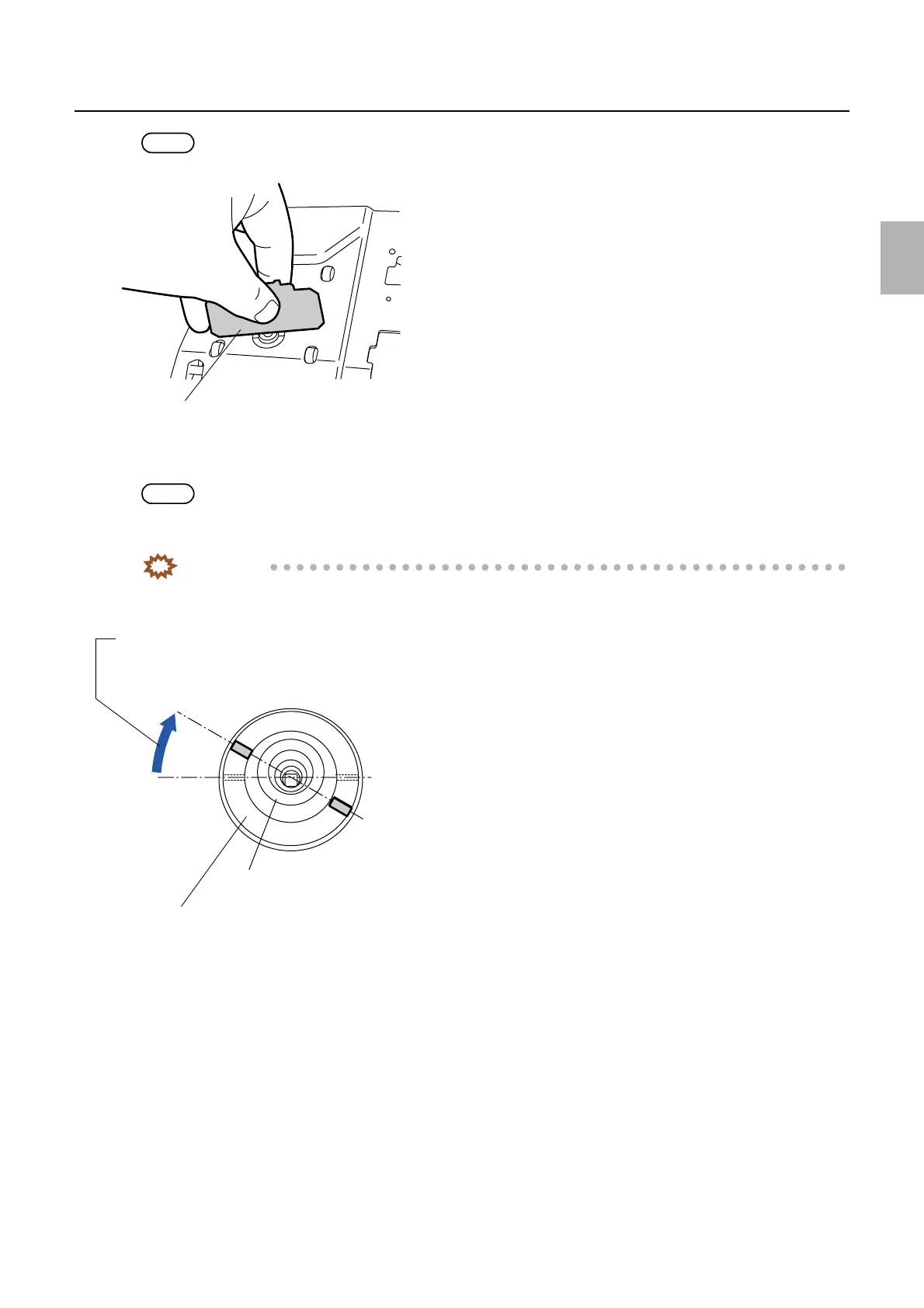
• Use the handle side of the colorimeter height adjustment jig to check the height of colorimeter leading end.
7. Confirm that the height of colorimeter leading end aligns with the back face of the colorimeter mount,
and then turn the leading end control holder approximately 30 degree clockwise to lower it.
NOTE
• This operation is to adjust the height of colorimeter leading end from the base of the colorimeter mount to 0 to -0.1 mm.
One revolution (360 degree) of the leading end control holder makes 1 mm movement.
IMPORTANT
• If the colorimeter leading end is out of back face of the colorimeter mount, it may damage the calibration plate
or test prints.
8. Reassemble the parts.
Use the handle side of the jig.
G072364
Colorimeter leading end
Turn the leading end control holder approximately 30 degree
clockwise to lower it.
Leading end control holder
G072365
Distributed by: minilablaser.com



 To Next Page