3. Mode
32517
2/4
32517
Setup
!
!!
! Evaluation methods
For adjusting density of gray
1. Check the color and density of gray.
• Points to be checked
• Deterioration of processing solutions such as dirt
• Setup problems such as measurement position of the colorimeter
For easily measuring density
1. Check whiteness and blackness.
• If white is not reproduced well
• Deterioration of processing solutions such as dirt
• Setup problems such as measurement position of the colorimeter
• If black is not reproduced well
• Deterioration of processing solution (P1)
• Setup problems such as measurement position of the colorimeter
For evaluating highlight details, For evaluating shadow details
1. Check the value of the position where the boundary line of the upper and lower parts of the sample print cannot be seen.
• Points to be checked
• Deterioration of processing solutions such as dirt
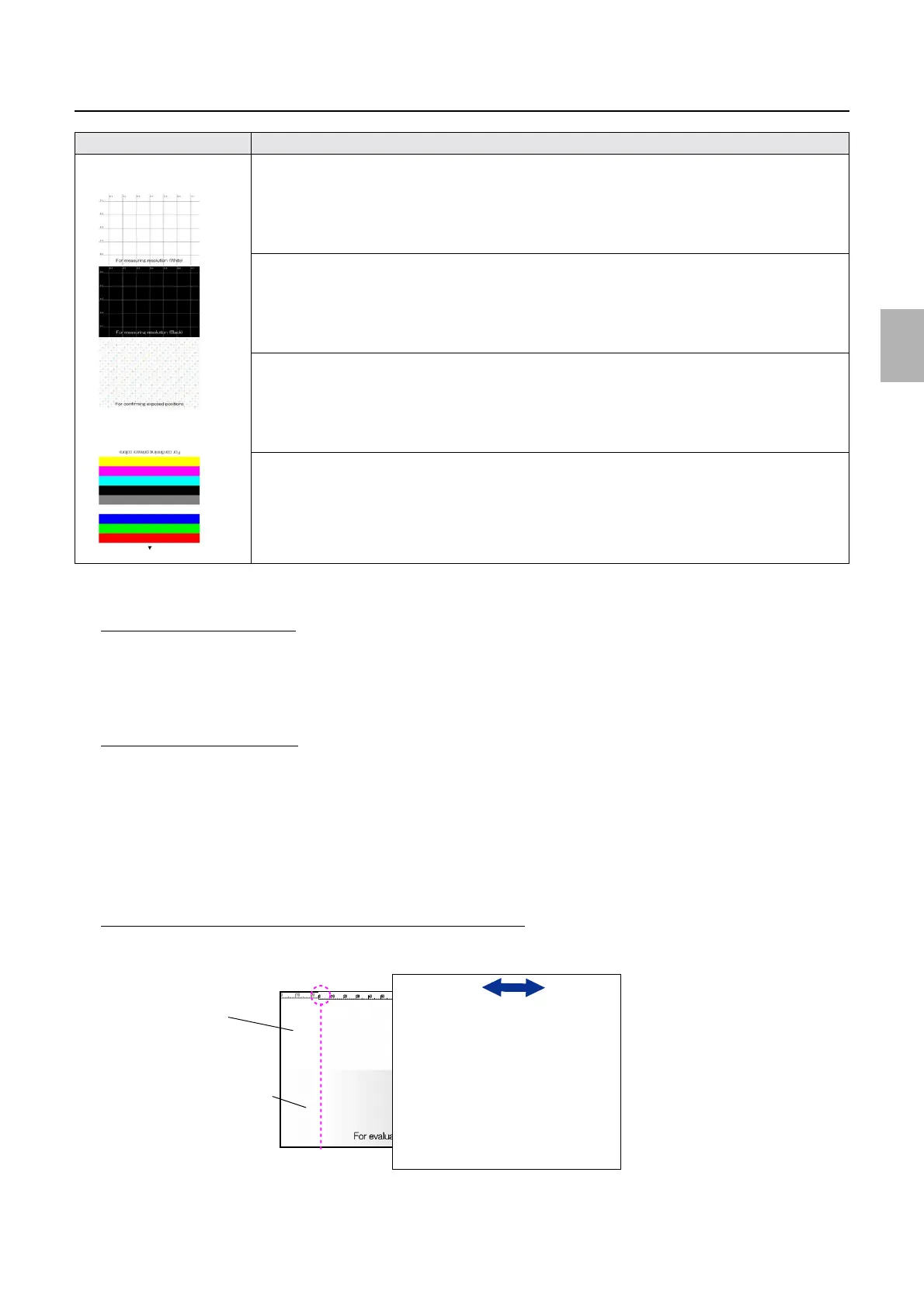
1. For measuring resolution (White)
Print for checking resolution of the printer (White)
• You can check resolution of the printer. (Black lines on a white background)
For details, see ☞For measuring resolution (White), For measuring resolution (Black).
2. For measuring resolution (Black)
Print for checking resolution of the printer (Black)
• You can check resolution of the printer. (White lines on a black background)
For details, see
☞For measuring resolution (White), For measuring resolution (Black).
3. For confirming exposed positions
Print for checking exposed positions
• You can check exposed positions.
For details, see
☞For confirming exposed positions.
4. For confirming primary colors
Print for checking primary colors
• You can check the maximum density of simple colors and densities of black, gray and white.
For details, see ☞For confirming primary colors.
Image Explanation
1
2
3
4
Sample 2
Slide paper on the sample print to check
the position where the boundary line of
the upper and lower parts cannot be seen.
Upper part (white)
Lower part (gradation)
G085359
Distributed by: minilablaser.com



 To Next Page