3/4
3. Mode
32517
32517
Setup
• Setup problems such as measurement position of the colorimeter
• Problems of the colorimeter
• Incorrect paper is selected in Paper Specification Registration.
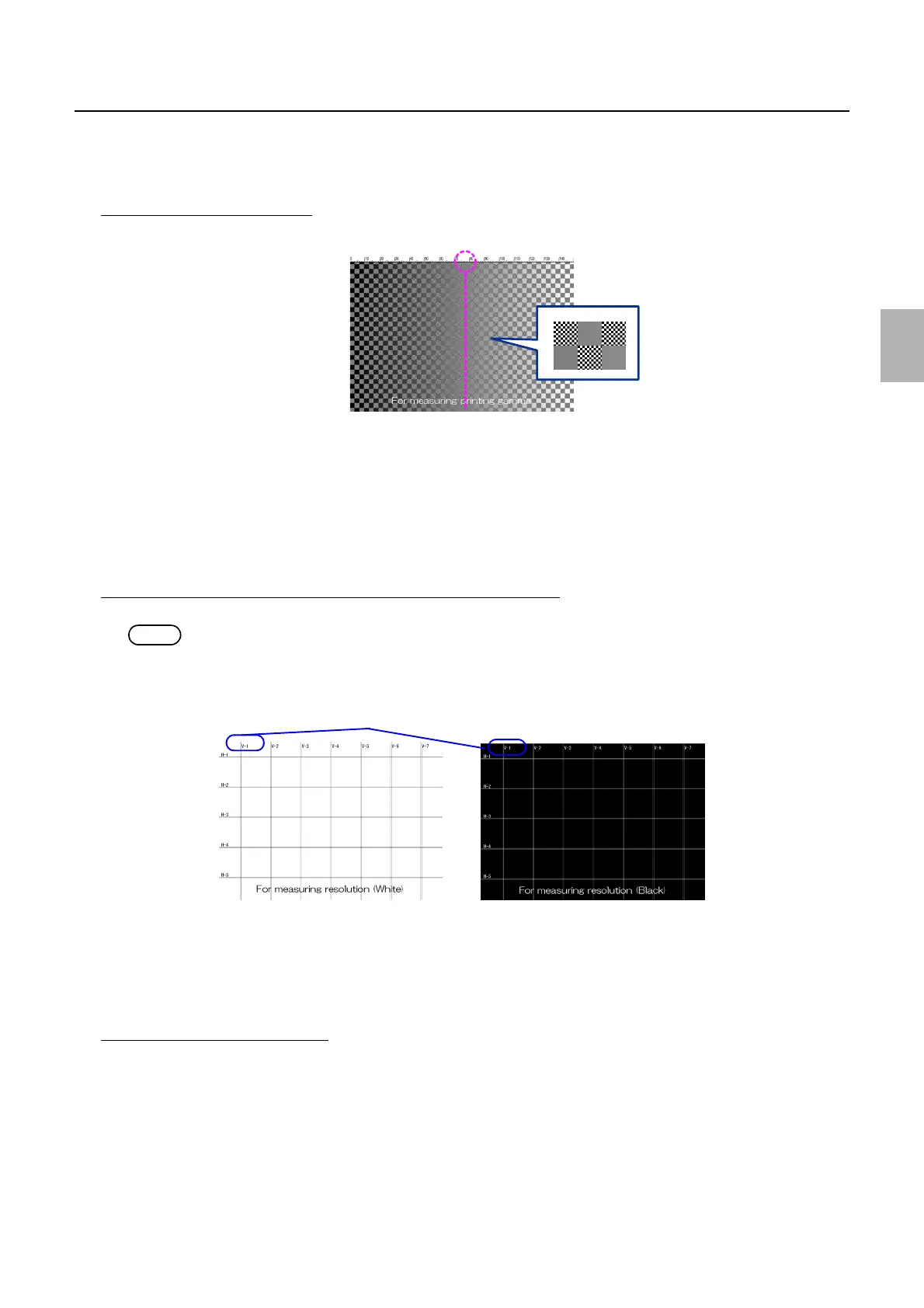
For measuring printing gamma
1. Check the position where a gray line can be seen.
• Points to be checked
• Setup problems such as measurement position of the colorimeter
• Problems of the colorimeter
• Incorrect paper is selected in the Paper Specification Registration/Setup mode.
2. Check whether the Black Balance Adjustment is normally performed with color development of the lattice pattern.
• Points to be checked
• Black balance is not adjusted normally.
For measuring resolution (White), For measuring resolution (Black)
1. Check the position where vertical and horizontal lines separate.
NOTE
• The width of the lines is one dot.
• # in V-# and H-# show the number of dots between the two lines.
• Points to be checked
• Exposure position problems
• Deterioration of processing solutions such as dirt
• Uneven advance of paper
• Exposure problems
For confirming exposed positions
1. Check the exposure position of each color.
G085353
V-1: The space between the lines is one dot.
G085361
Distributed by: minilablaser.com



 To Next Page