3/3
3. Mode
35940
35940
Self-diagnostic
!
!!
! Screen explanation 2
*1. Unknown Node is supported by FRONTIER-Printer with Ver. 3.0 or later, and QSS-Printer with Ver. 5.0 or later.
Exist Displays state of the ARCNET PCB detection.
• ∗: communication status of the ARCNET PCB is normal
• Blank: communication status of the ARCNET PCB is normal
Item Explanation
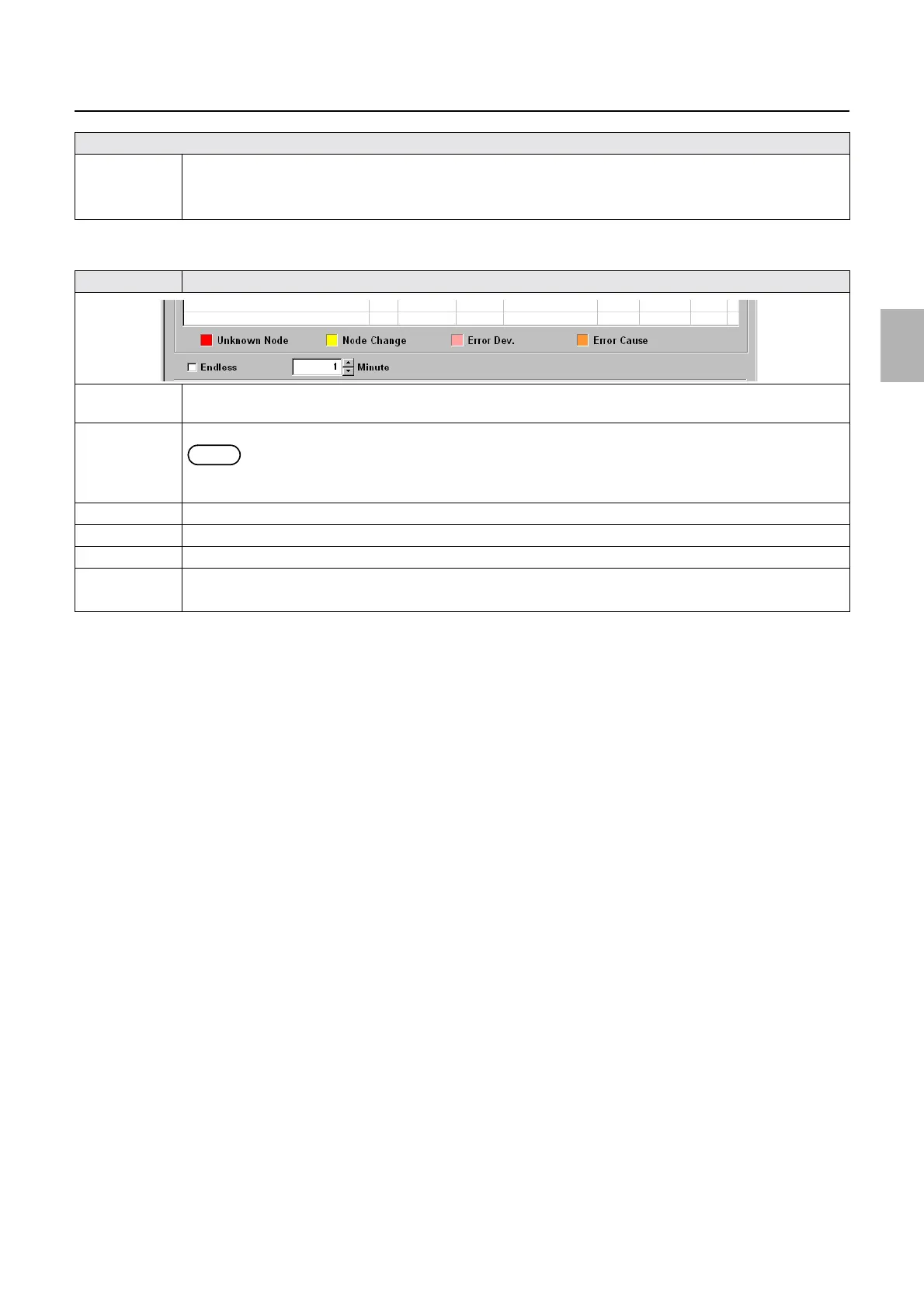
Unknown
Node
*1
Background color that indicates detection of a nonexistent ARCNET PCB.
Node Change Background color that indicates a change in the state of connection of the ARCNET PCB.
NOTE
• The background color turns yellow when the ARCNET PCB communication state that is detected at Exist
changes.
Error Dev. Indicates the ARCNET PCB that is causing the errors in each ARCNET PCB.
Error Cause Indicates cause of error occured in each ARCNET PCB.
Endless Selecting this will continue performing ARCNET Self-Diagnostic without time restliction.
Minute Specifies time of diagnosis. (indicating by minute)
• If Endless is selected, this setting cannot be configured.
Explanation
Distributed by: minilablaser.com



 To Next Page