3. Mode
35955
3/3
35955
Self-diagnostic
NOTE
• If Network Self-Diagnostic is accessed from Extension→Maintenance, the IP Address and Language settings configured on
the Machine Specification display are applied. Therefore, they need not to be reconfigured.
!
!!
! Checking procedure of Network Self-Diagnostic
1. Select Ping or Data path check, configure each setting.
2. Click Ping or Execute.
3. Check the diagnosis result, and specify the failure part.
NOTE
• If communication failure of the LAN cable occur while Data path check is performed, the following display is shown and
Data path check may be terminated abnormally.
!
!!
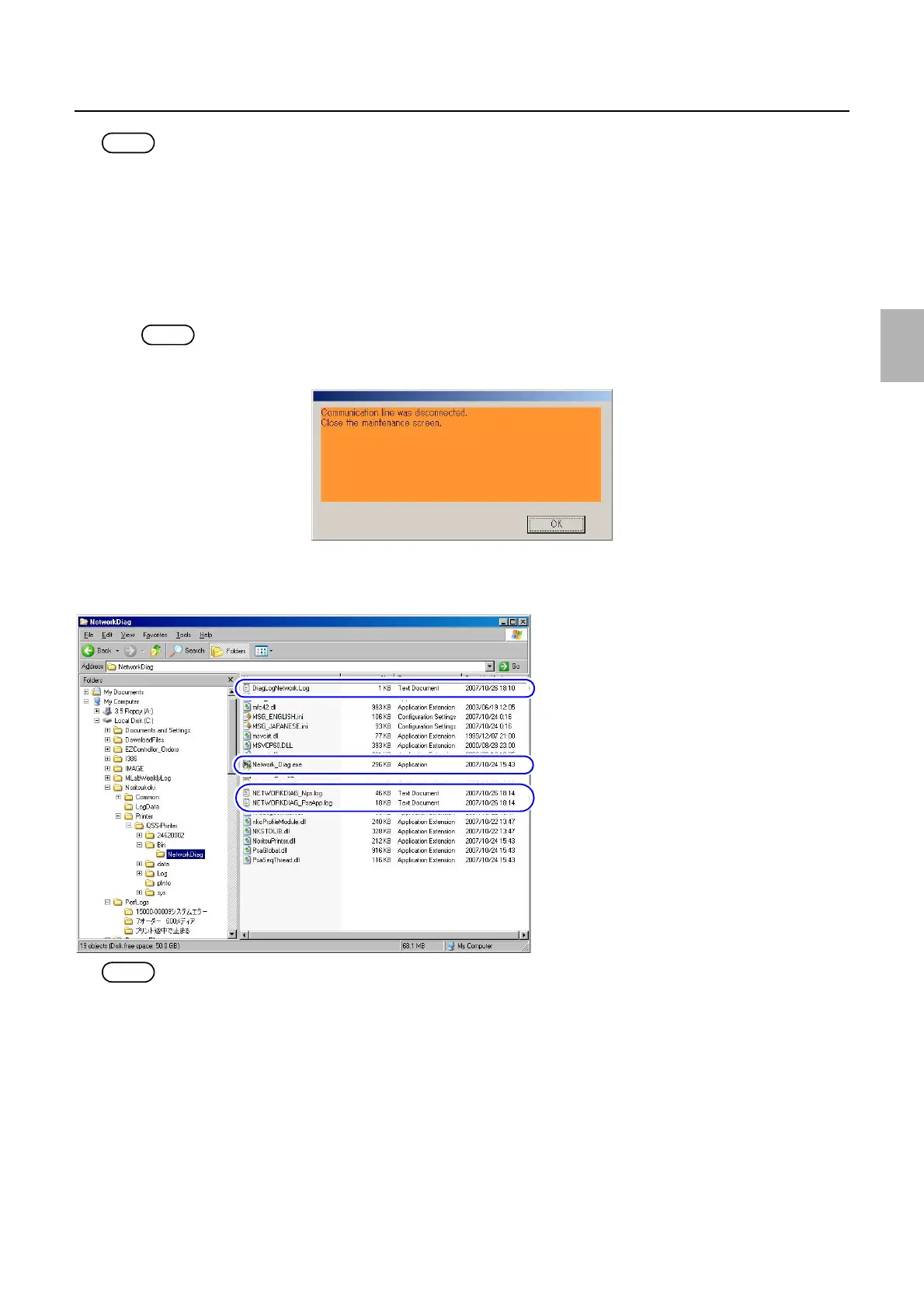
! Startup procedure of Network Self-Diagnostic and destination of the log data
Network Self-Diagnostic can be started from Maintenance, and also from the C drive directly.
NOTE
• If Network Self-Diagnostic is accessed from the C drive directly, the settings configured on the Machine Specification display
are not applied. Therefore, the IP Address and Language settings may need to be reconfigured.
G085492
Execution file of Network Self-Diagnostic
Destination of the log data
Destination of the log data
G085490
Distributed by: minilablaser.com



 To Next Page